Skip to content

Latest commit


History

5 Commits

Folders and files

NameName
Last commit message
Last commit date


Repository files navigation

Batch Rename

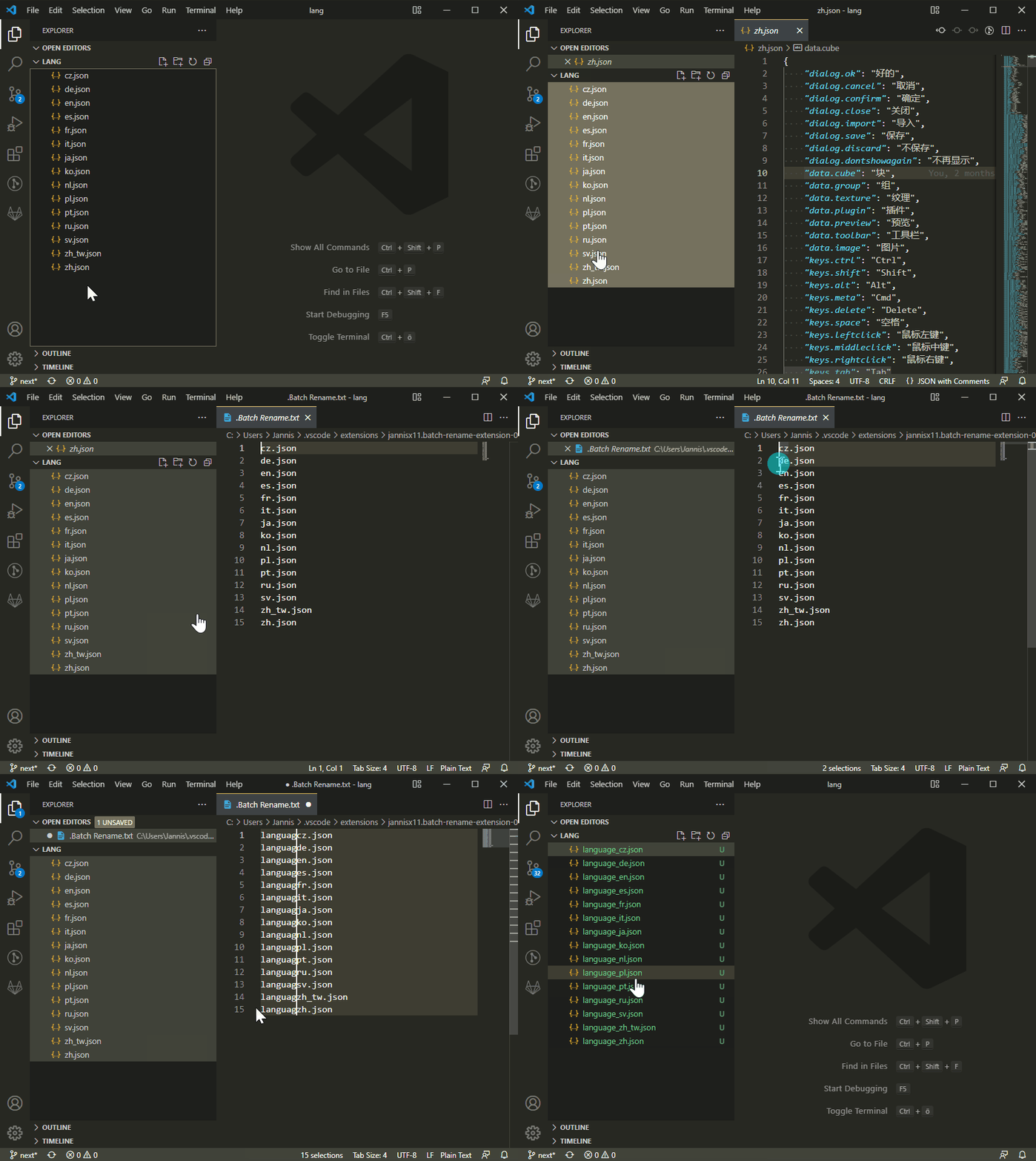
Rename multiple files at once inside the editor window. That way you can use find/replace and multi-cursor.

How To Use:

  • Select files in the explorer sidebar
  • Right click one of the files and click "Batch Rename"
  • Edit the file names in the editor
  • Hit Save to confirm

Demo GIF

About

VS Code extension to batch-rename files

Resources

Stars

72 stars

Watchers

1 watching

Forks

Used by

Contributors

Languages