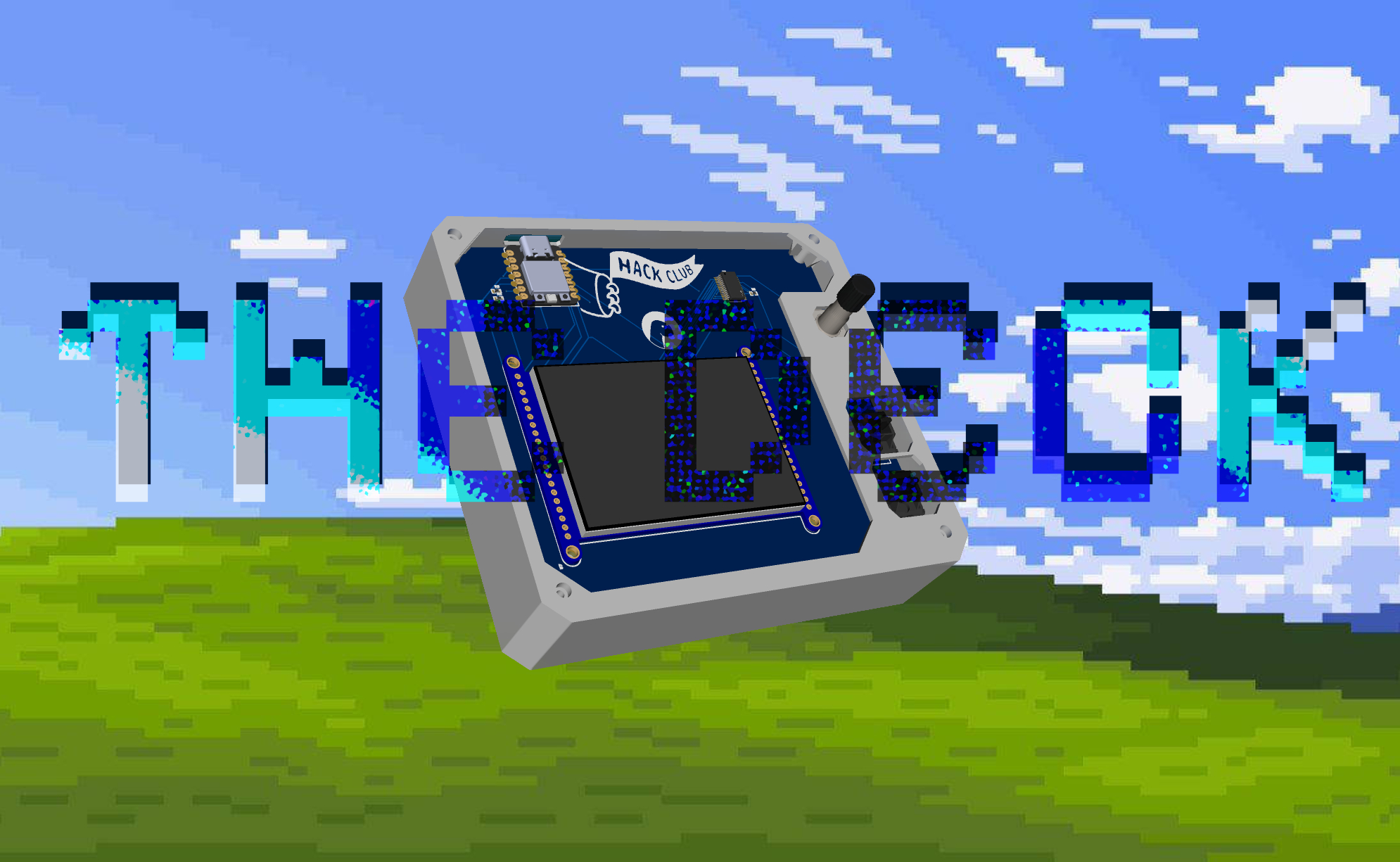



The Deck runs on a Seeed Studio XIAO RP2040, which powers a 2.8 inch resistive screen from Adafruit, A rotary Encoder, and Two cherry mx switches, it also uses a MCP23017 for extra pins! It's quite similar to a StreamDeck, but instead of a grid of buttons that launch apps, it includes a screen that show-cases different screens with different functions. Want to make this yours? Head out to /Hardware, and Have a look at the schematic, and make your own preferred PCB style!
I’ve always wanted a macro pad that felt more dynamic and customizable than the usual grid of buttons something I would genuinely love to use every day. The Deck was built to do exactly that. Instead of relying on fixed keys like most designs, it uses a touchscreen to create a flexible, ever-changing interface
- It uses a Seeed Studio XIAO RP2040, Pretty budget friendly microcontroller
- A Rotary Encoder, for all media control purposes
- Two Cherry MX Switches, for Play/Pause, Stop Timer/Pause Timer, other purposes cooming soooooon!
- A MCP23017, FOR THEM EXTRA PINS! (only drawback of the XIAO 2040)
- Adafruit 1770, A resistive touchscreen module, basicallly the only thing that makes it stand out (this one breaks the wallet :soob:)

want to work on this? head to /Hardware/Source
- Refer to BOM
- Download the PCB files from /Hardware
- Order using the provided Gerber files
- Solder all components as per the schematic
- Download CircuitPython for XIAO RP2040
- Hold the BOOT button and plug in the board
- Drag and drop the .uf2 file onto the device
- It should appear as a CIRCUITPY drive
- Go here
- Copy all files into the CIRCUITPY drive
- For “Now Playing” support, go here
- download and run
- and, you are done!


CAD (/CAD)


The firmware is completely written in Python using CircuitPython libraries
└── MCU/
    ├── lib/
    │   ├── adafruit_bitmap_font/
    │   ├── adafruit_bus_device/
    │   ├── adafruit_display_shapes/
    │   ├── adafruit_display_text/
    │   ├── adafruit_hid/
    │   ├── adafruit_mcp230xx/
    │   ├── asyncio/
    │   ├── adafruit_binascii.mpy
    │   ├── adafruit_bitbangio.mpy
    │   ├── adafruit_ili9341.mpy
    │   └── adafruit_touchscreen.mpy
    ├── font/
    │   ├── helvB24.bdf
    │   ├── helvR12.bdf
    │   └── helvR18.bdf
    ├── screens/
    │   ├── app_launcher.py
    │   ├── now_playing.py
    │   ├── pomodoro.py
    │   └── settings.py
    ├── ui/
    │   ├── animator.py
    │   ├── arc_widget.py
    │   ├── progress_bar.py
    │   └── transition.py
    ├── boot.py
    ├── code.py
    ├── config.py
    ├── display_driver.py
    ├── input_handler.py
    ├── requirements.txt
    ├── serial_handler.py
    ├── state.py
    └── touch_handler.py
I too use a bridge for grabbing Now playing info using winSDK, you can find it under /Firmware, it sends the info through ports, and then serial_handler.py parses it and passes that info to the screens!
Check it out here!
