

Where your markdown becomes a masterpiece.
내가 쓴 마크다운이 작품이 되는 순간.


Live preview that doesn't suck. 13 themes for every mood. PDF export that actually looks good.
LaTeX math · Mermaid · clipboard image paste · auto TOC · Korean-first typography — all bundled, all offline.
Install → · Homepage · Live Demo · Report Bug
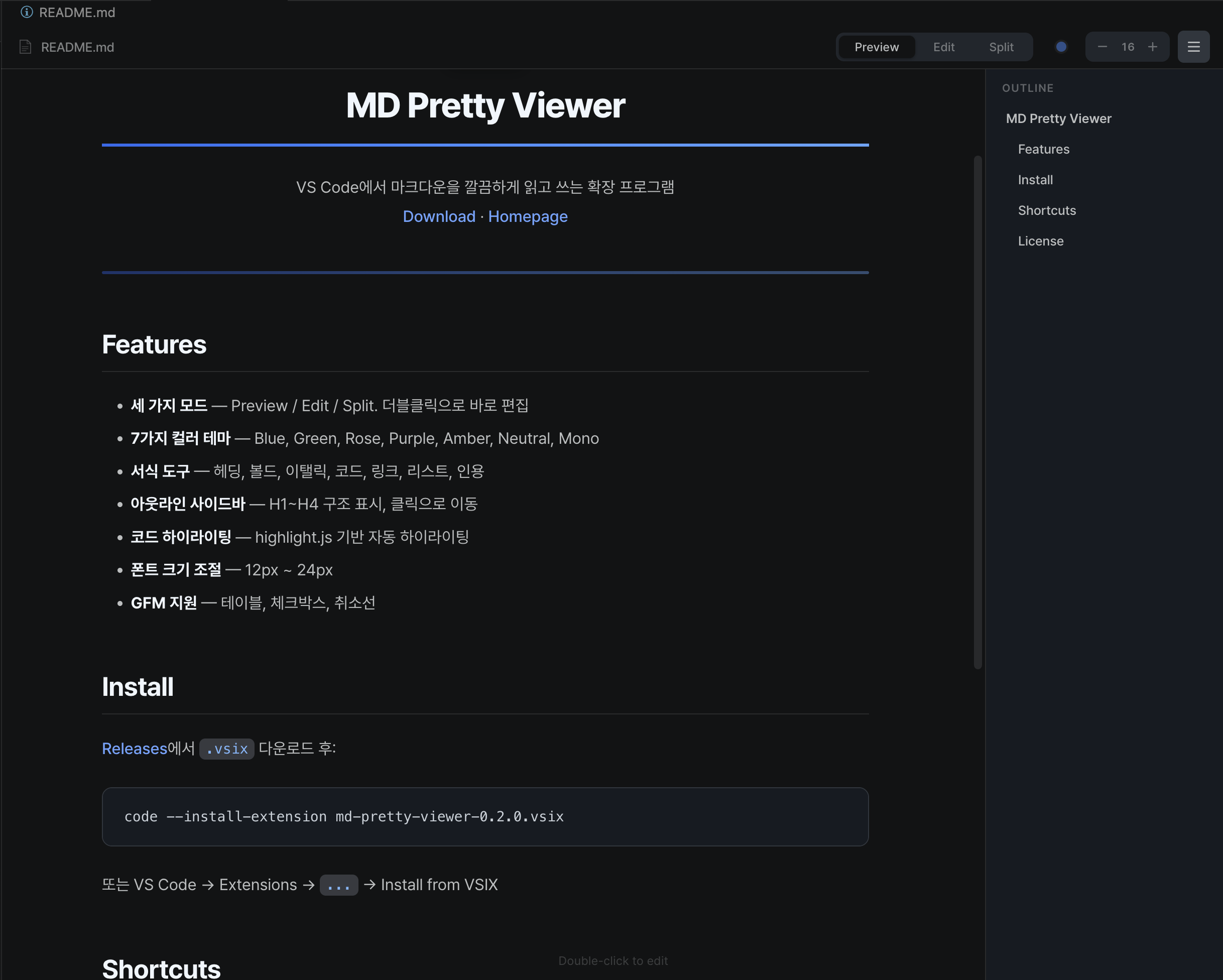
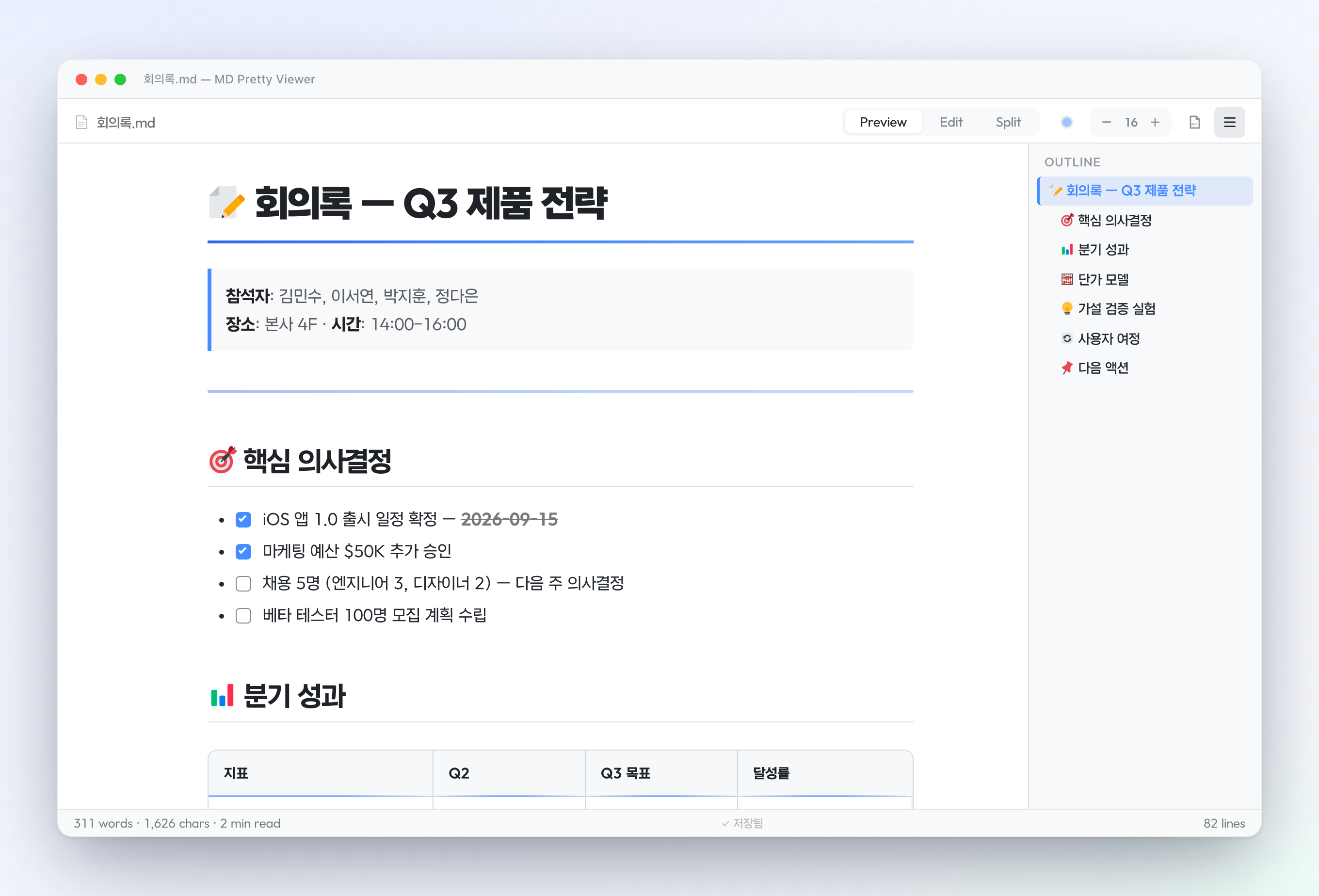 Beautiful reading view — clean typography, live outline, checkboxes & tables
|
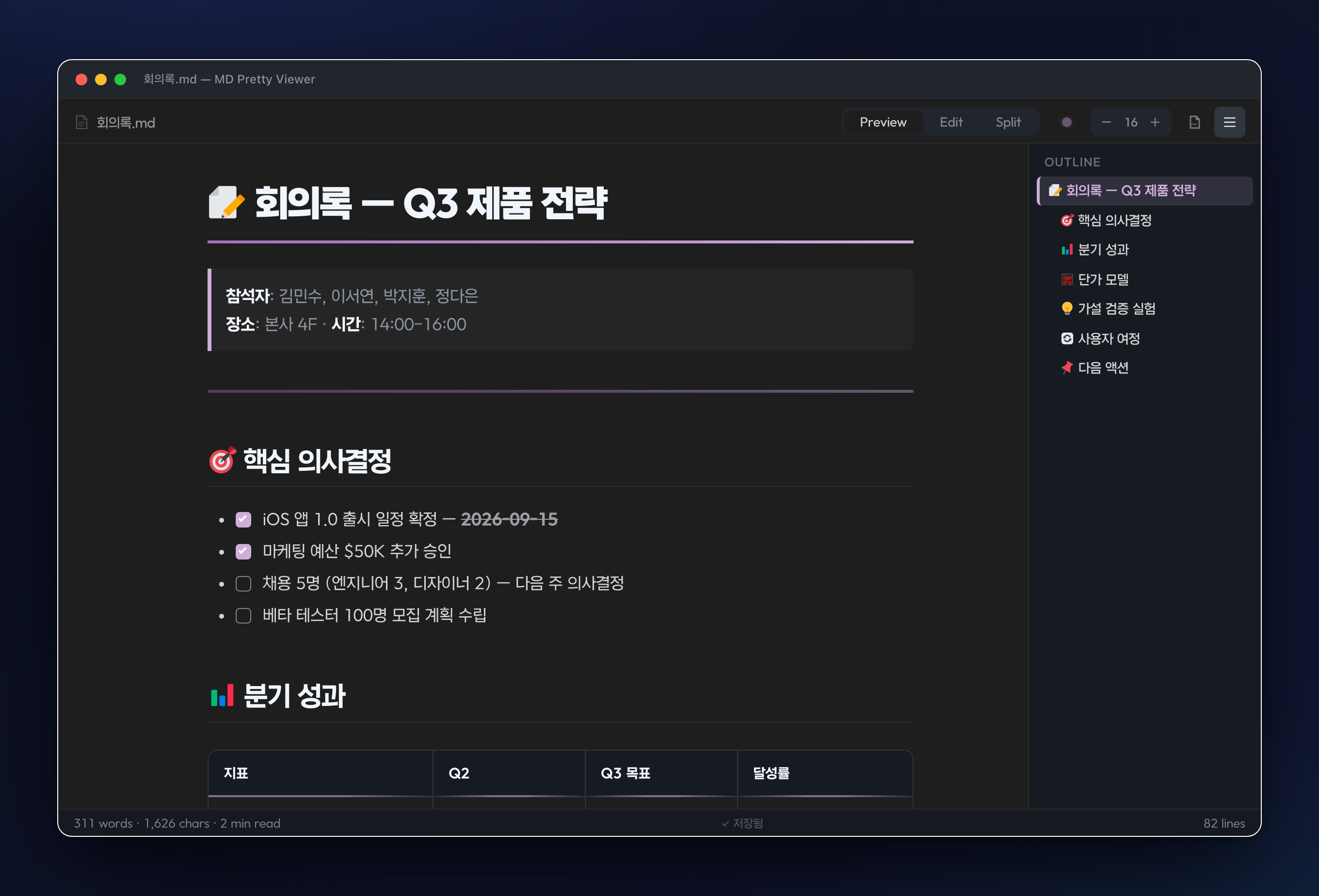 Dark mode — every theme adapts to light & dark, outline included
|
 Split mode — edit and preview side by side with anchor-based scroll sync
|
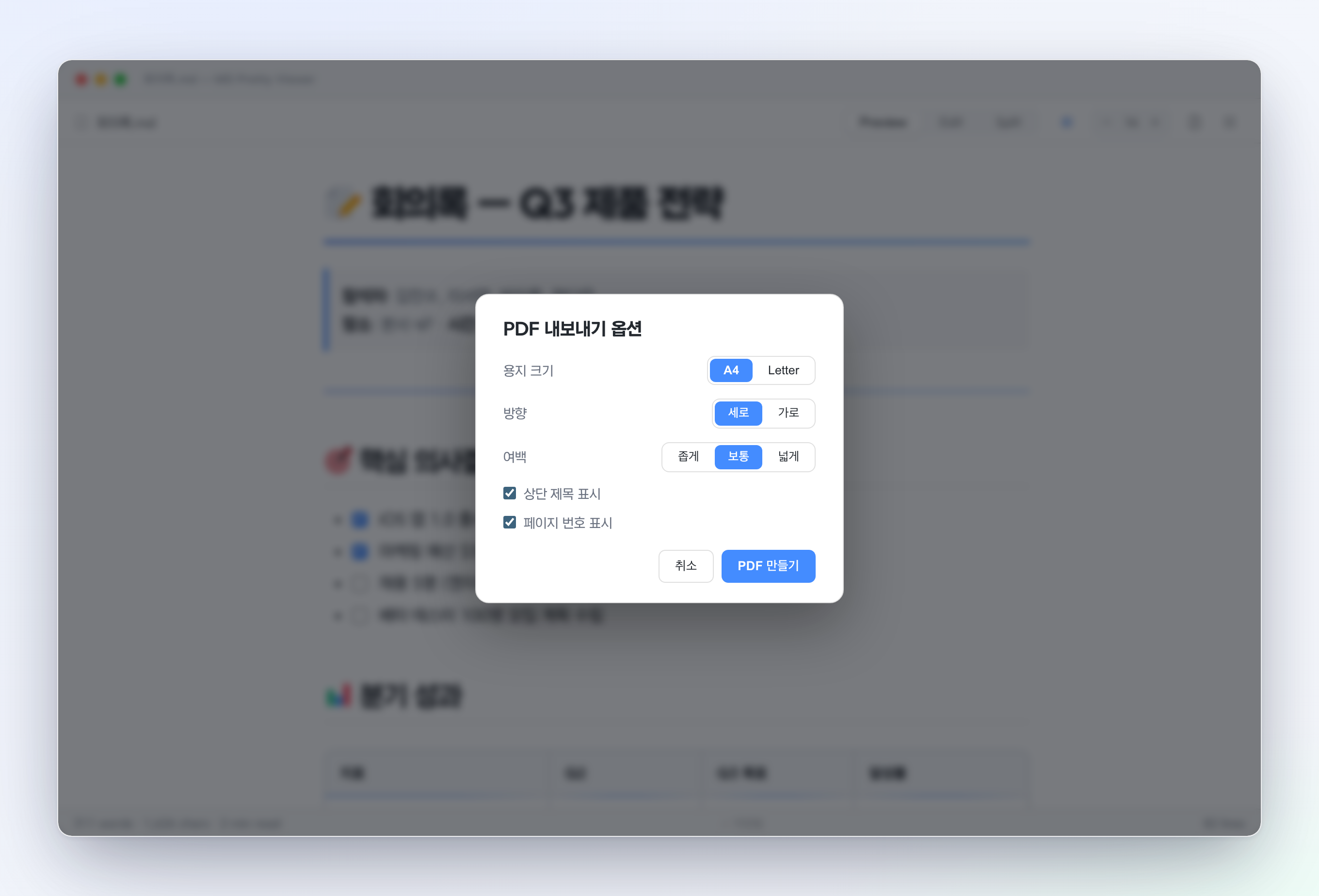 PDF export — paper · margin · header · page number, all configurable
|
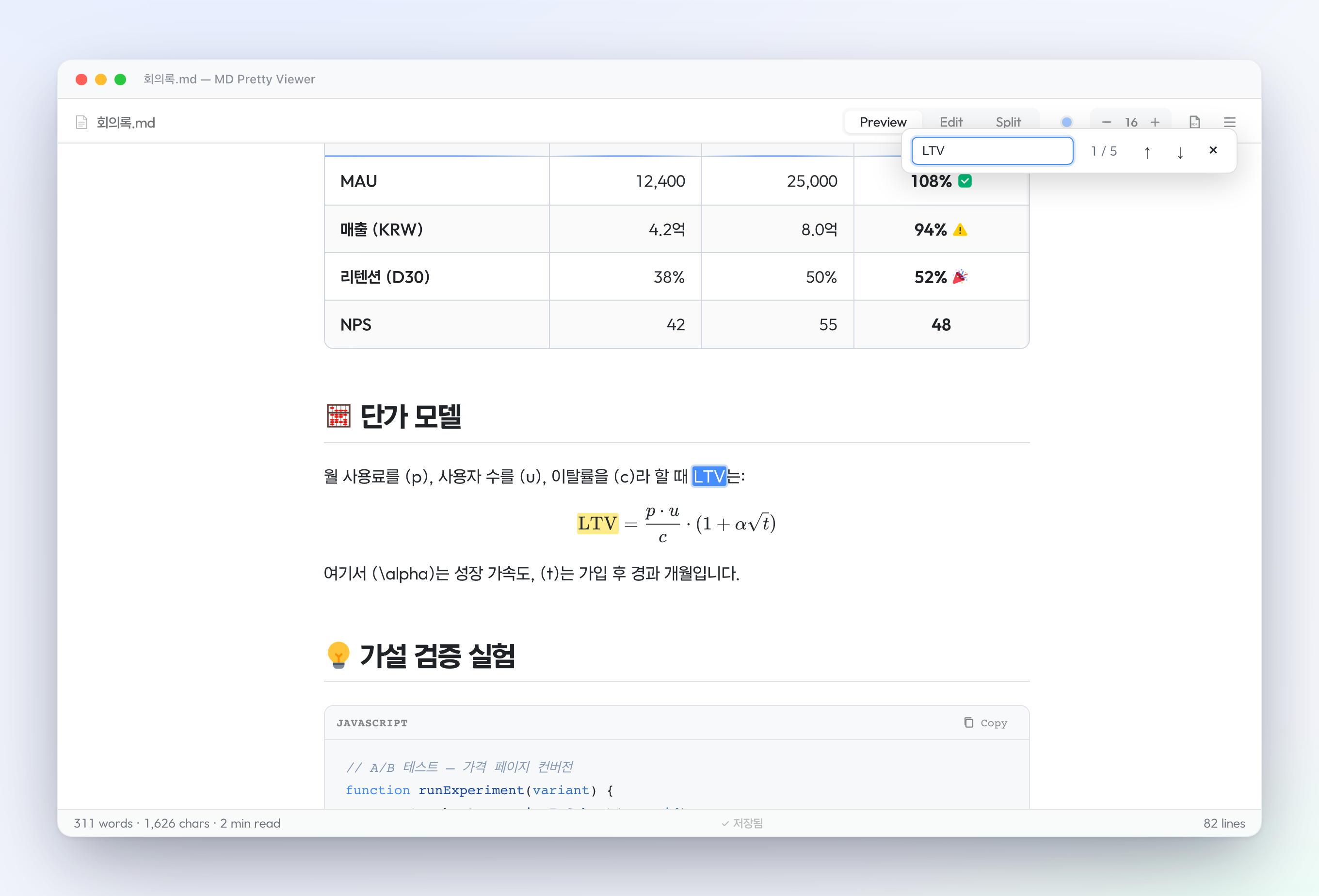 In-preview search — Cmd/Ctrl+F highlights across text, tables, and math
|
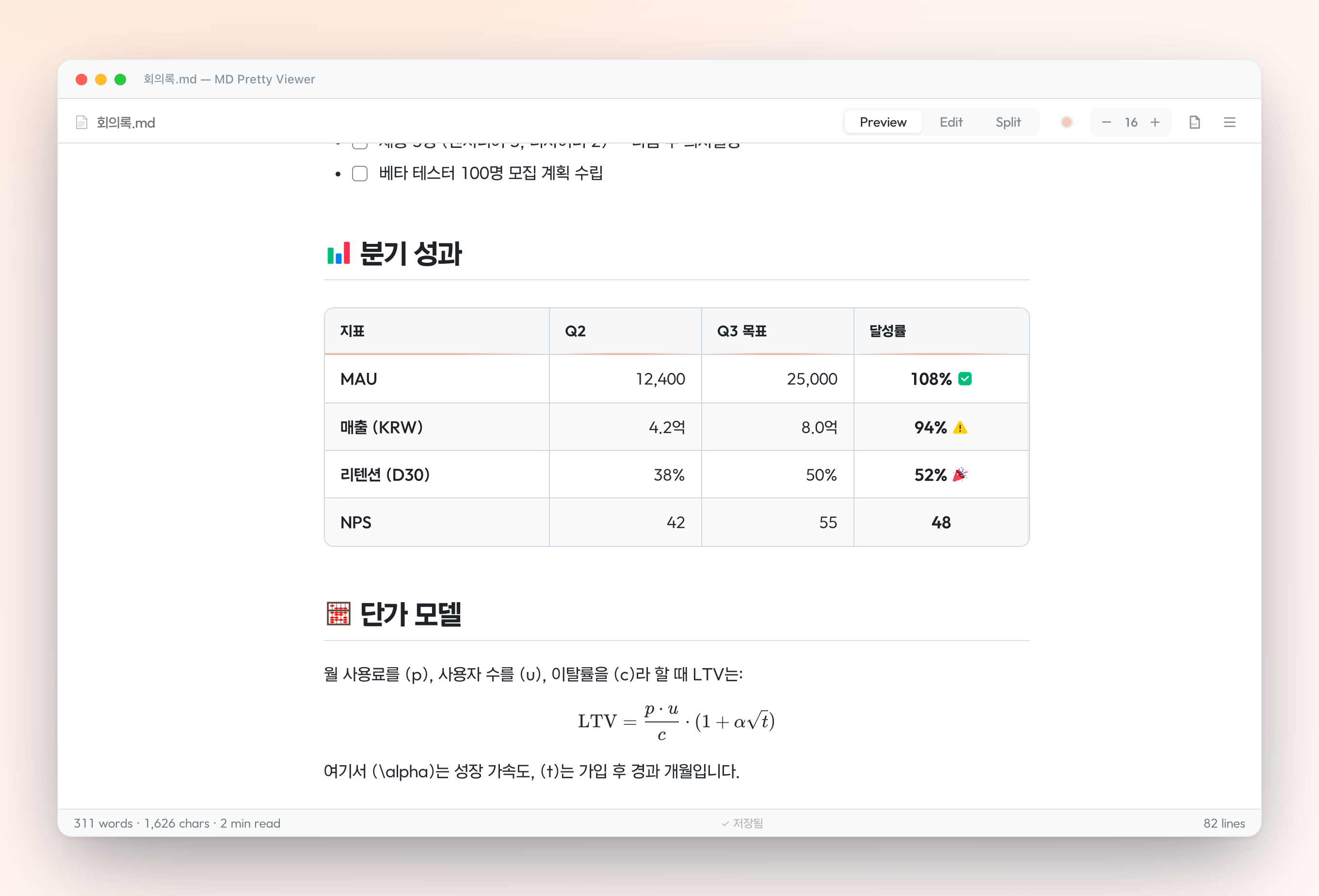 13 themes — Classic + Pantone 2026 + Eye-friendly
|
|
|
| Classic | Blue · Green · Rose · Purple · Amber · Neutral · Mono |
| Pantone 2026 | Peach 🍑 · Aqua 🌊 · Orchid 💜 |
| Eye-friendly | Sage 🌿 · Sepia 📜 · Mist 🌫 |
| Custom | Pick any HEX color from the theme palette |
📂 Opens as your default markdown editor v1.0.30
Click any .md file and it opens straight in MD Pretty Viewer — no extra command, no raw-text flash.
- Registered as a VS Code custom editor for
.md·.markdown·.mdown·.mkd - Opens straight in the viewer from Explorer click, Quick Open, and terminal Ctrl/Cmd+click
- File links from Claude Code / other extensions open in the viewer too. Those use
showTextDocument, which bypasses default-editor settings, so the extension detects a markdown file that landed in a plain text tab and re-opens it in the viewer - Want the raw source? Right-click the tab → Reopen Editor With… → Text Editor. To make raw text the default, set
"workbench.editorAssociations": { "*.md": "default" } git diffand compare views stay the plain text diff — reviewing changes is never intercepted
✍️ Edit right in the preview v1.0.29
The headline feature — no mode switch, no raw markdown.
- Click a rendered block (paragraph, heading, list, quote) and edit it in place; it round-trips back to clean markdown on save
- + handle inserts any block type — text, headings, lists, checkboxes, quote, code, table, image, link, divider
- ⠿ handle drags to reorder, or opens a menu to move / duplicate / delete
/slash menu converts the current block to another type, Notion-style- Tables: add / remove rows & columns and cycle column alignment while editing a cell;
Tabhops cells and the last cell adds a new row - Code blocks open a dedicated editor (language field +
Tabindent, no fence fiddling) - Links: click to edit text & URL in a popover; checkboxes: click to toggle
[ ]↔[x]in the source - Cmd/Ctrl+Z / Shift+Z undo & redo, right in Preview
👀 View modes — Preview / Edit / Split
- Preview renders your markdown like a reading view
- Edit is a clean monospace editor with line numbers
- Split shows both side-by-side with anchor-based scroll sync
- Double-click anywhere to toggle Preview ↔ Edit instantly
🖼 Image lightbox v1.0.2
Click any image in Preview → full-screen view. Wheel to zoom · double-click for 2.5× · drag to pan · ESC to close.
🔍 In-preview search v1.0.2
Cmd/Ctrl + F in Preview opens an in-page search bar with match highlighting and Enter / Shift+Enter navigation. Edit mode uses Find & Replace.
📌 Outline scroll tracking v1.0.2
The outline sidebar highlights the current section as you scroll, with a colored side-bar and auto-scrolling to keep the active item visible.
🔗 Smart URL paste v1.0.2
Select text → paste a URL → automatically becomes [selected text](url). Multi-line selections and non-URL clipboards are passed through unchanged.
📄 PDF export with options v1.0.2
Before exporting, choose:
- Paper size (A4 / Letter)
- Orientation (portrait / landscape)
- Margin preset (narrow / normal / wide)
- Running header on/off
- Page number on/off
Choices persist via localStorage. A4-optimized layout with smart page breaks — table headers repeat, code blocks avoid splits.
🧮 LaTeX math via KaTeX
Inline: $E = mc^2$ · Block: $$\int_0^\infty e^{-x^2}dx$$
All KaTeX fonts bundled — works offline.
📈 Mermaid diagrams
Render Mermaid diagrams from ```mermaid code blocks. The 3.3 MB library is lazy-loaded only when needed.
📊 Tables that work everywhere
- Theme-aware design (light/dark/print)
- Horizontal scroll wrapper for wide tables, with edge-shadow hints
- PDF: wrapper removed; headers repeat across page breaks
📑 Outline sidebar + auto TOC
H1–H4 automatically extracted into a navigable tree. Insert [[TOC]] or [[목차]] anywhere to embed a table of contents in the document body.
☐ Live checkboxes
Click checkboxes directly in Preview — source markdown updates automatically ([ ] ↔ [x]).
💾 Save status + writing stats
Status bar shows ● Modified / ◐ Saving / ✓ Saved plus word count, character count, and estimated reading time.
| Shortcut | Action |
|---|---|
Ctrl/Cmd + E |
Toggle Preview ↔ Edit mode |
Ctrl/Cmd + F |
In-preview search (Preview) · Find & Replace (Edit) |
Ctrl/Cmd + H |
Find & Replace (always) |
Ctrl/Cmd + B / + I |
Bold / Italic |
Ctrl/Cmd + Shift + C |
Inline code |
Ctrl/Cmd + Alt + M |
Open Pretty View on the active .md file |
Tab / Shift+Tab |
List indent / outdent (4-space fallback) |
Enter on list item |
Auto-continue list with next marker |
Esc |
Close lightbox · preview search · dialogs |
| Double-click | Toggle Preview ↔ Edit |
# Marketplace
code --install-extension innohi.md-pretty-viewer
Or search md pretty viewer in VS Code Extensions.
For manual install, grab the latest .vsix from Releases:
code --install-extension md-pretty-viewer-1.0.30.vsixOnce installed, every .md file opens in MD Pretty Viewer by default. Prefer the raw source for a file? Right-click the tab → Reopen Editor With… → Text Editor. Requires VS Code 1.74.0 or newer.
- Strict VS Code webview CSP
- Allowlist-based HTML sanitization (raw HTML escaped)
- Blocks
javascript:,vbscript:,data:,file:URL schemes - All external links get
rel="noopener noreferrer" - Zero network calls · zero telemetry · all libraries bundled
See SECURITY.md for the full security design. Report vulnerabilities via GitHub Security Advisory.
- VS Code 1.74.0+
- Windows / macOS / Linux
- No external dependencies (everything bundled)
| Library | Version | License | Purpose |
|---|---|---|---|
| marked | 15.x | MIT | Markdown parser |
| highlight.js | 11.x | BSD-3-Clause | Code syntax highlighting |
| KaTeX | 0.16.x | MIT | LaTeX math |
| Mermaid | 11.x | MIT | Diagrams |
| html2pdf.js | 0.10.x | MIT | PDF export |
| AtoZ font | 1.001 | OFL-1.1 | Korean typography |
Full license texts in NOTICE.md.
MIT License © 2026 INNO-HI Inc.
|
|
|
- 📂
.md기본 에디터 v1.0.30 — 마크다운 파일을 클릭하면 곧바로 뷰어로 열립니다(탐색기·Quick Open·터미널 클릭·Claude Code 파일 링크 모두). 원문으로 보려면 탭 우클릭 → Reopen With → Text Editor, 항상 원문은"workbench.editorAssociations": { "*.md": "default" }.git diff는 그대로 텍스트 diff로 열립니다. - ✍️ 프리뷰에서 바로 편집 v1.0.29 — 렌더된 블록을 클릭해 제자리 수정, +로 삽입·⠿로 드래그 이동·
/로 타입 변환, 표 행/열·정렬 편집, 링크·체크박스 클릭 편집. 저장하면 자동으로 깔끔한 마크다운으로 되돌아갑니다. - 🖼 이미지 라이트박스 — 클릭하면 풀스크린, 휠로 확대, 드래그로 이동, ESC로 닫기
- 🔍 프리뷰 인-페이지 검색 —
Cmd/Ctrl+F로 매치 하이라이트 + 화살표 탐색 - 📌 아웃라인 스크롤 추적 — 스크롤 위치에 따라 현재 섹션이 강조
- 📄 PDF 옵션 다이얼로그 — 추출 전 용지/방향/여백/헤더/페이지번호 선택, 설정 저장
VS Code Extensions에서 md pretty viewer 검색 후 Install. 또는:
code --install-extension innohi.md-pretty-viewer{
"mdPrettyViewer.defaultTheme": "blue", // 13가지 + custom
"mdPrettyViewer.defaultFontSize": 16, // 12-24
"mdPrettyViewer.defaultMode": "preview", // preview | edit | split
"mdPrettyViewer.showOutline": false // 아웃라인 기본 표시
}| 단축키 | 기능 |
|---|---|
Cmd/Ctrl + E |
Preview ↔ Edit 모드 전환 |
Cmd/Ctrl + F |
프리뷰 검색 · 에디터 찾기 |
Cmd/Ctrl + H |
찾기·바꾸기 |
Cmd/Ctrl + B / + I |
볼드 / 이탤릭 |
Cmd/Ctrl + Shift + C |
인라인 코드 |
Cmd/Ctrl + Alt + M |
.md 파일에서 Pretty View 열기 |
Tab / Shift+Tab |
리스트 들여쓰기 / 내어쓰기 |
Esc |
라이트박스·검색·다이얼로그 닫기 |
Made with ♥ by INNO-HI Inc.
{
  // blue | green | rose | purple | amber | neutral | mono
  // peach | aqua | orchid | sage | sepia | mist
  "mdPrettyViewer.defaultTheme": "blue",

  // 12-24
  "mdPrettyViewer.defaultFontSize": 16,

  // preview | edit | split
  "mdPrettyViewer.defaultMode": "preview",

  "mdPrettyViewer.showOutline": false
}