

"He who conquers himself is the mightiest warrior."
Streak Engine is a gamified habit tracking application designed to help users break addiction and build iron-clad discipline. With a sleek Cyberpunk/Neon Aesthetic, it combines personal streak tracking with real-time PvP Competition Modes to keep you motivated.
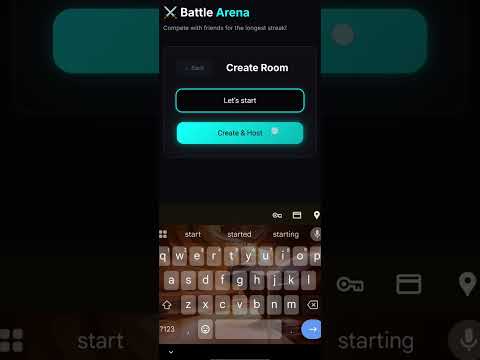
- 🔥 Streak Engine: Precision tracking of your sober days with visual progress bars and milestone badges.
- ⚔️ Competition Arena:
- Host & Join Battles: Create private rooms or join friends via unique codes.
- Real-time Status: Live updates on your opponents' status.
- Last Man Standing: Battle royale style habit tracking – if you relapse, you're out!
- 🎨 Immersive UI:
- Neon/Dark Mode Aesthetic: A premium, futuristic look that feels like a game.
- Smooth Animations: Powered by CSS animations and transitions for a fluid experience.
- Custom Loaders: Unique, themed loading states including a dedicated "Battle Loader".
- 🏆 Rank System: Unlock badges and titles as your streak increases (Beginner -> Legend).
- 🔐 Secure Authentication: JWT-based auth system to keep your progress safe.
- React.js: Core Component Library
- Vite: Lightning-fast build tool
- SCSS (Sass): Advanced styling with variables, mixins, and nested rules for the Neon theme.
- Axios: API requests and interceptors.
- React Router: Client-side routing.
- Node.js & Express: Robust REST API.
- MongoDB & Mongoose: NoSQL database for flexible data modeling.
- JWT (JSON Web Token): Secure stateless authentication.
Follow these steps to run the project locally on your machine.
-
Clone the Repository
git clone https://github.com/Huzaifa-Quadri/Streak-Engine.git cd streak-engine -
Install Backend Dependencies
cd backend npm install -
Install Frontend Dependencies
cd ../frontend
npm install
-
Backend Configuration: Create a
.envfile in thebackend/directory:PORT=5000 MONGO_URI=<Your Mongodb url connection link> JWT_SECRET=your_super_secret_key_123 # YouTube API Configuration YOUTUBE_API_KEY=your_youtube_api_key YOUTUBE_PLAYLIST_ID=your_youtube_playlist_id
-
Frontend Configuration: (If applicable) Create a
.envfile infrontend/:VITE_API_URL=http://localhost:5000/api
-
Start the Backend Server
# In /backend terminal npm start -
Start the Frontend Client
# In /frontend terminal npm run dev -
Open your browser and navigate to
http://localhost:5173(or the port shown in your terminal).
Contributions are welcome! Please feel free to submit a Pull Request.
This project is licensed under the MIT License.