



An end-to-end computer vision and speech processing framework converting raw video narratives into professionally stylized, multi-page manga volumes.
- Live Frontend Studio Workbench:
https://vid2-manga.vercel.app/ - Live Backend API Service:
https://vid2manga.onrender.com
-
[2026-07-23] ☁️ Google Drive Cloud Sync & Distributed Celery MLOps Engine:
-
Google Drive Storage Sync: Automatic cross-storage input video ingress (
input/) and output PDF/PNG volume egress (output/) with direct Google Drive CDN links and deduplication. - ONNX INT8 Quantization Engine: PyTorch-to-ONNX Mask2Former INT8 computational graph quantization reducing memory usage and accelerating CPU inference.
-
Distributed Celery + Redis Task Queue: Asynchronous background job execution with live step-by-step progress streaming (
[1/5]to[5/5]) and automatic pure-backend fallback. -
Automated CI/CD Pipeline: GitHub Actions workflow running automated unit tests, system dependencies (
ffmpeg,libgl1), and Docker Buildx container compilation to GHCR.
-
Google Drive Storage Sync: Automatic cross-storage input video ingress (
-
[2026-07-22] 🛡️ Face Protection & Persistent Speaker Mapping Engine: Integrated
face_head_maskprotection, persistent speaker-to-character mapping (Speaker 0$\to$ Person 0,Speaker 1$\to$ Person 1), same-speaker turn merging,$w \ge 260\text{px}$ frame bounds, dynamic font scaling, and 2px black panel borders. - [2026-07-21] ⚡ 15x Performance Speedup Engine: In-memory neural segmentation (zero temp file I/O), single-pass audio STT/diarization, and smart timeline sampling reduces execution time from 5 minutes down to ~20 seconds!
-
[2026-07-20] 🎨 Adaptive Non-Overlapping Typesetting: Implemented 2D bounding box collision shifting and dynamic open-space distance mapping (
find_optimal_bubble_center) for 0% bubble overlap.
Vid2Manga bridges video content and manga storytelling. Translating video narratives into readable manga requires solving four fundamental challenges:
-
Temporal Partitioning: Extracting representative keyframes while preserving narrative progression (
$7.0\text{s}$ max scene gap safety constraint). - Character-Aware Visual Stylization: Applying artistic black-and-white or color manga filters while isolating character instances via Mask2Former ONNX INT8 neural segmentation.
- Multi-Speaker Diarization & Persistent Context: Extracting dialogue audio and attributing speech turns to individual characters via Whisper STT and ECAPA-TDNN with persistent speaker-to-person mapping.
-
Collision-Free & Face-Protected Typesetting: Placing speech bubbles in open background space using
face_head_maskprotection, same-speaker turn merging, dynamic font scaling, and 2px panel frame borders.
+------------------+     +--------------------+     +---------------------+     +----------------------------+
|   Input Video    | --> | Mask2Former (ONNX) | --> | ECAPA-TDNN          | --> | Face-Protected Bubble      | --> Multi-Page PDF
| (MP4 / MKV / AVI)|     | Person Segmenter   |     | Speaker Diarizer    |     | Typesetting (v2)           |     Manga Volume
+------------------+     +--------------------+     +---------------------+     +----------------------------+
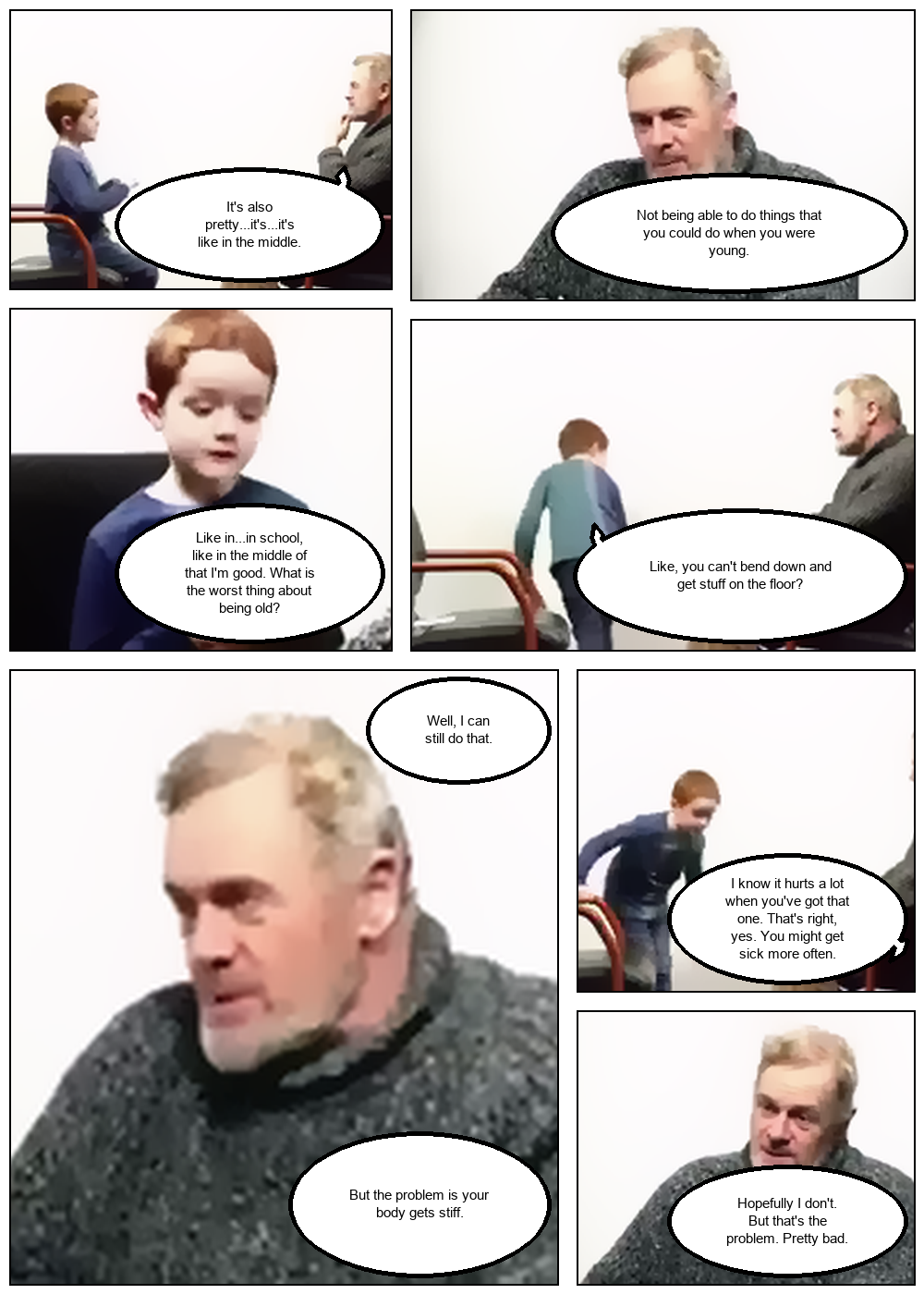
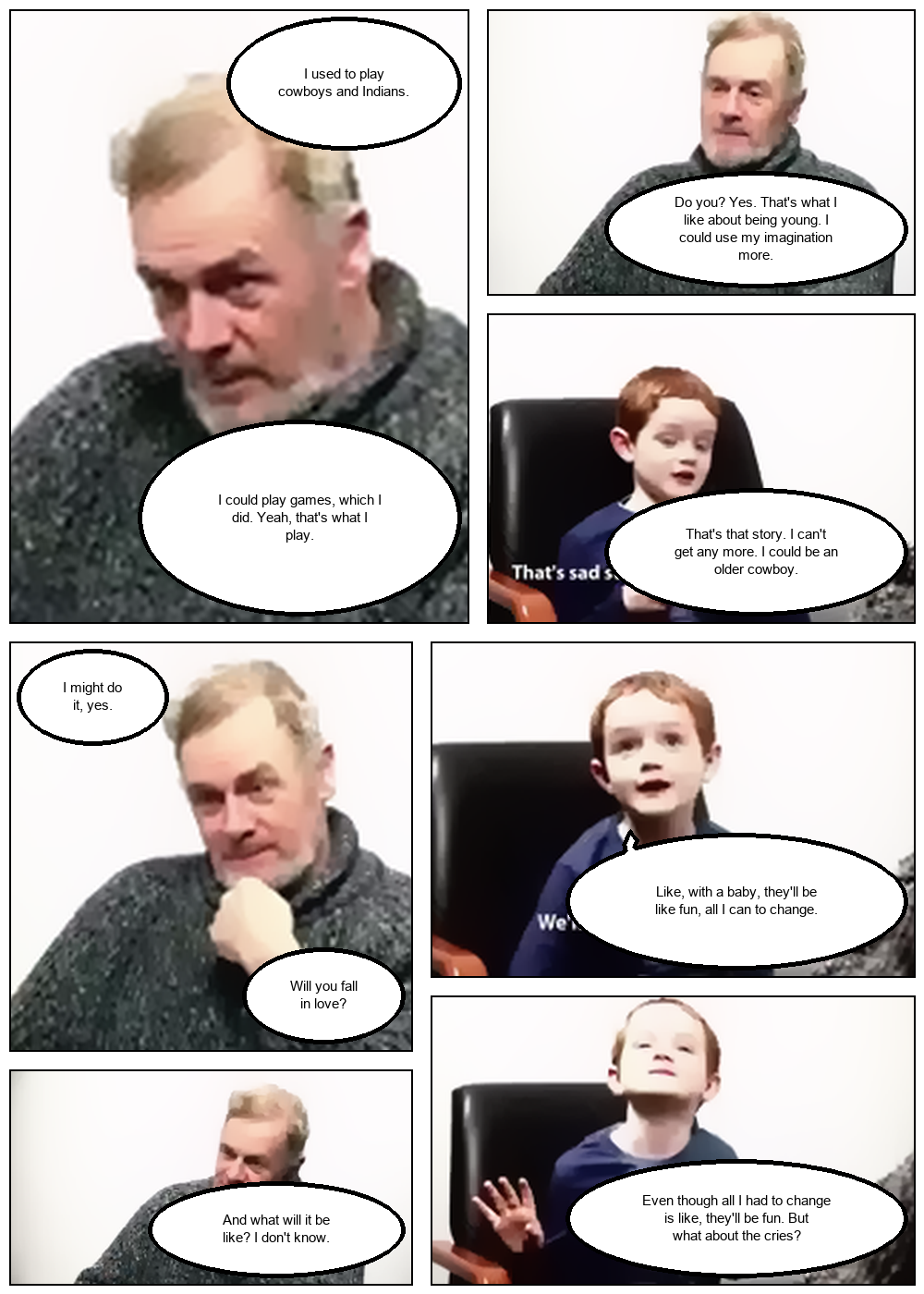
v2 Output: Pages generated with face-protected speech bubbles, persistent Speaker 0/1 to Person mapping, same-speaker turn merging, dynamic font scaling, and 2px panel borders.
| Page 1 | Page 2 | Page 3 |
|---|---|---|
 |
 |
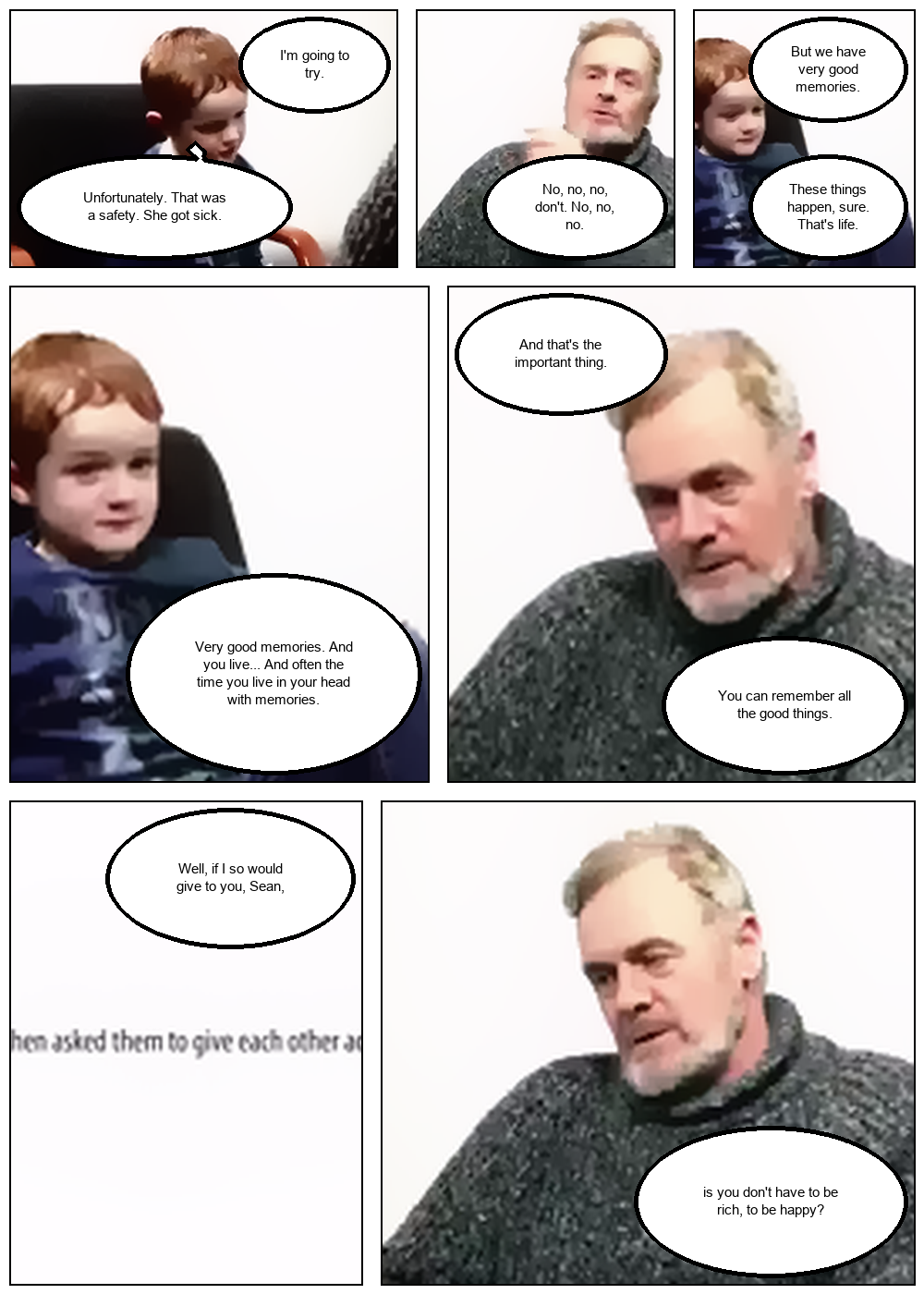 |
| Scene-aware keyframes | Speaker-separated bubbles | Face-protected placement |
| View High-Res | View High-Res | View High-Res |
📄 Download Sample PDF Volume (v2, 8 pages):
docs/assets/final_manga_volume.pdf
Vid2Manga/
├── App/                          # Full-Stack Web Application
│   ├── backend/                  # FastAPI ASGI Server & Routers
│   └── frontend/                 # React (Vite) UI Frontend
├── data/                         # Centralized Data Directory
│   ├── input/                    # User uploaded input media
│   └── output/                   # Generated manga PNG pages & PDF volumes
├── docs/                         # GitHub Pages Interactive Showcase Site
│   ├── assets/                   # Sample manga pages & PDF artifacts
│   └── index.html                # Interactive Web Demo UI
├── modules/                      # Business Logic & Processing Services
│   ├── frame/                    # Visual Processing & Layout Architecture
│   │   ├── video_processor.py    # Keyframe extraction & video partitioning
│   │   ├── manga_processor.py    # Layout tree, stylization & PDF volume export
│   │   ├── bubble_processor.py   # Bubble geometry, typesetting & open-space search
│   │   ├── human_detector.py     # Mask2Former person instance segmenter (PyTorch + ONNX)
│   │   └── end_to_end_vid2manga.py # Master prototype pipeline & orchestrator
│   ├── mlops/                    # Production MLOps Infrastructure
│   │   ├── celery_app.py         # Celery & Redis task queue configuration
│   │   ├── tasks.py              # Celery background worker tasks
│   │   ├── gdrive_storage.py     # Google Drive API storage integration
│   │   └── quantize_models.py    # PyTorch-to-ONNX INT8 quantization engine
│   └── speech/                   # Audio & Dialogue Processing Architecture
│       ├── process_audio.py      # Audio splitting & Whisper STT orchestration
│       ├── diarization.py        # Local zero-shot speaker diarizer (AHC)
│       ├── ecapa_tdnn.py         # PyTorch 192-dim speaker embedding model
│       └── gcp_speech.py         # Google Cloud Speech-to-Text API v1
├── .github/workflows/ci-cd.yml   # GitHub Actions CI/CD Pipeline
├── Dockerfile                    # Containerization Build Manifest
├── GEMINI.md                     # Project blueprint & developer guide
├── requirements.txt              # Python dependencies
└── README.md                     # Project documentation
# Clone repository
git clone https://github.com/GinHikat/Vid2Manga.git
cd Vid2Manga

# Create Conda Environment
conda create -n vid2manga python=3.10 -y
conda activate vid2manga

# Install Dependencies
pip install -r requirements.txt
Note: Ensure system ffmpeg is installed and added to system PATH.
Create a .env file in the root directory:
REDIS_URL="rediss://default:your_upstash_redis_password@your-redis-host:6379"
GOOGLE_DRIVE_FOLDER_ID="your_google_drive_folder_id"
GOOGLE_APPLICATION_CREDENTIALS="secrets/ggsheet_credentials.json"
USE_WHISPER_ONLY=trueFor the full production experience (distributed background task queue with real-time live step progress updates), run the services in 3 separate terminal windows:
# From project root
conda activate vid2manga
celery -A modules.mlops.celery_app worker --loglevel=info --pool=solo# From project root
conda activate vid2manga
cd App/backend
python main.py
# Or if you prefer to use Docker
# Pull pre-packaged backend container from GitHub Container Registry (GHCR)
docker pull ghcr.io/ginhikat/vid2manga:latest
# Run backend container locally on port 8000 (replaces Terminal 2)
docker run -d -p 8000:8000 --env-file .env --name vid2manga-backend ghcr.io/ginhikat/vid2manga:latestcd App/frontend
npm install
npm run dev
⚠️ Important Cloud Execution Note: To process videos uploaded to the live cloud application (vid2-manga.vercel.app) using your local PC GPU/CPU resources, make sure to run Terminal 1 (Celery worker process) locally first:conda activate vid2manga celery -A modules.mlops.celery_app worker --loglevel=info --pool=soloWhen your local Celery worker is online, any video submitted to the live cloud app is pushed to Upstash Redis, automatically processed by your local worker engine, and synced straight to Google Drive!
Note: If Celery worker is offline, the backend server automatically falls back to in-memory BackgroundTasks without breaking execution.
Run the full unittest suite covering keyframe extraction, timestamp matching, manga compositing, Google Drive storage, and end-to-end pipeline:
python -m unittest discover -s tests/unit -p "test_*.py"Currently no academic paper citation yet, but hopefully will be published soon!
The sample video utilized in the demonstration showcase is titled "57 Years Apart – A Boy And a Man Talk About Life" (available on YouTube). All rights to the original video content belong to its respective creators.