AI agent for hydrologic modeling
A Demo Video of AQUAH:
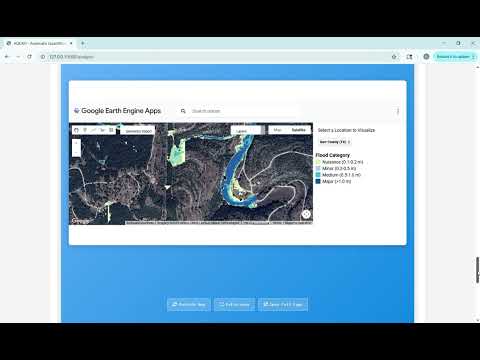
Clone the repository:
git clone https://github.com/Skyan1002/AQUAH_v0.1.git
cd AQUAH_v0.1
Clone EF5:
git clone https://github.com/chrimerss/EF5.gitBuild:
autoreconf --force --install
./configure
make
If the build fails, try editing
Makefile.amand set:AM_CXXFLAGS = -Wall -Werror -Wno-format-overflow ${OPENMP_CFLAGS}
Create a .env file inside the AQUAH_v0.1/ folder:
OPENAI_API_KEY=<YOUR_OPENAI_API_KEY>
ANTHROPIC_API_KEY=<YOUR_ANTHROPIC_API_KEY>
GOOGLE_API_KEY=<YOUR_GOOGLE_API_KEY>It is recommended to run AQUAH using Jupyter Notebook.
Link Jupyter Notebook to your Linux server Python environment.
Example code:
import os

# Change the current working directory
os.chdir('YOUR_PATH/AQUAH_v0.1/')

from dotenv import load_dotenv
load_dotenv()

print(f"Current working directory: {os.getcwd()}")

from tools.aquah_run import aquah_run

llm_model_name = 'gpt-4o'
# llm_model_name = 'claude-4-sonnet-20250514'
# llm_model_name = 'gemini-2.5-flash-preview-05-20'
# llm_model_name = 'claude-4-opus-20250514'

aquah_run(llm_model_name)- This setup builds CREST/EF5 for hydrologic modeling.
- Make sure you have the required dependencies installed (
autotools,make,python-dotenv,jupyter, etc).