Faciometry measures a face from a photograph and tells you how much each measurement can be trusted. It runs entirely on your own computer. No photo is uploaded anywhere.
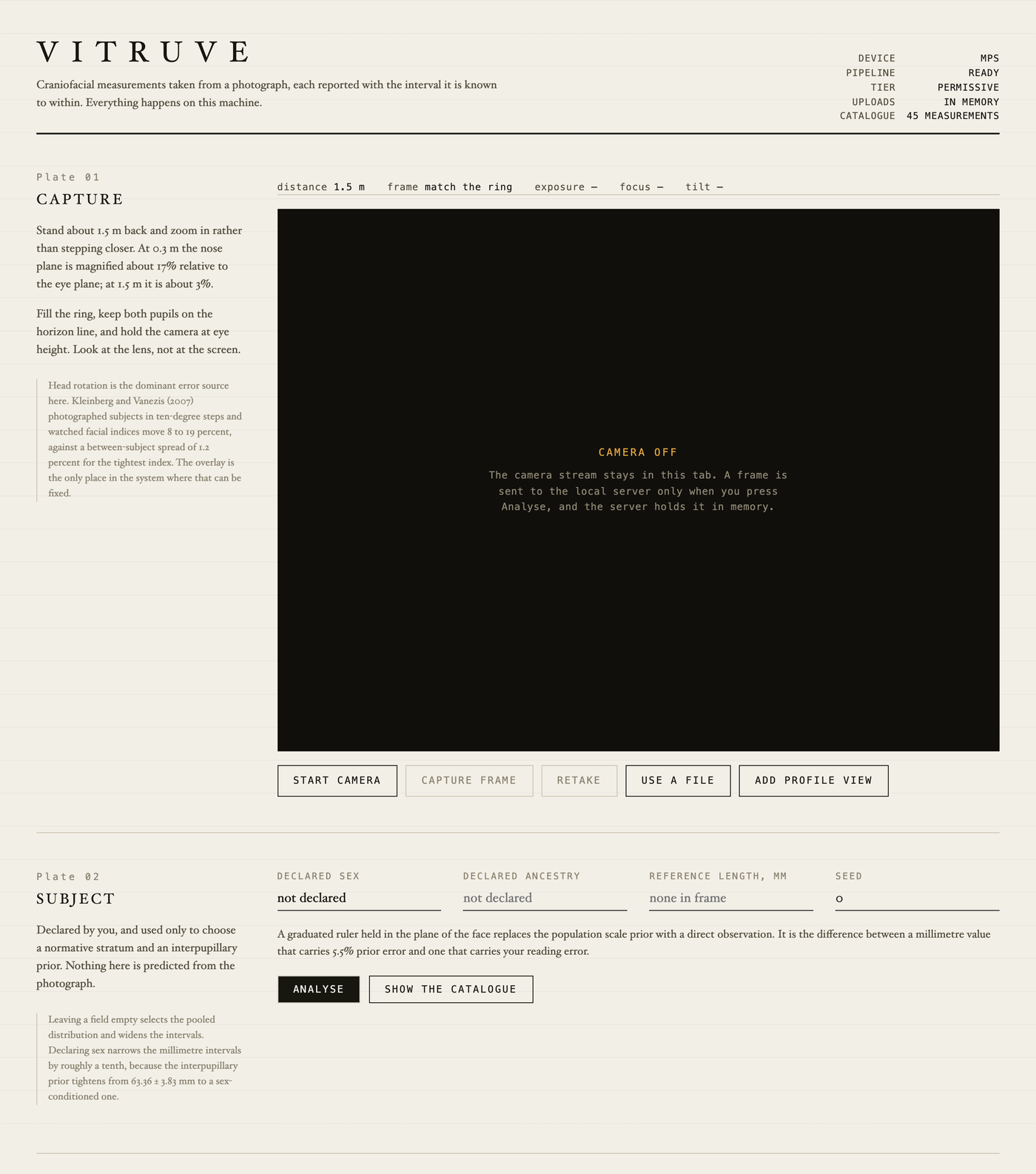
Most measurements get withheld, and that is the point.
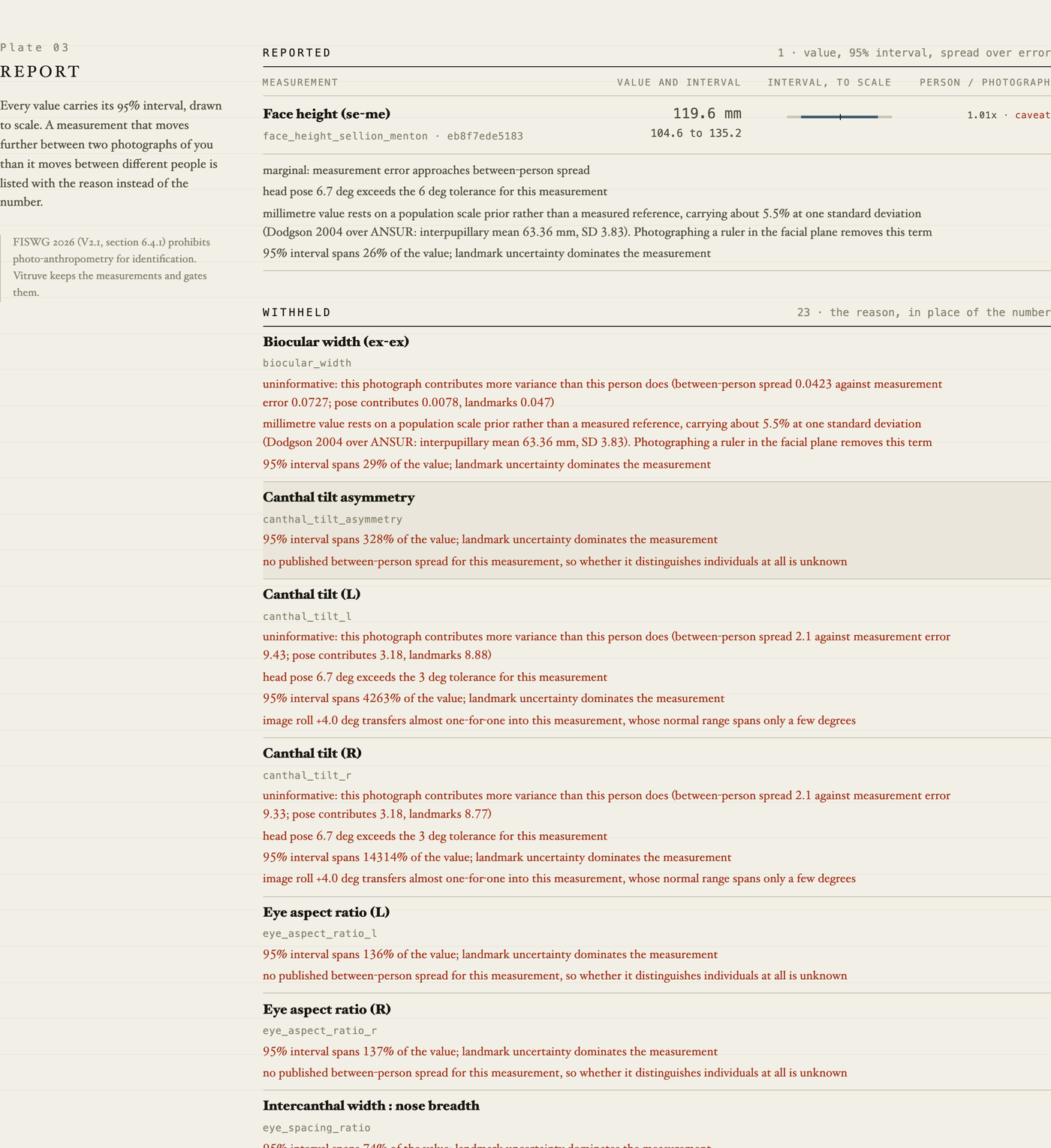
A photograph of a face is a bad instrument. Turn your head ten degrees and a facial ratio moves more than that ratio differs between two different people (Kleinberg and Vanezis 2007). So Faciometry checks every measurement against its own error, and where the photograph contributes more than the person does, it prints the reason instead of the number.
On an ordinary phone photo that means almost everything is withheld. The report then tells you what to change: a ruler in the shot, better light, standing further back, several photos instead of one.
Faciometry does not give you a score, a rating, or a number for your face. There is no ground truth for such a thing, and it is the part of this idea that does documented harm.
-
Download the
.dmgfrom the latest release. -
Open it and drag Faciometry to Applications.
-
This build is not signed with an Apple developer certificate, so macOS refuses to open it until you say otherwise. Open Terminal (press Command-Space, type
Terminal, press Return) and paste this one line:xattr -dr com.apple.quarantine /Applications/Faciometry.appThat clears the "downloaded from the internet" flag. You do it once.
-
Open Faciometry normally. It opens in your browser. The first launch downloads about 400 MB of models, once. Everything after that works with the internet turned off.
Asking you to paste a Terminal command is a shortcoming of this build, not of your setup. A build signed with a paid Apple Developer ID and notarised by Apple opens on a double-click. That has not been done here.
Not on PyPI. Install the wheel from the latest release:
pip install 'faciometry-0.1.0-py3-none-any.whl[permissive]'
faciometry fetch-weights
faciometry analyze photo.jpg --out report/
git clone https://github.com/EricSpencer00/faciometry && cd faciometry
docker compose up
Then open http://127.0.0.1:8731.
Most of the difference is here, not in the software.
- Stand about 1.5 m away and zoom in. Close-up distorts a face by about 17% at 30 cm and about 3% at 1.5 m.
- Look straight at the lens, camera at eye height.
- Even light, no hat, hair off the face.
- Hold a ruler flat against your cheek. This is the single biggest improvement available: it replaces a population guess about your size with an actual measurement.
- Take several photos rather than one.
report.html to read in a browser, report.pdf to keep, plus report.json
and report.txt. Every value carries a 95% interval, the landmarks it came
from, and a fingerprint of the formula that produced it.
- Side-profile photos do not work yet. The pose model saturates before a true profile, so the 20 profile measurements cannot be reached.
- Skin measurements are comparable within one photo, not between photos, unless you include a grey card.
- Not a medical device. Nothing here is a diagnosis or advice.
Apache-2.0. The default face models are permissively licensed. An optional
YOLO-based tier exists for skin lesion detection; turning it on makes your
deployment AGPL-3.0, and faciometry licenses explains exactly what each option
commits you to.
More detail: full README · what it does and does not establish · privacy · references