
Home Assistant custom integration for the City of Johannesburg e-Joburg portal.


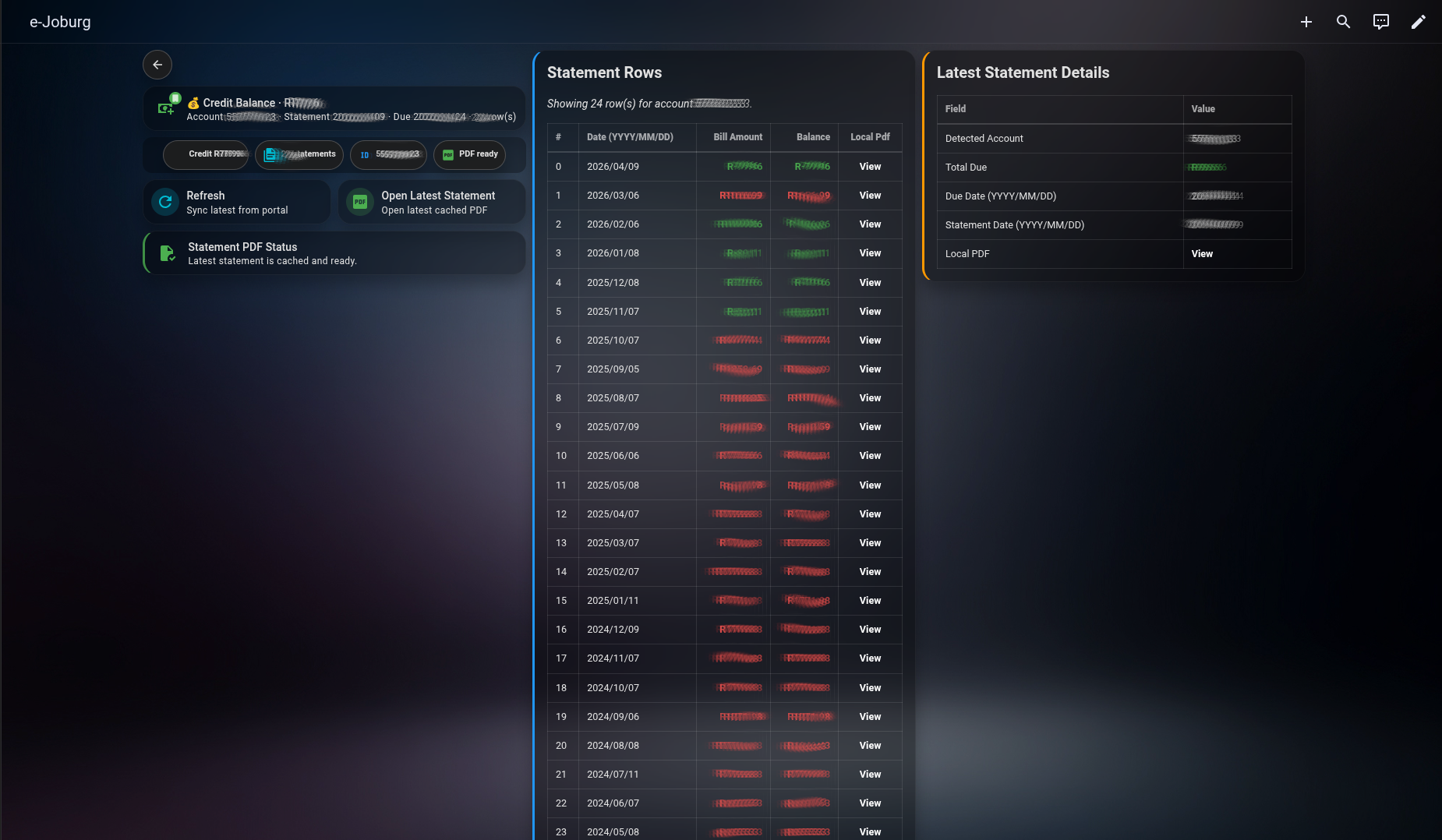
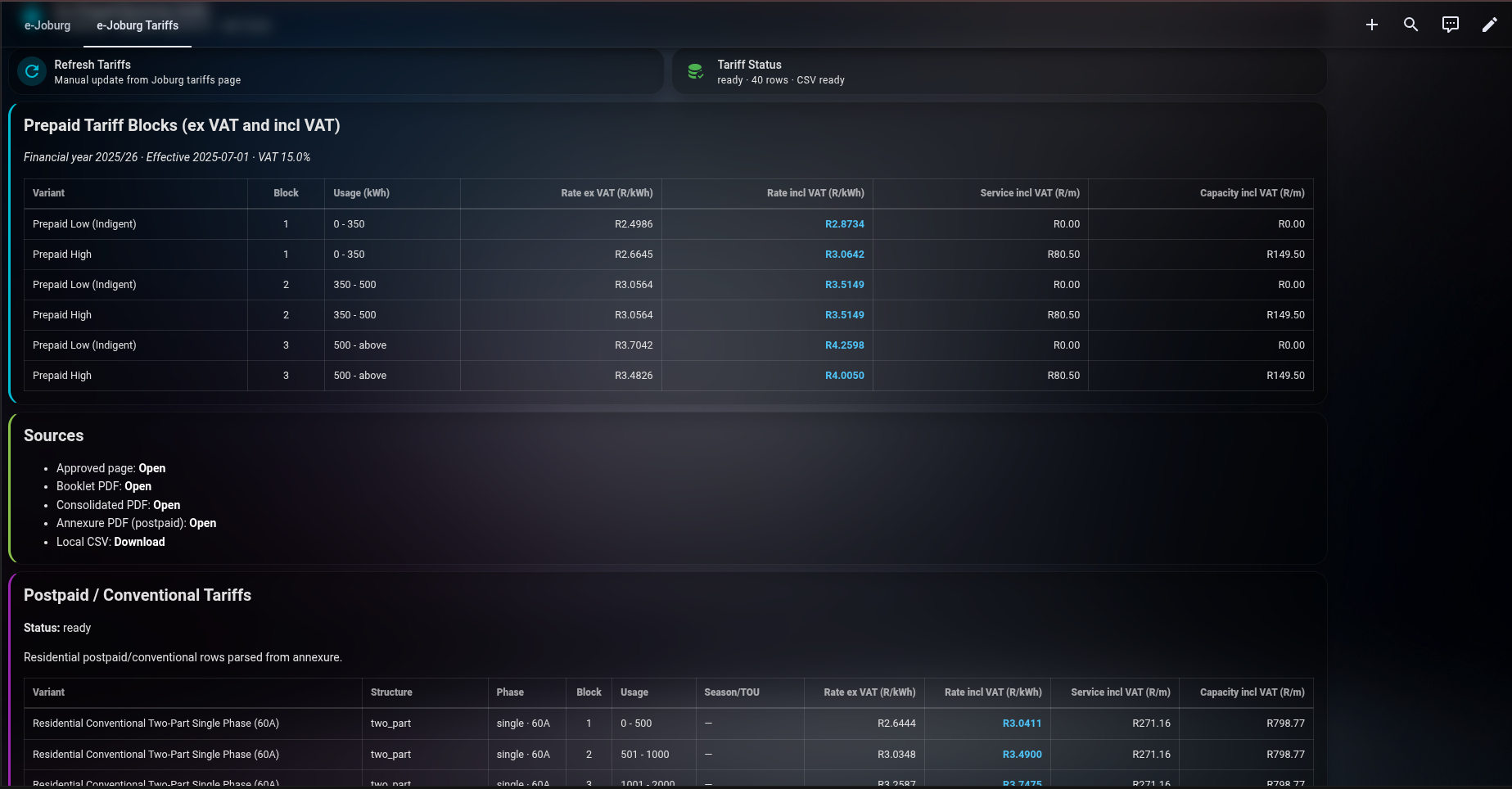
Sample dashboard YAML:
examples/ejoburg-example.yaml
- Logs in to
https://www.e-joburg.org.za(JSF flow) and retrieves account data. - Fetches account overview, payment history summary, and statement history rows.
- Downloads statement PDFs, caches them locally, and exposes local PDF links.
- Parses statement PDFs for key values (amount due, due date, statement date).
- Exposes Home Assistant sensors/buttons for dashboard and automation use.
- Open HACS.
- Go to
Custom repositories. - Add
https://github.com/Defria/ejoburg-bridgeas typeIntegration. - Install
e-Joburg Bridge. - Restart Home Assistant.
- Go to
Settings -> Devices & Services -> Add Integration. - Search for
e-Joburg Bridgeand complete setup.
- Copy
custom_components/ejoburg_bridgeto/config/custom_components/ejoburg_bridge. - Restart Home Assistant.
- Add from
Settings -> Devices & Services -> Add Integration.
The repository includes a shareable dashboard template:
examples/ejoburg-example.yaml
It is ready for sharing and can be adapted to your preferred account display style.
When sharing screenshots/examples publicly, use generic placeholders (for example,
john.doe@example.com, 12345) instead of real account identifiers.
Install these from HACS Frontend before importing the example dashboard:
- Mushroom Cards
custom:mushroom-template-cardcustom:mushroom-chips-card
- card-mod
- Install the dashboard dependencies above.
- Open
examples/ejoburg-example.yamland copy its contents. - In Home Assistant, edit your dashboard in YAML mode and paste/adapt the view.
sensor.e_joburg_latest_statement_amountsensor.e_joburg_statement_row_countsensor.e_joburg_latest_statement_pdf_urlsensor.e_joburg_account_number_detectedbutton.e_joburg_refreshbutton.e_joburg_open_latest_statement
ejoburg_bridge.refresh
Optional field:
entry_id
- Configured during setup and editable later via integration options.
- Range:
1440to44640minutes. - Typical values:
- Daily:
1440 - Weekly:
10080 - Monthly:
43200(30 days) or44640(31 days)
- Daily:
custom_components/ejoburg_bridge/README.mddocs/prepaid-electricity-coj.mddata/coj_prepaid_electricity_tariffs_2025_26.csv
- Tariff schedules are downloaded once and cached locally (no periodic polling).
- Manual refresh is available via
button.e_joburg_refresh_tariffsandejoburg_bridge.refresh_tariffs. - Tariffs dashboard view is available in
examples/ejoburg-example.yamland local dashboard atejoburg.yaml. - Postpaid/conventional tariffs are parsed from the approved annexure (
ITEM_03C_ANNEXURE.pdf) and shown in a dedicated postpaid table.
Special thanks to Christoff Jacobs, PhD (@toffiecj · LinkedIn) for his contribution and testing — without him, this project would not have got off the ground.
Thanks also to Justin Porteous (@jgporteous · LinkedIn) for testing the alpha release.
- This is an independent hobby project for educational/personal use.
- It is not affiliated with, endorsed by, or sponsored by the City of Johannesburg.
- "City of Johannesburg", "e-Joburg", and related names/logos are the property of their respective owners.
- All rights to third-party marks, names, and branding remain with their owners.
- Use the official portal for authoritative account records: https://www.e-joburg.org.za/