A simple web application that allows users to self-register their nodes to a Headscale server without requiring direct access to server commands.
This application has no authentication. If an attacker knows that there is a Headscale coordinator on your server and knows the existence of this website, then he can easily infiltrate your Tailnet.
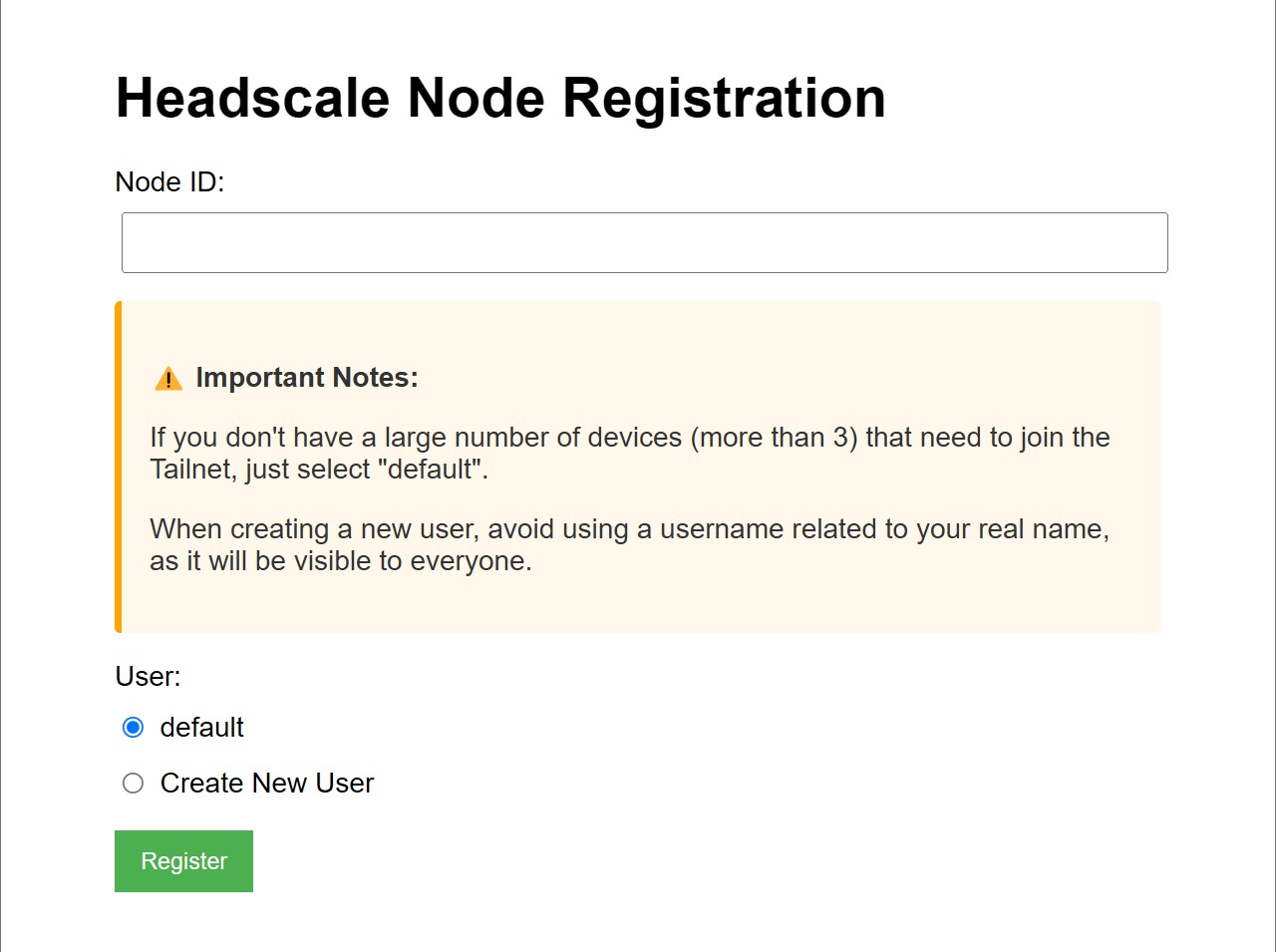
This project helps users who want to connect to your Headscale server to self-complete the verification process. It provides a web interface where users can input their registration ID and select or create a user namespace in Headscale.
-
Must be deployed on the same server as your Headscale installation
-
Requires root access to execute Headscale commands
-
defaultuser exists in Headscaleheadscale users create default
-
Python 3.6+
-
On your client device, run:
tailscale login --login-server https://your-headscale-server -
You will receive a registration ID
-
Open the self-registration website URL provided by the Headscale administrator
-
Enter your registration ID in the form field
-
Select an existing user namespace or create a new one
-
Click "Register" button
Notes for Headscale v0.28 and newer:
- The registration form expects a 24-character registration ID.
- Registration IDs are case-sensitive and may contain letters, digits,
_, and-. - Do not paste a
nodekey:..., machine key, or any other public key. - The backend validates the registration ID before calling
headscale nodes register.
-
Check the result:
- Success message indicates your device is now connected to the Tailnet
- If you see an error message, contact the Headscale server administrator for assistance
-
Clone this repository:
git clone https://github.com/yourusername/headscale-self-register.git cd headscale-self-register -
Install dependencies:
pip install -r requirements.txt
-
(Optional) Periodically update user list:
# add this to your crontab
15 */2 * * * headscale users list -ojson > /root/headscale_users.json
You can start the application directly using Waitress:
python serve.pyBy default, the server will listen on 0.0.0.0:5000. You can customize the host, port, and thread count using environment variables:
export HOST=0.0.0.0  # Listen on all interfaces
export PORT=5000     # Port number
export THREADS=4     # Number of worker threads
python waitress_server.pyPM2 is a process manager for Node.js applications, but it can also manage Python applications.
-
Install PM2 if you haven't already:
npm install -g pm2
-
Start the application with PM2:
pm2 start serve.py --name headscale-self-reg --interpreter=/path/to/python
For example, if using Miniconda:
pm2 start serve.py --name headscale-self-reg --interpreter=/opt/miniconda3/bin/python
-
Set PM2 to start on boot:
pm2 save
pm2 startup
-
Create a systemd service file:
sudo nano /etc/systemd/system/headscale-self-reg.service
-
Add the following content (adjust paths as needed):
[Unit]
Description=Headscale Self-Registration Web Application
After=network.target

[Service]
User=your_username
Group=your_group
WorkingDirectory=/path/to/headscale-self-register
Environment="PATH=/path/to/your/python/venv/bin"
ExecStart=/path/to/your/python/venv/bin/python serve.py
Restart=always
RestartSec=5
StartLimitIntervalSec=0

# Environment variables (optional)
Environment="HOST=0.0.0.0"
Environment="PORT=8080"
Environment="THREADS=4"

[Install]
WantedBy=multi-user.target
-
Enable and start the service:
sudo systemctl daemon-reload sudo systemctl enable headscale-self-reg sudo systemctl start headscale-self-reg -
Check the service status:
sudo systemctl status headscale-self-reg
This application runs commands with sudo privileges and has no built-in authentication. Consider implementing additional security measures:
- Put the application behind a reverse proxy (like Nginx) with basic authentication
- Use firewall rules to limit access to the registration page
- Consider deploying on a private network rather than exposing it to the internet
- Monitor logs regularly for unauthorized access attempts
Application logs are stored in the logs directory:
logs/headscale_app.log- Application logslogs/waitress.log- Server logs