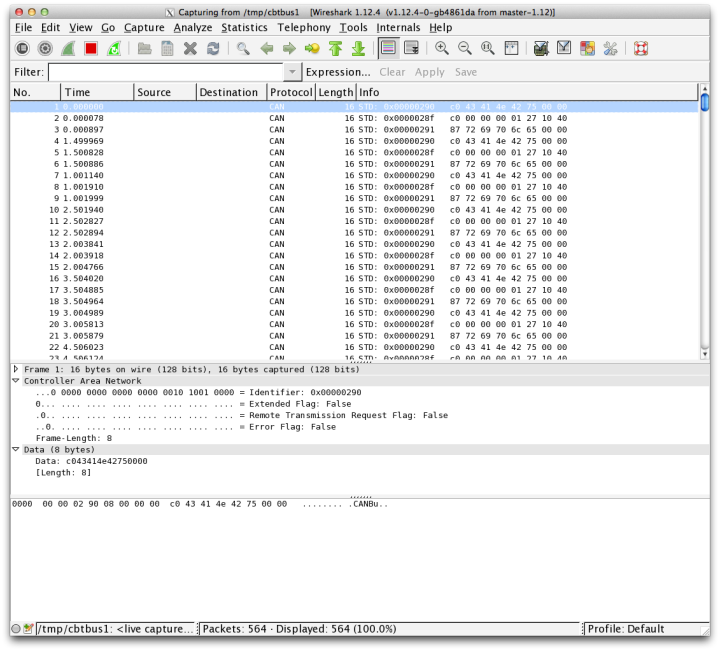
Pipe for using the CANBus Triple with Wireshark
clone the repo:
git clone https://github.com/CANBus-Triple/CANBus-Triple-Wireshark.git
install dependancies: npm install
run: node index.js /dev/cu.usbmodem1421
- Press Control+K to open 'Capture Settings'
- Click Manage Interfaces Button
- Select the Pipes Tab
- Click the New button
- Enter '/tmp/cbtbus1' for Linux/Unix/MacOS or '\\?\pipe\cbtbus1' for Windows
- Click Save then Close
Each CAN bus on the CANBus Triple will get its own pipe:
- /tmp/cbtbus1
- /tmp/cbtbus2
- /tmp/cbtbus3
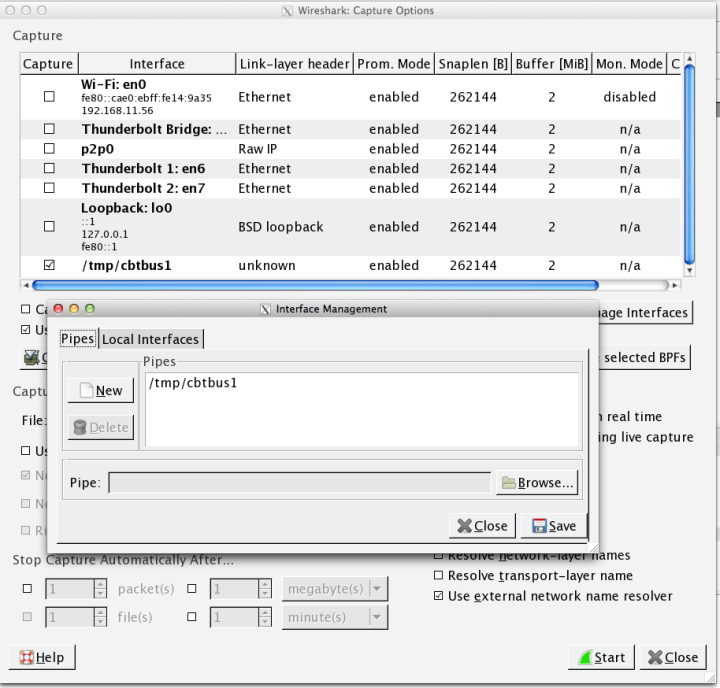
Now you can start a packet capture in Wireshark using the newly added Pipe interface to read from your CANBus Triple.