This Discord bot allows users to manage their roles through slash commands. Users can select roles from a list of options provided by the bot.
- Allows users to select roles from a list of options.
- Administrators can define the roles available for selection.
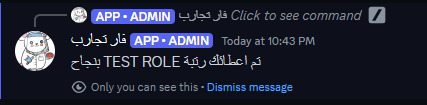
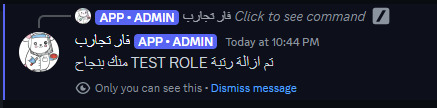
- Handles role assignment and removal based on user interaction.
-
Clone this repository to your local machine.
-
Install dependencies using
npm install. -
Configure the bot by editing the
config.jsfile. -
Make sure to set up your Discord application and obtain the necessary credentials ( client ID , image , thumbnail , footer{
- text:
- iconURL:
} ).
-
Run the bot using
node index.js.
-
/role:- Description: Sends a control panel for roles.
- Usage: Use this command to receive a message with a list of roles you can select from, based on the sections set up.
-
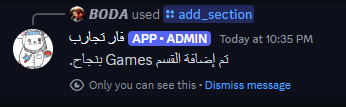
/add_section:- Description: Adds a new section.
- Options:
section: The name of the section to add.
- Usage: Use this command to create a new section where roles can be added.
-
/addrole:- Description: Adds a role to a specific section.
- Options:
section: The name of the section to which the role will be added.role: The role you want to add to the section.
- Usage: Use this command to assign a role to an existing section.
-
/delete_section:- Description: Deletes a section and all roles within it.
- Options:
section: The name of the section to delete.- Usage: Use this command to remove a section along with all its roles.
-
/remove_role:- Description: Removes a role from a specific section.
- Options:
section: The name of the section from which the role will be removed.role: The role you want to remove from the section.- Usage: Use this command to delete a specific role from a section.
-
/section_list:- Description: Displays a list of all sections in the server.
- Usage: Use this command to view all the sections that have been set up.
-
/role_list:- Description: Displays a list of all sections and the roles within them.
- Usage: Use this command to see the sections and the roles associated with each section.
-
-
/help:- Description: Displays a list of available commands.
- Usage: Use this command to get a summary of all available commands and their descriptions.
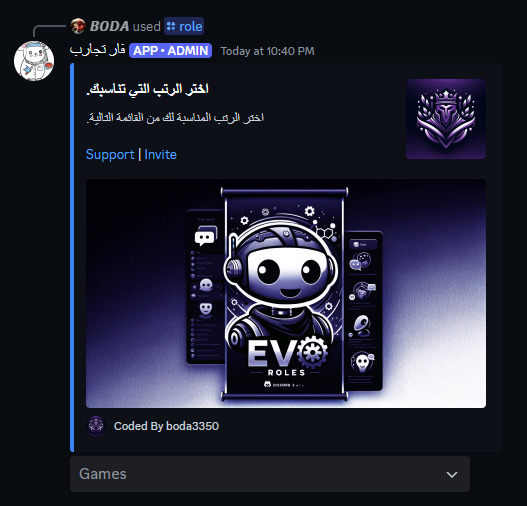

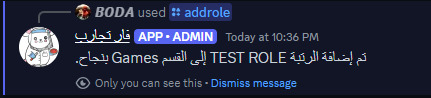

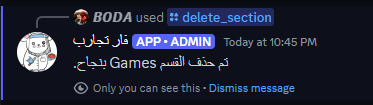
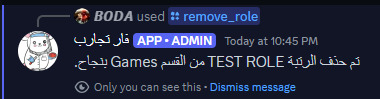
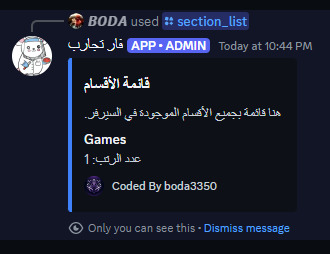
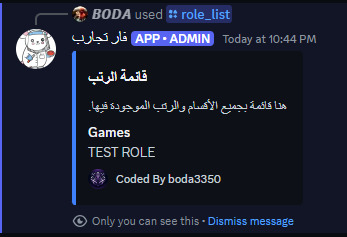
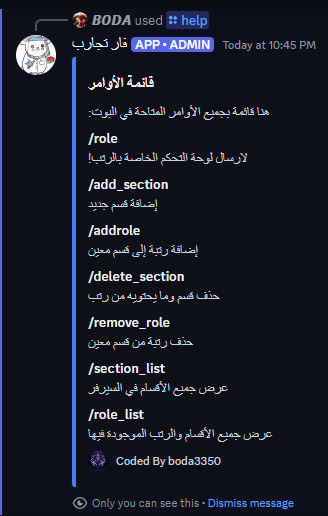
/role: Displays a list of selectable roles for users./add_section <section>: Adds a new section for roles./addrole <section> <role>: Adds a role to a specified section./delete_section <section>: Deletes a section and its roles./remove_role <section> <role>: Removes a role from a specified section./section_list: Lists all sections in the server./role_list: Lists all sections and roles within them./help: Displays a help message with a list of available commands.
You need to edit the config.js file to configure the bot. Here are the configuration options :
clientId: The client ID of your Discord application.thumbnail: URL of the thumbnail image to display in the role selection message.image: URL of the image to display in the role selection message.footer: Footer text and icon URL for the role selection message.
- discord.js - Discord API wrapper for Node.js.
Contributions are welcome! If you have any suggestions or improvements, feel free to open an issue or create a pull request.
This project is licensed under the MIT License.
- Discord : https://discord.gg/DzjuTABN6E
████████╗██╗  ██╗███████╗    ███████╗██╗   ██╗ ██████╗ ██╗  ██╗███████╗██████╗ ███████╗
╚══██╔══╝██║  ██║██╔════╝    ██╔════╝██║   ██║██╔═══██╗██║ ██╔╝██╔════╝██╔══██╗██╔════╝
   ██║   ███████║█████╗      █████╗  ██║   ██║██║   ██║█████╔╝ █████╗  ██████╔╝███████╗
   ██║   ██╔══██║██╔══╝      ██╔══╝  ╚██╗ ██╔╝██║   ██║██╔═██╗ ██╔══╝  ██╔══██╗╚════██║
   ██║   ██║  ██║███████╗    ███████╗ ╚████╔╝ ╚██████╔╝██║  ██╗███████╗██║  ██║███████║
   ╚═╝   ╚═╝  ╚═╝╚══════╝    ╚══════╝  ╚═══╝   ╚═════╝ ╚═╝  ╚═╝╚══════╝╚═╝  ╚═╝╚══════╝

Copyright (c) 2024 THE EVOKERS