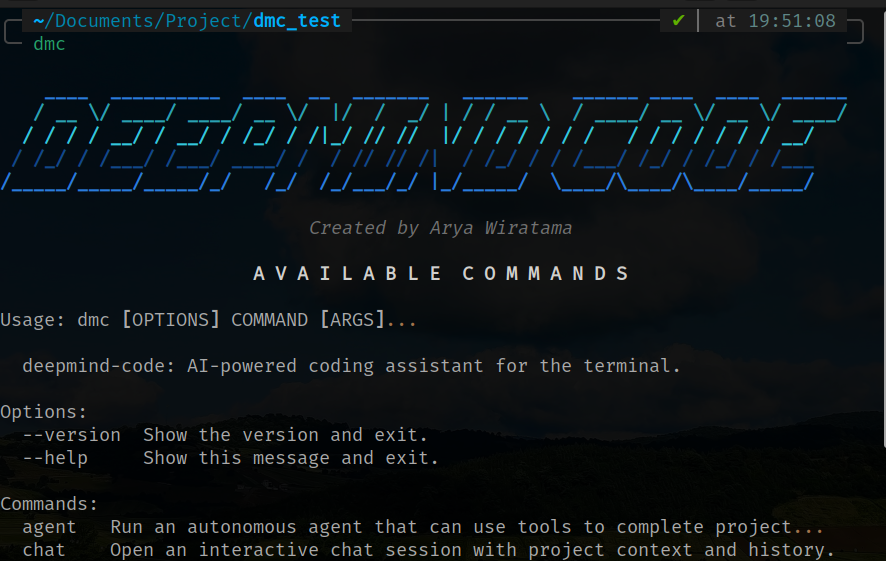
deepmind-code is a command-line interface (CLI) tool designed to assist developers with their coding tasks directly from the terminal. By integrating various large language models (LLMs), this tool allows you to interact with your codebase, automate file modifications, and analyze system errors without having to leave your terminal environment.
- Codebase Interaction: Engage in a dialogue with an AI that understands your project's directory structure and context.
- Automated File Editing: Modify source code based on natural language instructions, featuring a preview of changes before they are applied.
- Error Identification and Fixes: Analyze terminal error logs and receive instant solutions or suggestions for improvement.
- Code Review: Gain insights on architecture, potential bugs, and best practices from a senior developer's perspective.
- Multi-Provider Support: Seamlessly integrated with popular AI providers including OpenAI, Google Gemini, Anthropic, Groq, and Ollama for local execution.
- Python version 3.9 or newer.
- Internet access (for cloud providers) or an Ollama installation (for local usage).
The easiest way to install deepmind-code globally is using our installation script:
curl -sSL https://raw.githubusercontent.com/AryaWiratama26/deepmind-code/main/install.sh | bash(Make sure ~/.local/bin is in your PATH)
Alternatively, you can install it manually:
git clone https://github.com/AryaWiratama26/deepmind-code.git
cd deepmind-code
pip install -e .
Once the installation is complete, you can invoke the application using the dmc command in your terminal.
Before you begin, you need to set up the default model and the API keys for the providers you intend to use.
You can configure the API keys for each provider using the following commands:
- Google Gemini:
dmc config --gemini-key "YOUR_API_KEY" --model gemini/gemini-pro - OpenAI:
dmc config --openai-key "YOUR_API_KEY" --model gpt-4o - Groq:
dmc config --groq-key "YOUR_API_KEY" --model groq/llama-3.3-70b-versatile - Ollama (Local):
dmc config --model ollama/llama3
To view your current configuration, simply run the following command:
dmc configUse this feature to ask questions about application logic or your project's overall structure.
dmc chat "Explain the data flow in the src folder"This feature allows the AI to write code directly into your project files. The application will display a preview of the changes and ask for your approval before saving the results.
dmc edit filename.py "add input validation to the login function"Note: You do not need to provide the full file path. deepmind-code will automatically search for the file within your project.
If you encounter an error message or traceback in your terminal, you can send it directly to the AI for analysis.
python app.py 2>&1 | dmc fixAlternatively, you can manually paste the error message when prompted by the application after running dmc fix.
Analyze the code quality or overall project structure within a specific folder.
dmc review src/This powerful feature allows the AI to perform complex, multi-step tasks. The AI can read files, edit files, and execute terminal commands autonomously with your permission.
dmc agent "add user registration feature complete with unit tests"To prevent the AI from reading irrelevant or sensitive files (such as large data folders, .env files, or logs), you can create a .dmcignore file in the root of your project. It works identically to .gitignore.
Example .dmcignore:
*.log
secrets/
data.json
node_modules/
By defining these rules, you save API tokens and significantly speed up the AI's response time during chat and agent modes.
This project is distributed under the MIT license. Please refer to the LICENSE file for more details.