Rename file (from attachments)
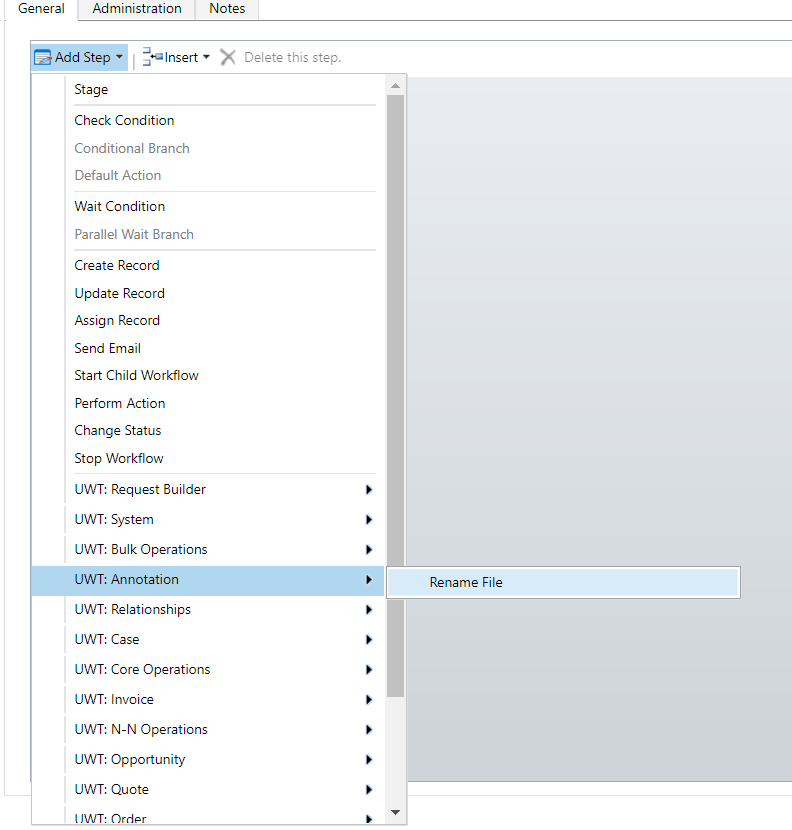
This step provides you possibility to rename name of file that is attached to record you define. To do that add "UWT: Attachments: Rename File" step to your workflow:
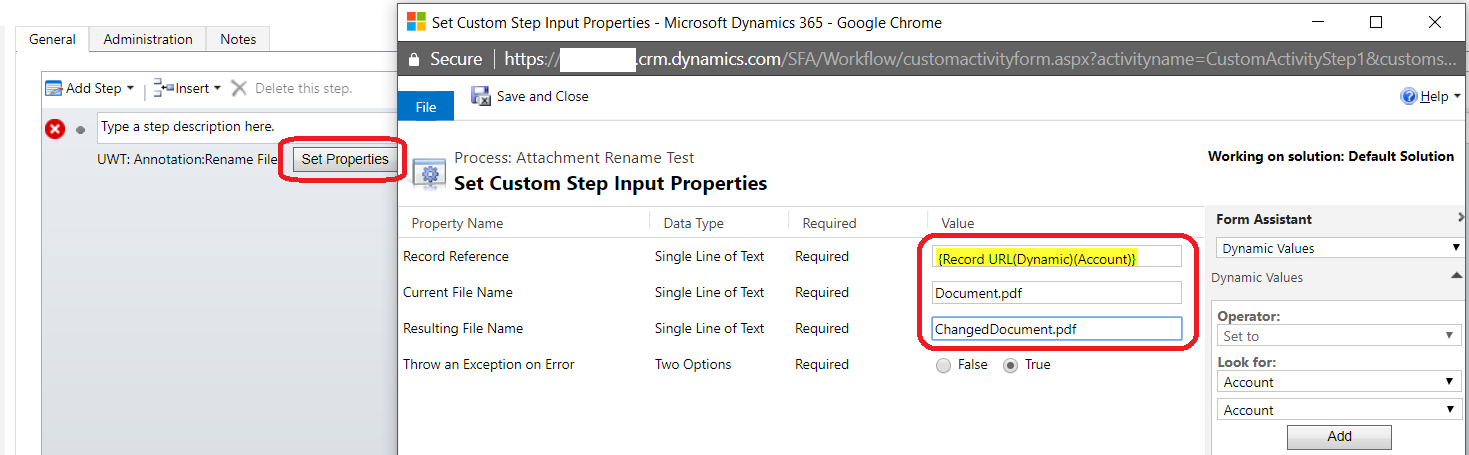
After step is added click "Set Properties", enter "Record Reference", "Current File Name" and "Resulting File Name" properties, click "Save and Close":