Installation
If you need help beyond this tutorial please watch this tutorial by Tech With Tim
Tech With Tim - Discord.py Rewrite Tutorial: https://www.youtube.com/watch?v=xdg39s4HSJQ&list=PLzMcBGfZo4-kdivglL5Dt-gY7bmdNQUJu
- An internet connection and browser.
- An email account.
- A digital or physical notepad (Notepad, Notes, ... literally anything).
In this guide, we will be using Heroku to deploy our BUDDY AI bot. Make an account on their website to get started.
You will need to create a bot application to interact with the Discord API. Head over to the applications page. Log in - if you're not already - and click on New Application. Give it a name and click Confirm to register your bot.
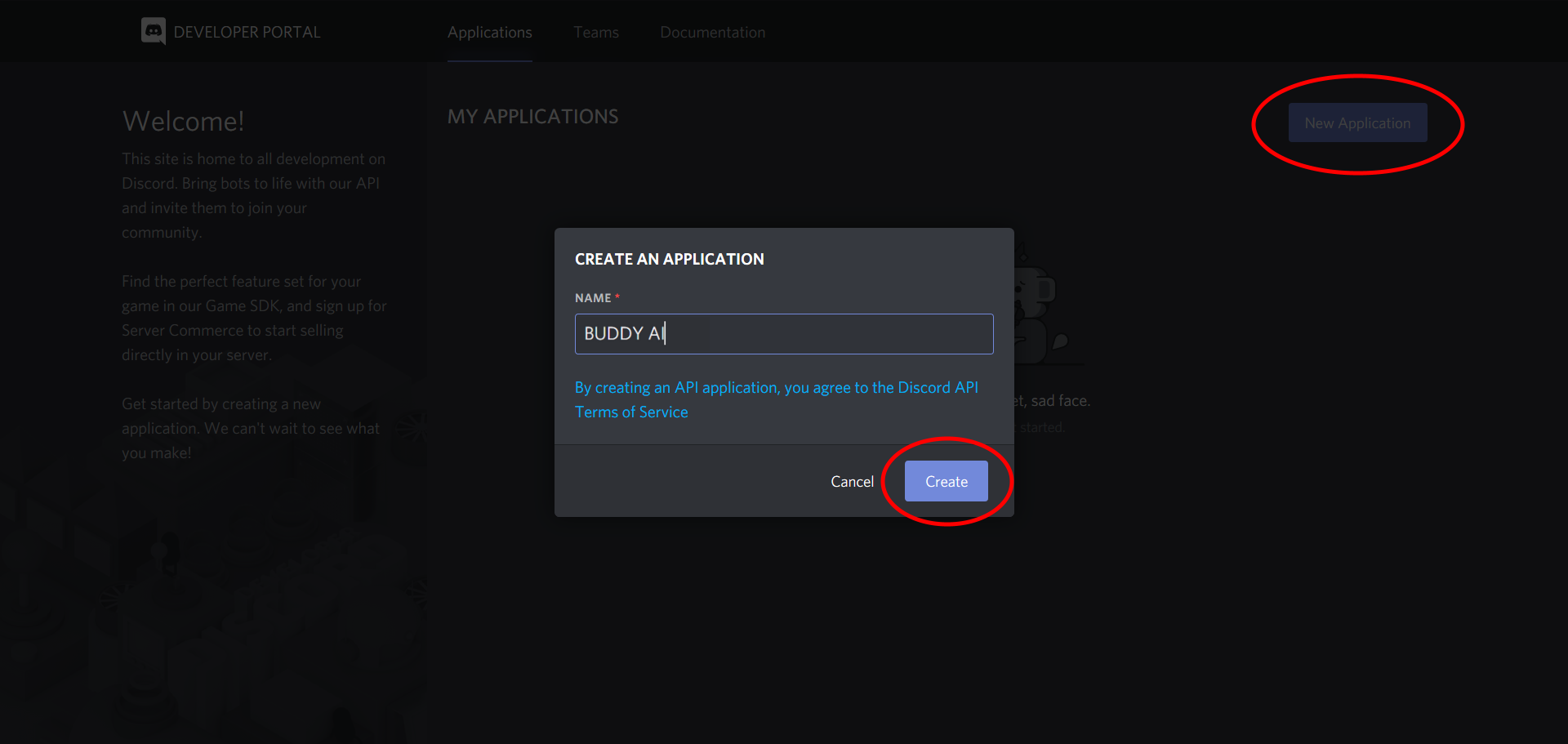
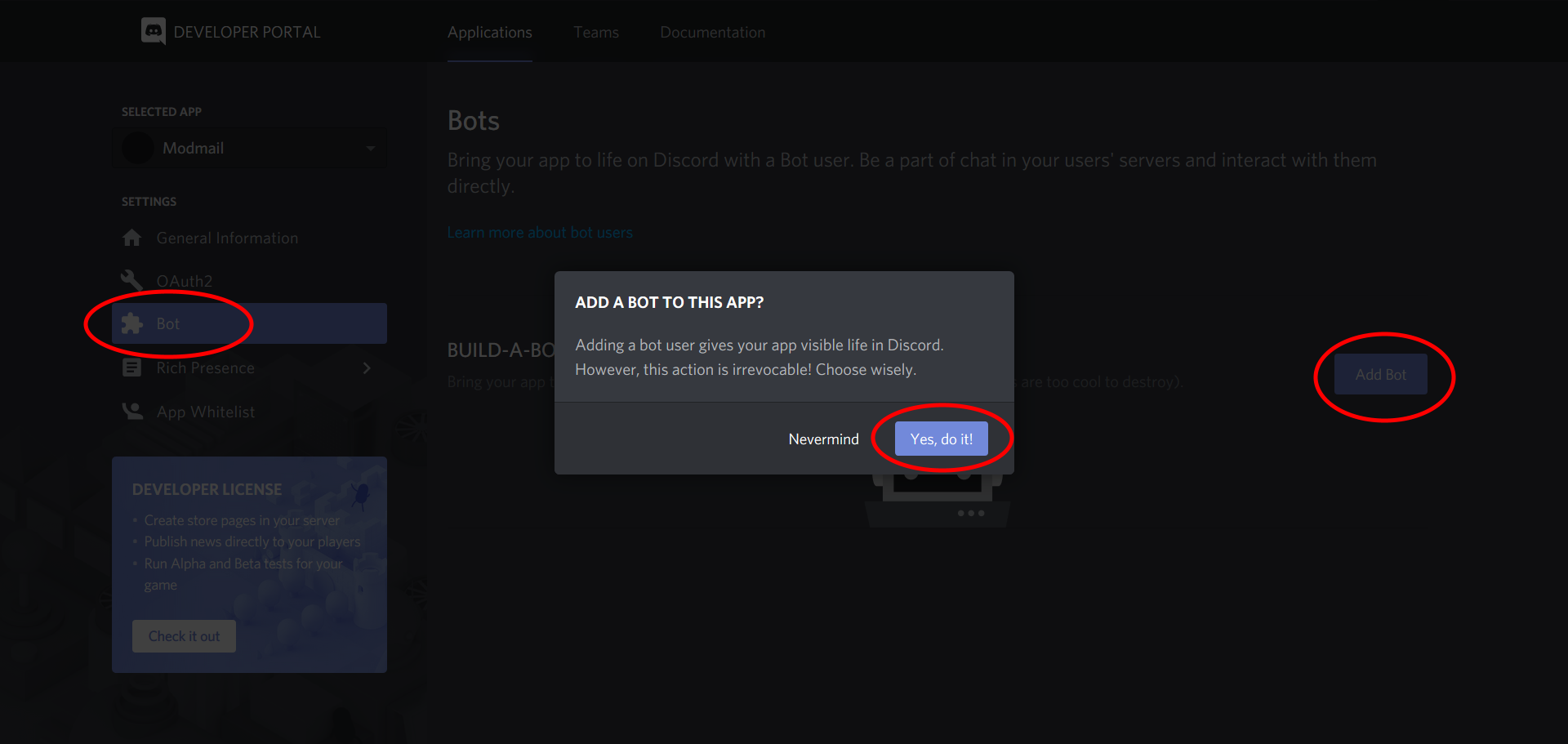
A new screen should pop up. Navigate to the Bot section and click on Add Bot. Click on Yes, do it! to confirm.
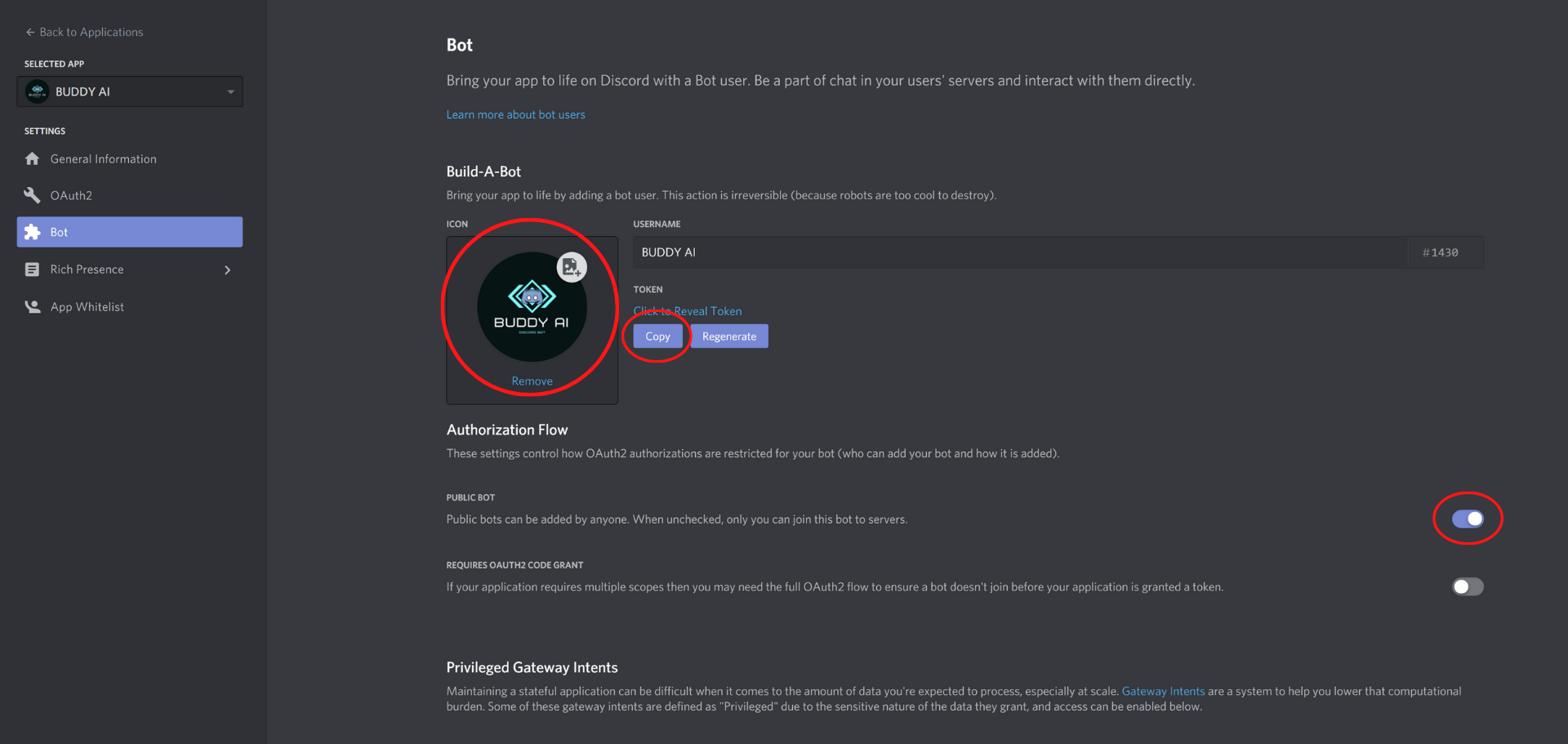
After this, a dashboard for your bot will open. Give your bot a nice profile picture if you want to. If you need your bot to be added to a server only by you, switch off the Public Bot option. Lastly, copy the token and paste this in your notepad.
Make sure to keep this token private, since anyone who has it can control (or "hack") your bot and potentially cause malicious damage. If you feel that your token has been leaked, click on Regenerate to invalidate the old one and create a new bot token.
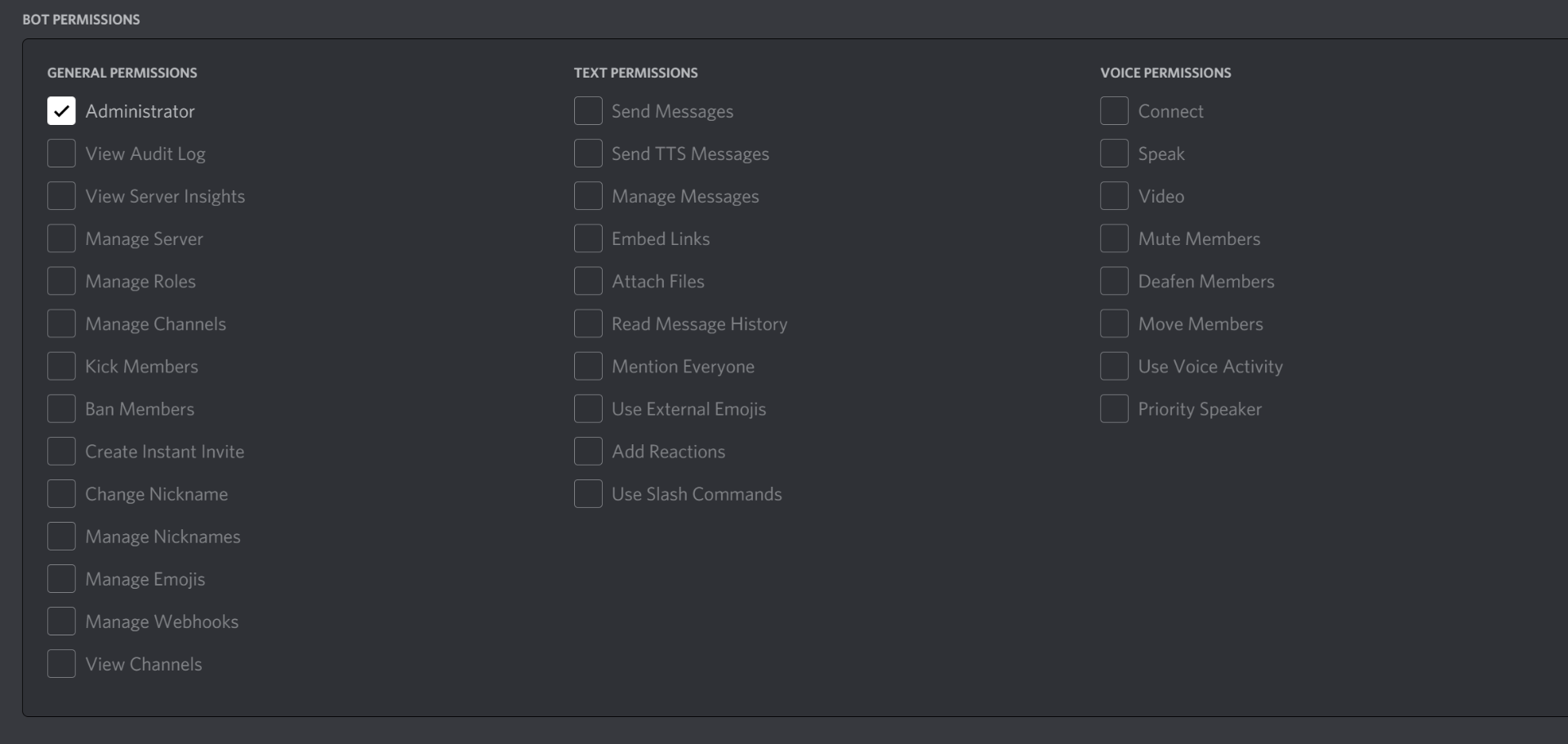
The last thing you need to do in Discord's developer portal is to obtain an invite link for the bot. To do this, head over to the OAuth2 tab. Scroll down a bit and select the Bot section. Scroll a bit further down and you will see a few permissions. Make sure to select View Audit Log, Manage Channels and Manage Messages.
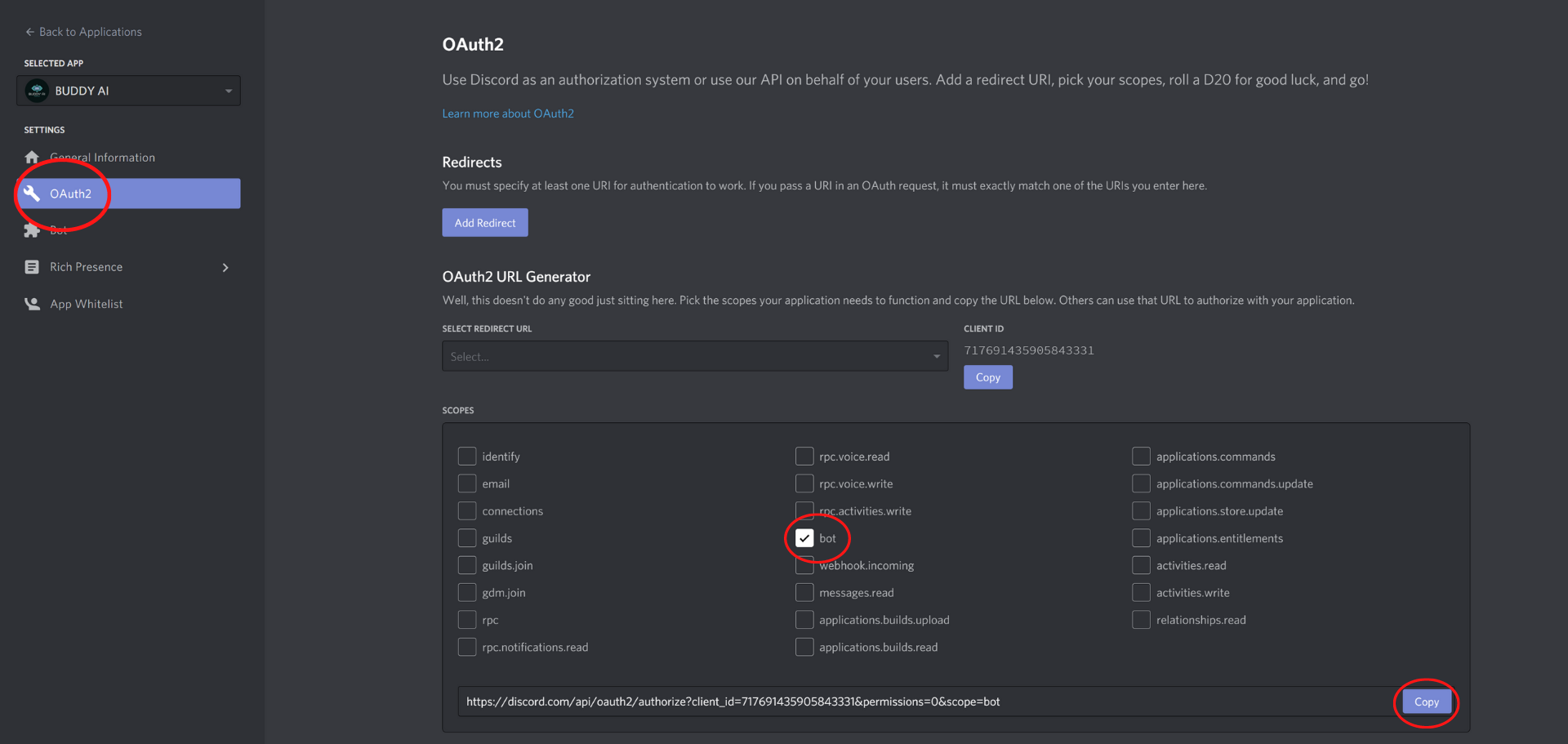
Before you press "copy", scroll down and select the permissions required. We will be setting this bot as an Administrator:
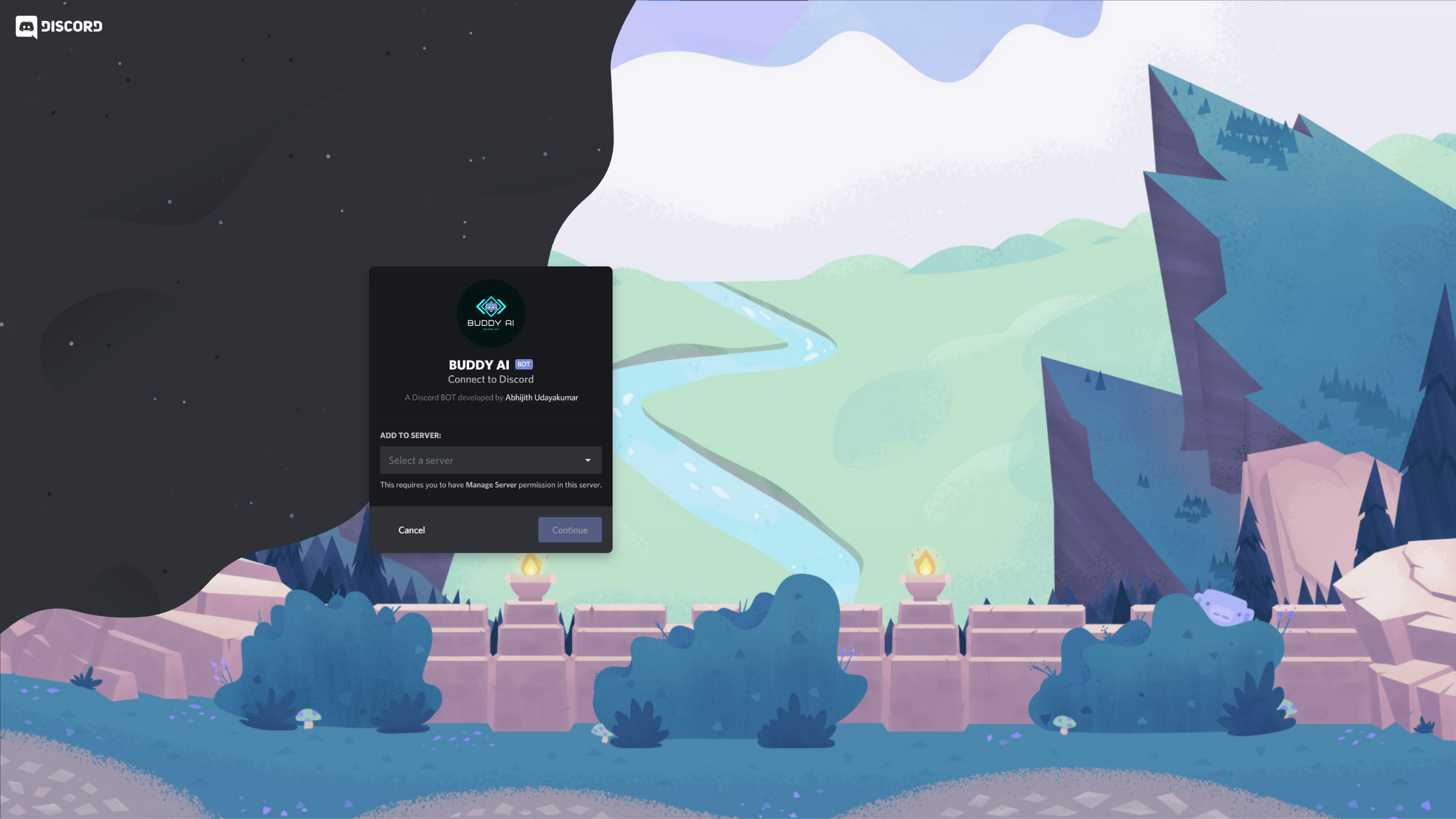
Copy the link and paste it in your address bar. A new screen will open: choose your server and select all options. Click on Authorize and your bot should be offline in your server.
To continue the setup, head over to the second page of this guide.
Used by : VISHNUPRIYA38, DIVYADHARSHINI19, JAIGANESH21, FAIZALAM05, SAMUELBLESSOPAUL, SLYTHERIN1976
