Full power for your agents. Full safety for your machine.
The best runtime environment for your AI agents.
The Permission Dilemma of Running AI Agents Locally
Every AI agent running on a personal machine today faces the same lose-lose trade-off. If you use Claude Code or Codex, you know the drill: the agent is midway through a task, and a dozen permission dialogs pop up. You click Yes until your fingers go numb. Or you switch to Yes always and spend the rest of the day wondering if the agent just rm -rf'd something important.
Claude Code and Codex both offer sandbox-like capabilities that let you configure permission levels, but in practice they boil down to two choices:
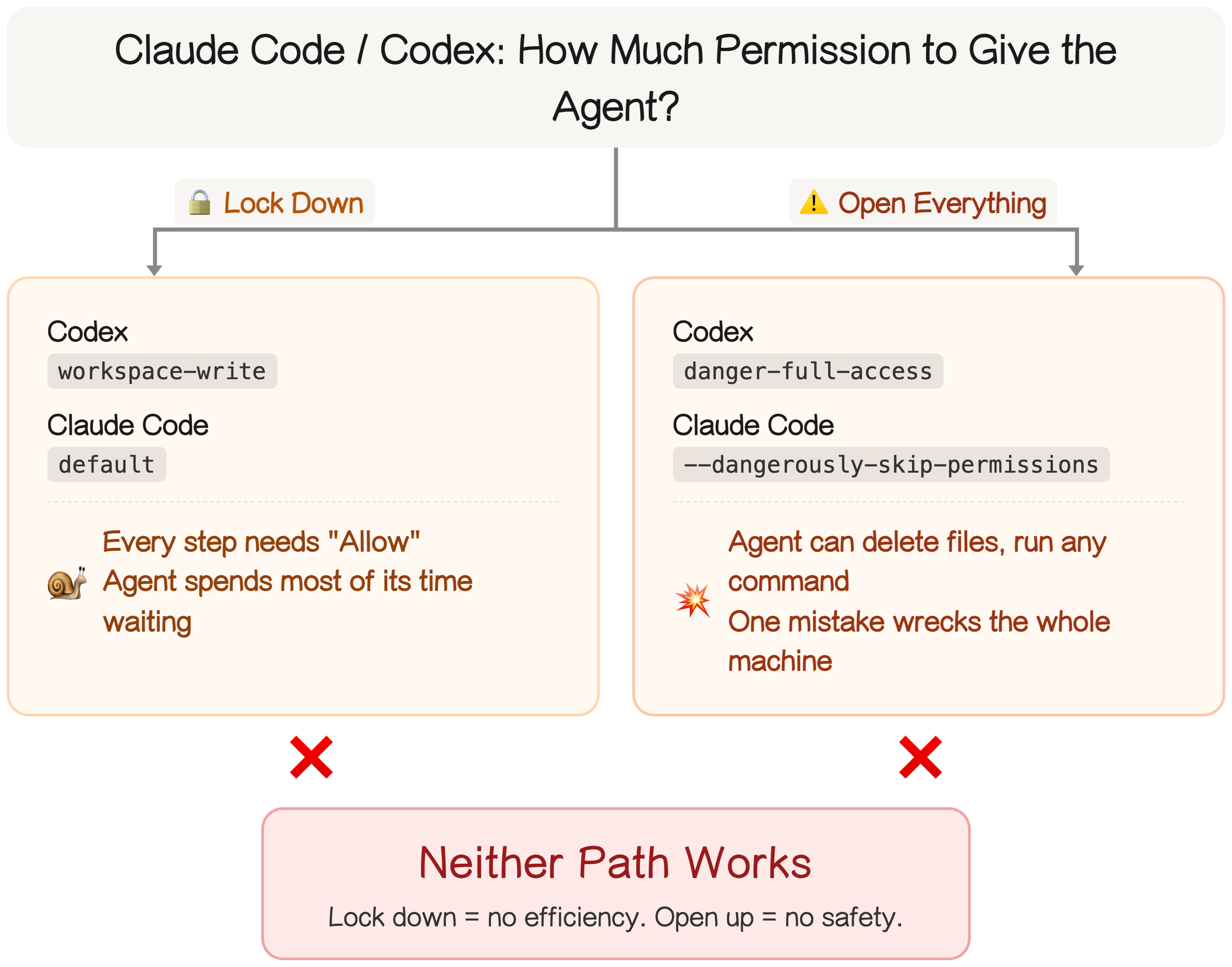
This is exactly why Mac Minis took off in the AI agent community. People started buying a dedicated machine just for the agent — that way, even if it trashes something, it's the agent's files, not yours. Makes sense — except now you own a whole extra computer.
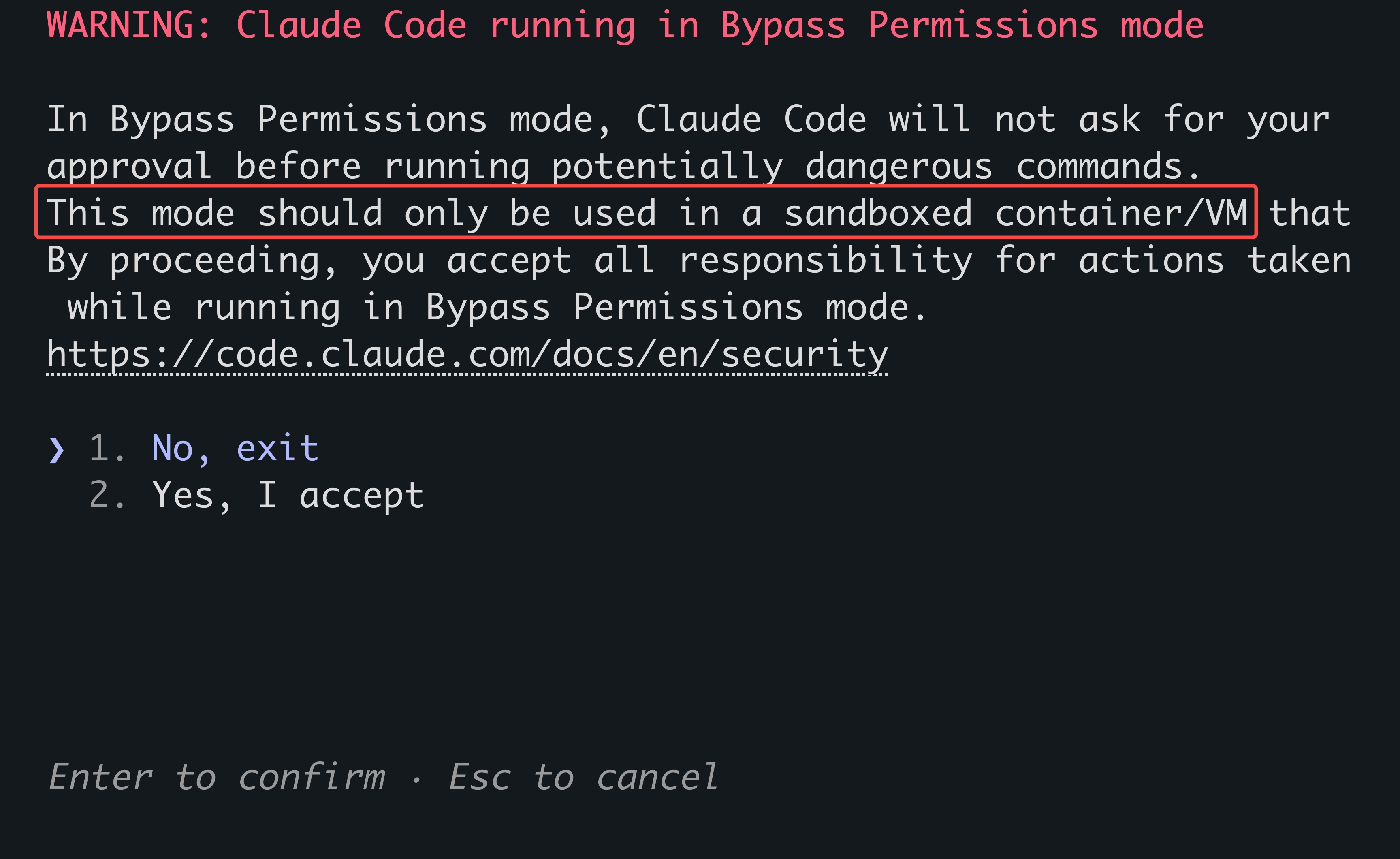
Give Claude Code full permissions (claude --dangerously-skip-permissions) and you're greeted with Anthropic's own disclaimer: only run this in a sandbox or VM, because dangerous commands will execute without asking. The default option is to decline and exit. You can ignore the warning and run it on bare metal, but if something breaks, that's on you.
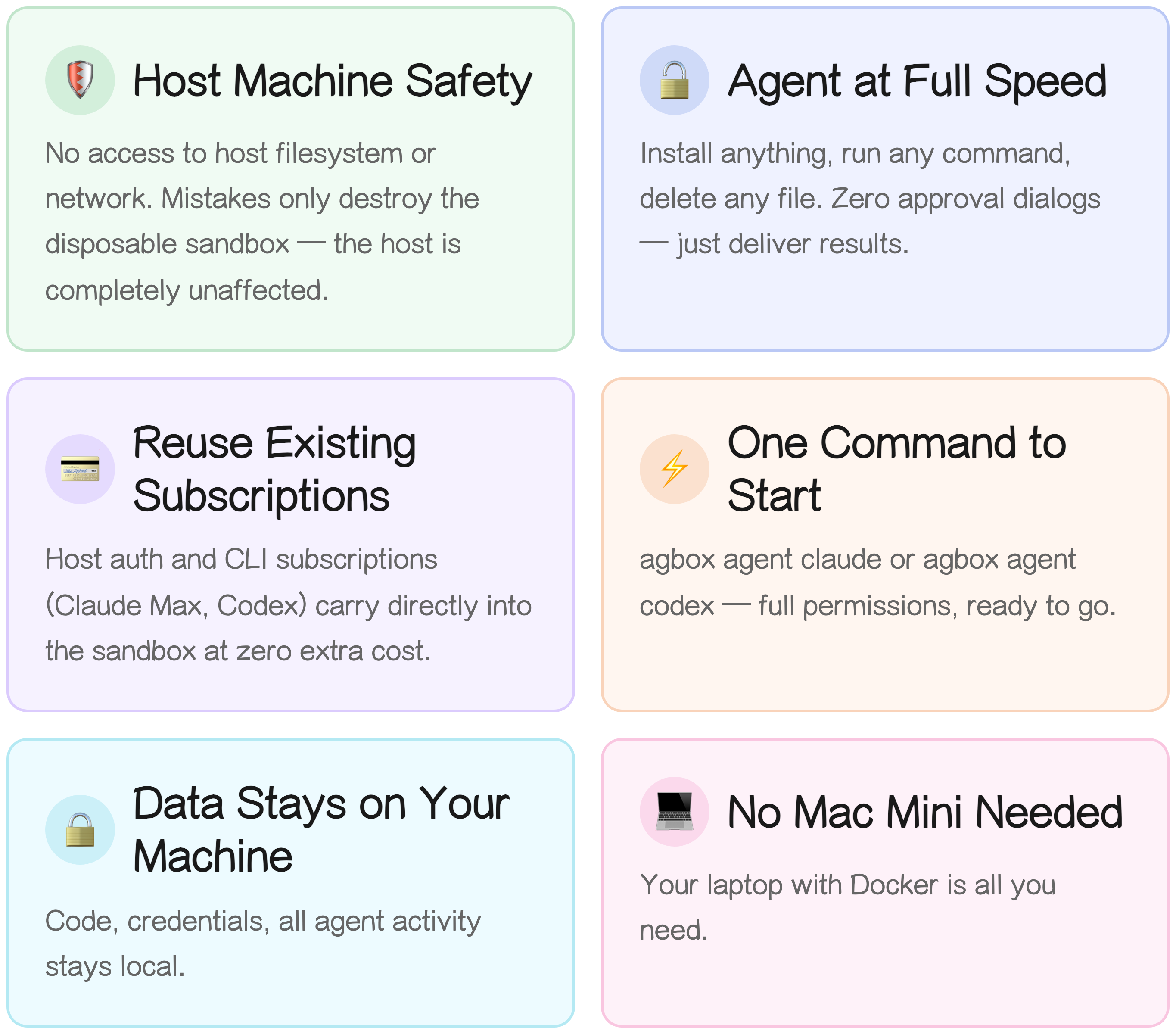
That's the problem Agents Sandbox solves. Here's the deal: give the agent full permissions while keeping your machine completely safe. You stop babysitting the agent. Your entire workflow becomes two things: hit Yes Always and describe what you want.
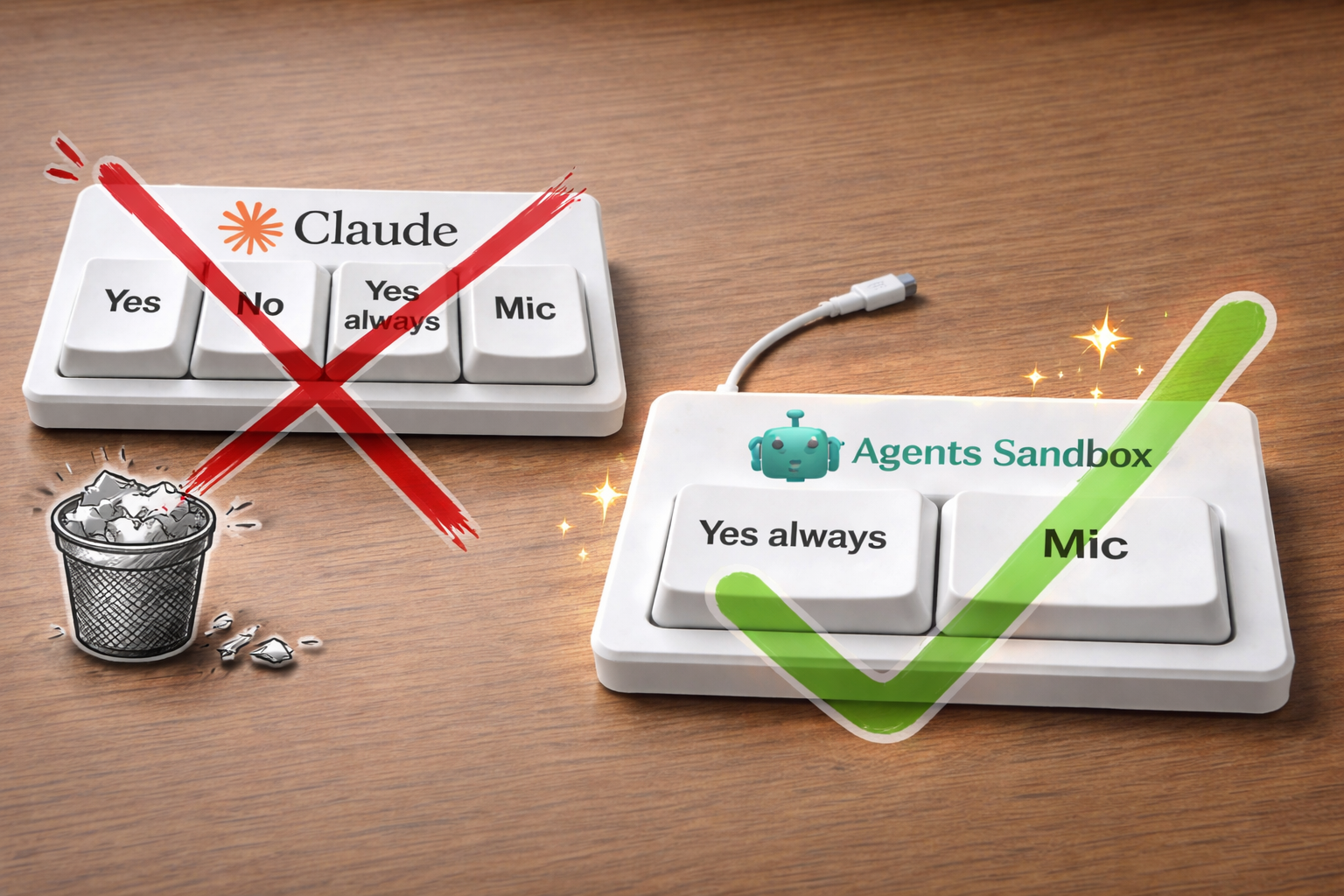
Agents Sandbox doesn't change your workflow. It was one command before; it's still one command now. The only difference: the agent runs inside an isolated sandbox instead of on your host.
# Install agents-sandbox (requires Docker and curl)
curl -fsSL https://agents-sandbox.com/install.sh | bash

# Run Claude Code in an isolated sandbox with full permissions
# Equivalent to: claude --dangerously-skip-permissions
agbox claude

# Run Codex in an isolated sandbox with full permissions
# Equivalent to: codex --dangerously-bypass-approvals-and-sandbox
agbox codex
Same single command — but now the agent is sandboxed, and your host is untouched.
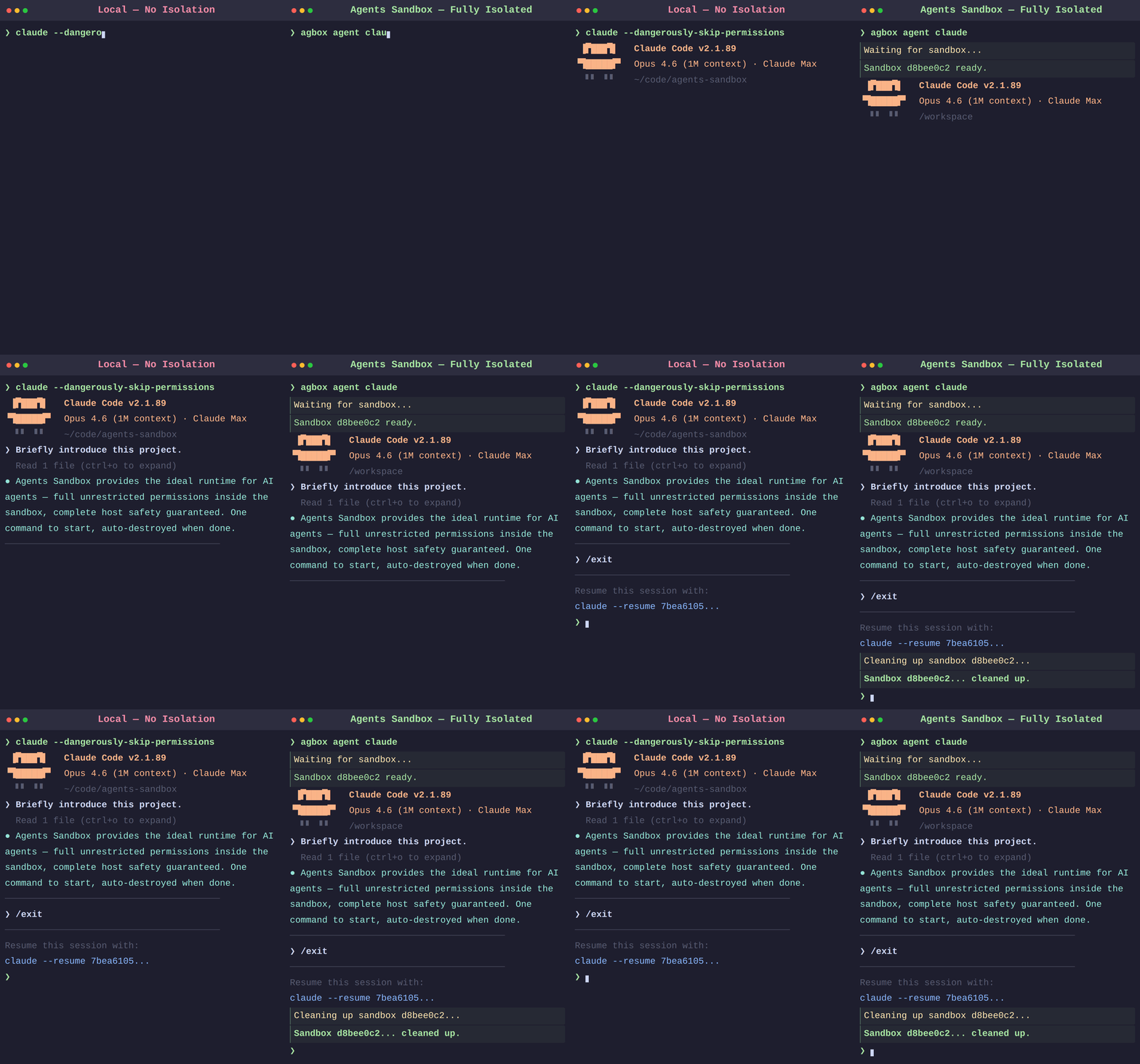
This isn't just "spin up a Docker container." Unlike built-in sandboxes, Agents Sandbox auto-mounts your project code and ships a pre-configured runtime — and you'll feel the difference right away. When the task is done, it self-destructs — see Why Not Built-in Sandboxes? for the full comparison.
The sandbox is fully isolated from the host. No exceptions.
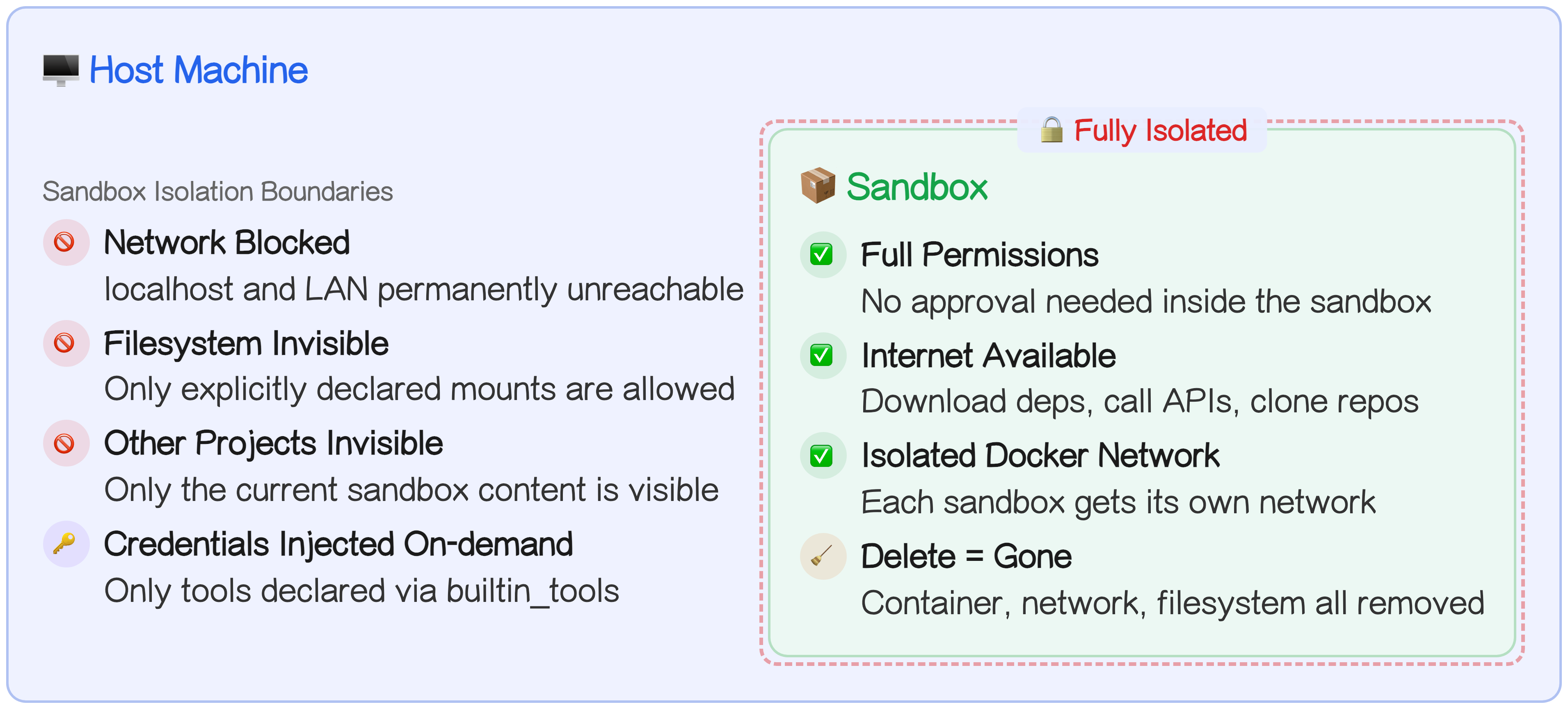
Host network access is off by default and will stay off — by design, not oversight.
Need a database or a cache for your agent? Spin up a Companion Container — a built-in container type in Agents Sandbox that shares the sandbox's isolated network but still can't reach your host. Your sandbox and its companions can talk to each other freely while staying completely walled off from everything else. Full details in Isolation and Security.
A sandbox on your own machine gives you the same isolation as a remote cloud server — without the latency, cost, or data-residency headaches.
Your Existing Subscriptions Work Out of the Box
Cloud sandboxes charge you twice: compute by the hour, tokens by the million. You're already paying Anthropic for the tokens. Why pay someone else for a server just to use them?
Agents Sandbox flips that model. Sandboxes run locally on Docker — zero infrastructure cost. Your Claude Max or Codex Pro subscription works right inside the sandbox. No extra API key. No per-token billing. For heavy users, that's real money back in your pocket every month.
Real-World Scenarios
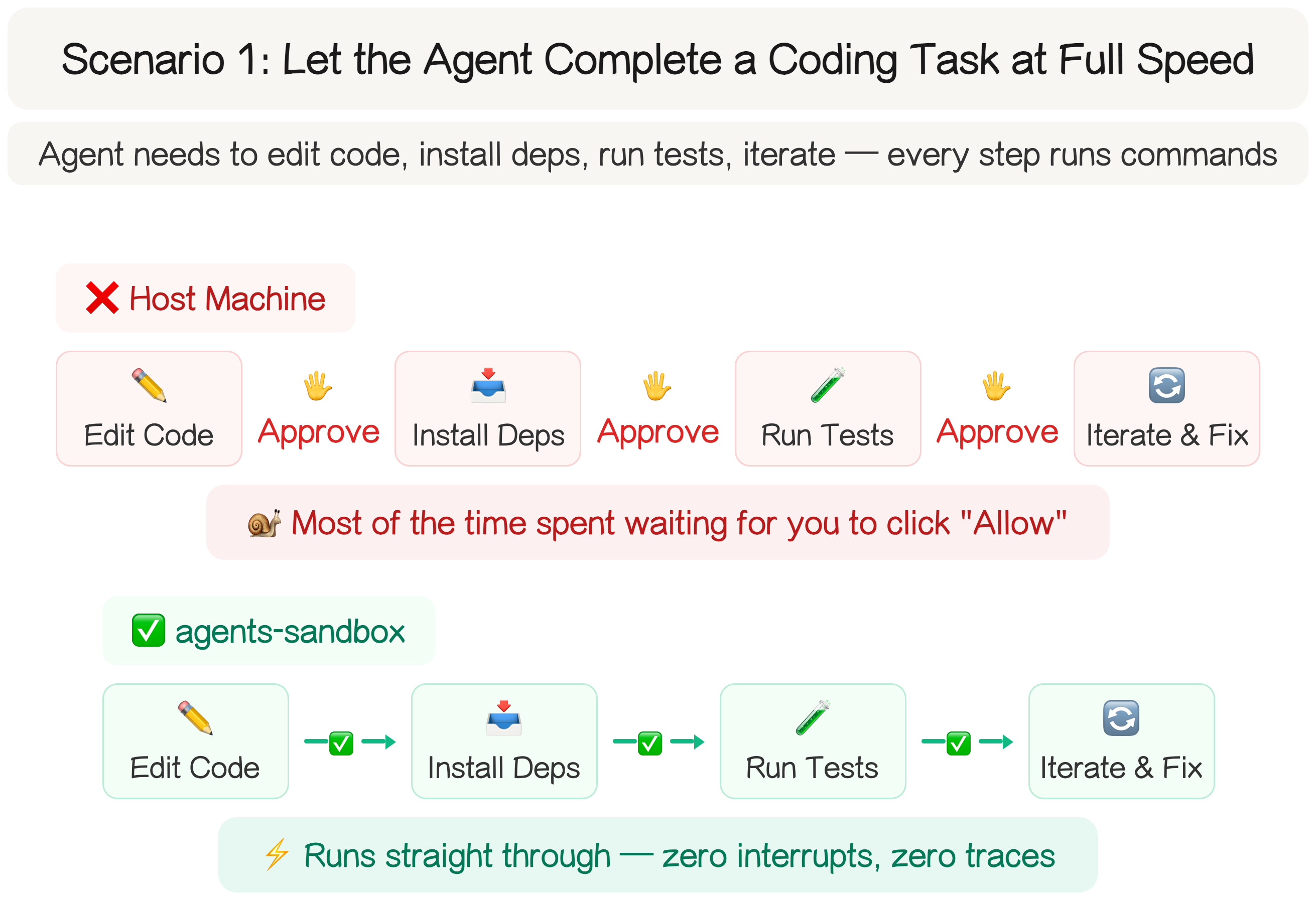
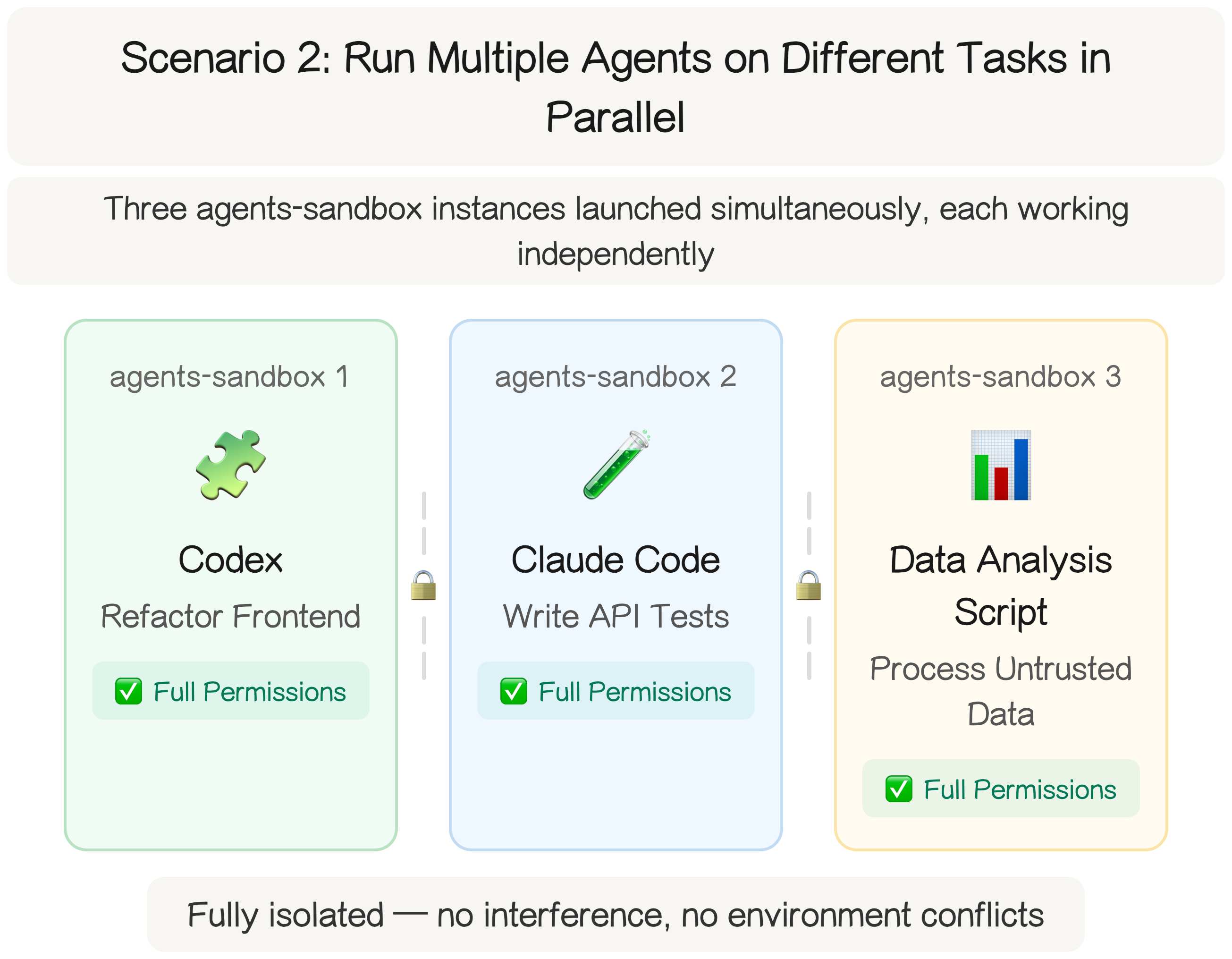
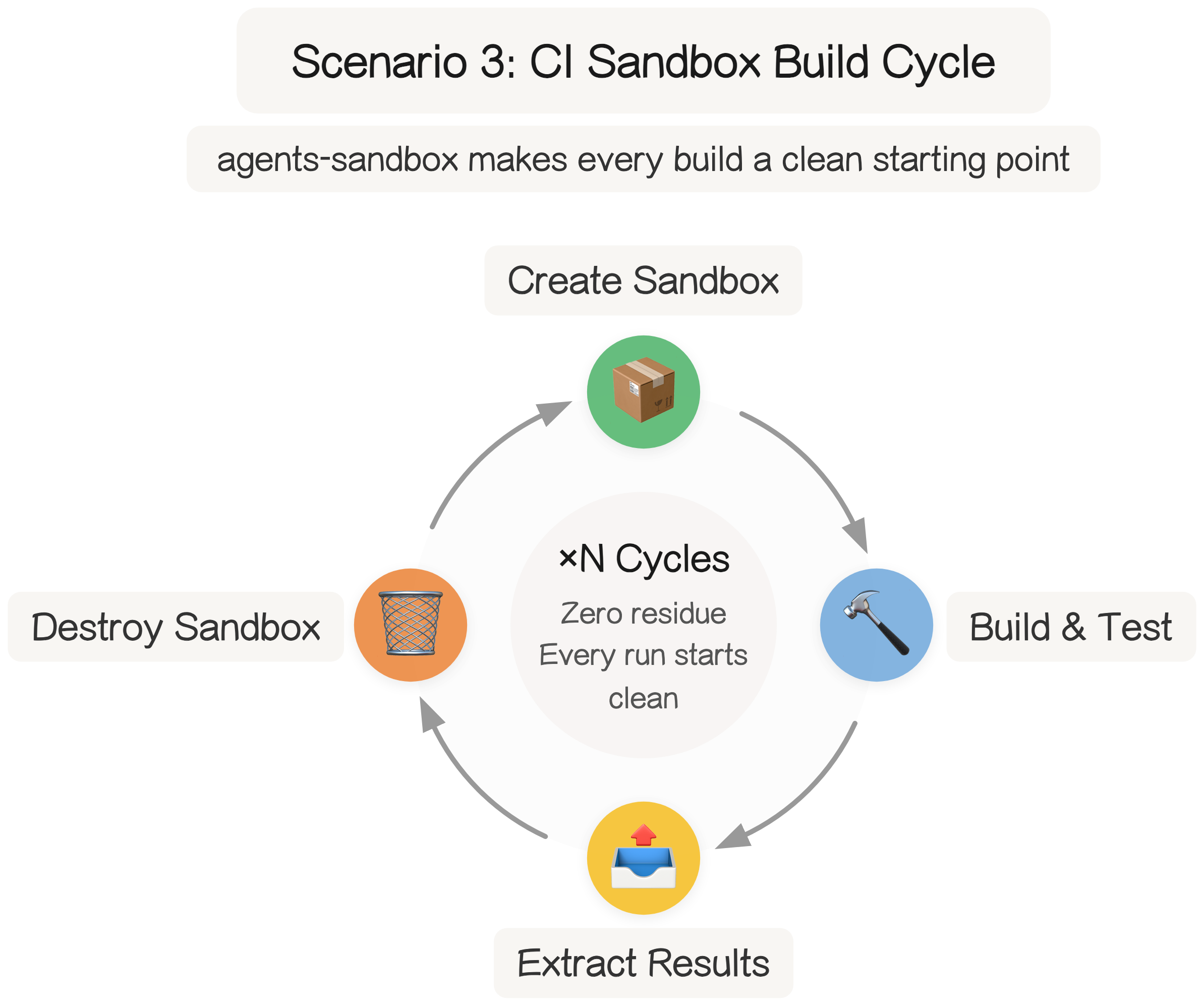
More Than Just a Container
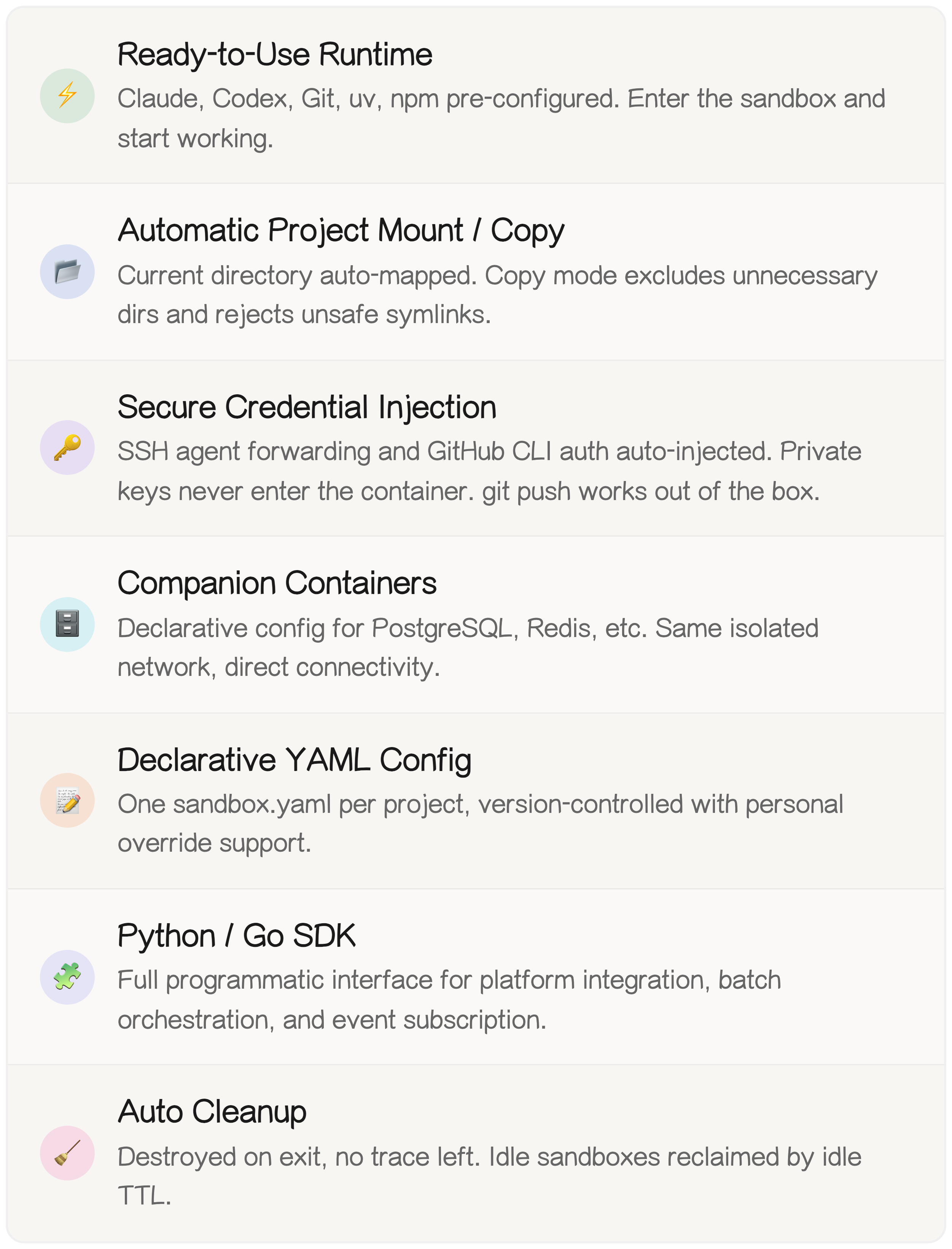
Agents Sandbox is not a thin wrapper around docker run. It's a sandbox control plane purpose-built for AI agents — works out of the box for everyday development and scales to full platform integration:
Remember that Mac Mini? You don't need one. A single Docker install, one command, and your agent gets full permissions inside a sandbox that can never touch your host.
Programmatic Access (Python SDK)
For programmatic control, use the Python SDK:
import asyncio

from agents_sandbox import AgentsSandboxClient

async def main() -> None:
    async with AgentsSandboxClient() as client:
        sandbox = await client.create_sandbox(
            image="ghcr.io/agents-sandbox/coding-runtime:latest",
        )
        try:
            result = await client.run(
                sandbox.sandbox_id,
                ("python", "-c", "print('hello from sandbox')"),
            )
            print(result.stdout_log_path)
        finally:
            await client.delete_sandbox(sandbox.sandbox_id)


asyncio.run(main())
For full examples, see examples/.
Repository Layout
- Go entrypoints live under
cmd/ - Runtime implementation is organized under
internal/ - Protocol source files live under
api/proto/ - The Python SDK lives under
sdk/python/ - The minimal base runtime image asset lives under
images/base-runtime/ - The home-aligned coding runtime image asset lives under
images/coding-runtime/ - Examples live under
examples/