
简体中文 | English
一个能让你在网站中使用 ani 文件以创建动画鼠标指针的工具。项目已支持 Typescript,可以提供完善的类型支持。
卑微求 star
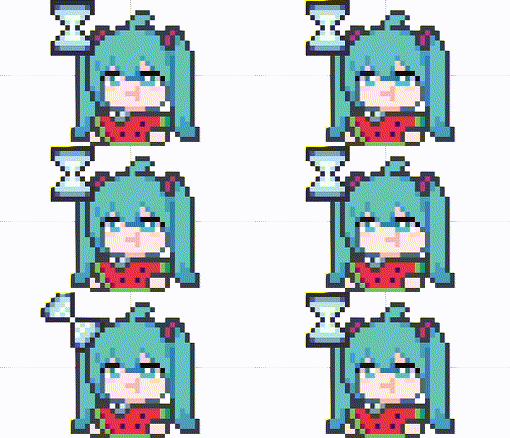
挂载在 github 的预览: 预览
一个用了这个库且效果还不错但不能保证随时能访问的博客:预览
你可以使用 npm 将其安装到你的项目中
npm install ani-cursor.js
对于不能方便使用 npm 的项目(例如 Wordpress、纯原生 HTML 等情况),考虑在 DOM 头中使用 script 标签来引用该工具
- 直接下载仓库中已经打包好的文件 dist/ani-cursor.umd.min.js 并放入项目中,使用以下 script 标签加载
<script>
  const script = document.createElement("script");
  script.src = "path/to/ani-cursor.umd.min.js";
  script.onload = () => {
    // 从 window 中获取 AniCursor 实例提供的函数
    const { setANICursor, setANICursorWithGroupElement } =
      window.AniCursor || window;

    setANICursor("html", "/ani/main.ani");
  };
  document.head.appendChild(script);
</script>- 通过 CDN
<script>
  const script = document.createElement("script");
  script.src =
    "https://cdn.jsdelivr.net/npm/ani-cursor.js@1.0.3/dist/ani-cursor.umd.min.js";
  script.onload = () => {
    // 从 window 中获取 AniCursor 实例提供的函数
    const { setANICursor, setANICursorWithGroupElement } =
      window.AniCursor || window;

    setANICursor("html", "/ani/main.ani");
  };
  document.head.appendChild(script);
</script>
引入更新的相关 issue:#4
使用这个工具非常简单。你只需要使用函数 setANICursor 来将你的 ani 文件应用到你的网页中, 这个函数仅会修改 DOM 头,并不涉及 document 的 body 的 DOM 元素操作,所以你可以在任何位置使用它,不用担心你要设置的动态指针的元素是否已经挂载。
function setANICursor(
  elementSelector: string,
  aniURL: string,
  cursorType: string = "auto",
  width: number = 32,
  height: number = 32,
  hotspotX?: number,
  hotspotY?: number
): CursorController {}
第一个参数 elementSelector 是你希望应用 ani 文件效果的标签的 CSS 选择器,第二个参数 aniURL 是你的 ani 文件的 URL,第三个参数 cursorType 是你希望在 ani 文件效果失效时的系统鼠标样式,第四、五个参数 width 和 height 为鼠标的宽和高,第六、七个参数 hotspotX 和 hotspotY 为鼠标热点位置(即鼠标实际点击生效的位置相对于鼠标图片的坐标偏移),只有 x 与 y 均被赋值后才生效。
注意:鼠标的宽高不建议随意修改,对于浏览器的鼠标样式策略,当宽或高大于 32 时,鼠标样式在某些情况下会失效。以下为MDN 说明
While the specification does not limit the image size, user agents commonly restrict them to avoid potential misuse. For example, on Firefox and Chromium cursor images are restricted to 128x128 pixels by default, but it is recommended to limit the cursor image size to 32x32 pixels. Cursor changes using images that are larger than the user-agent maximum supported size will generally just be ignored.
这是一个使用示例:
import { setANICursor } from "ani-cursor.js";
setANICursor("body", "/your/ani/file/url.ani");有时我们希望在多个元素中使用 ani 文件,我们可以使用函数 setANICursorWithGroupElement 来使所有指定元素应用同一 ani 文件效果
import { setANICursorWithGroupElement } from "ani-cursor.js";
let textAbleGroup = [
  "input",
  'input[type="text"]',
  "textarea",
  "span",
  "p",
  "h1",
  "h2",
  "h3",
  "h4",
  "h5",
  "h6",
];
setANICursorWithGroupElement(textAbleGroup, "/ani/TextSelect.ani");setANICursor() 与 setANICursorWithGroupElement() 会返回一个 CursorController,用于管理控制当前创建的动画鼠标样式
interface CursorController {
  readonly ready: Promise<void>;
  readonly destroyed: boolean;
  destroy(): void;
}
ready 表示鼠标动画样式是否已经完成加载并注入到页面
const controller = setANICursor("body", "/your/ani/file/url.ani");

controller.ready.then(() => {
  console.log("Cursor loaded");
});
destroyed 表示当前控制器是否已被销毁
const controller = setANICursor("body", "/your/ani/file/url.ani");

console.log(controller.destroyed);
// false

controller.destroy();
console.log(controller.destroyed);
// true
destroy() 移除当前控制器创建的动画样式。即使资源尚未加载完成,也可以立即调用 destroy()
const controller = setANICursor("body", "/your/ani/file/url.ani");

controller.destroy();预览网页由 vue 编写,网页仓库的 markdown 有使用例:https://github.com/qingzhengQB/ani-cursor-preview
function LoadANICursorPromise(
  aniURL: string,
  cursorType: string = "auto",
  width: number = 32,
  height: number = 32,
  hotspotX?: number,
  hotspotY?: number
): Promise<ANIInfo> {}
你可以使用它来加载一个 ani 文件。运行该函数后,会返回一个等待 then 运行的 Promise,并为 then 中的 resolve 变量赋值为一个包含相关加载信息的对象。你也可以从返回值中提取每一帧的图像 blob 数据链接和帧顺序、持续时间等详细信息。
interface ANIInfo {
  KeyFrameContent; //由加载的ani文件定义的动画的内容
  aniURLRegexClassName; //在生成动画时,会根据ani文件的URL生成一个对应的类名,加载完时这个类名没有任何内容
  keyframesName; // 定义的动画的名称
  totalRoundTime; // 动画一次循环所需时间

  frameURLs: string[]; // 解析出来的每一帧的blob数据URL,按照ani文件内数据顺序排列
  frameInfo: FrameInfo[]; // 每一帧的持续时间信息和数据索引,严格按照播放顺序排列,应该从这里取播放帧索引
}
LoadANICursorPromise 函数返回的 Promise 可以使用以下函数处理:
function setLoadedCursorToElement(
  elementSelector: string,
  loadedCursorPromise: Promise<ANIInfo>
): Promise<HTMLStyleElement> {}
该函数接收一个 CSS 选择器字符串和 LoadANICursorPromise 返回的 Promise,并将相关内容加载到 DOM 头中,并返回鼠标动画的 style 的引用。