



rich-gradient layers smooth foreground and background gradients on top of
Rich renderables.
It includes a drop-in Text subclass, wrappers for Panel and Rule,
gradient-aware Markdown, convenience wrappers for common Rich renderables,
animated variants, and utilities for building palettes.
- Works anywhere Rich expects a
ConsoleRenderable, including panels, tables, and live updates. - Generates color stops automatically or from CSS color names,
hex codes, RGB tuples, or
rich.color.Colorobjects. - Supports foreground and background gradients, rainbow palettes, and seedable color spectrums.
- Ships with ready-to-use renderables:
AnimatedText,AnimatedGradient,AnimatedPanel,AnimatedRule, andAnimatedMarkdownfor live gradient updates.- Loads optional JSON configuration from
~/.rich-gradient/config.json, where you can toggle animation globally and customize the default spectrum palette.
-
Added an internal cached gradient ramp for
Gradientrendering. Foreground and background styles are precomputed per render span and reused across segment lookups. -
Added benchmark coverage for static gradients, animated frame rendering, long text, and gradient panels.
-
Added gradient convenience constructors for Rich
Table,Tree,Columns,Pretty, andSyntax, each with a runnable module demo. -
Changed gradient segment rendering is shared across
Gradient,Rule, andAnimatedRulefor more consistent cell-aware output. -
Changed CLI functionality moved to
rich-gradient-cli; this package is the core renderable library. -
Added RGB tuple color stops and stricter tuple channel validation.
-
Fixed duration-limited
AnimatedGradientinstances now clean up their running state so they can be restarted. -
Fixed
AnimatedPanelnow accepts two-item regex highlight tuples like("pattern", "style"), matching the base highlight parser. -
Fixed
RuleandAnimatedRuleempty-renderable fallbacks and thickness handling. -
Fixed
AnimatedGradientrefresh-rate validation and restart-after-stop behavior. -
See the CHANGELOG for more details.
rich-gradient targets Python 3.10+.
# Recommended: use uv
uv add rich-gradient

# or via `uv pip`
uv pip install rich-gradientOr with pip:
# via pip
pip install rich-gradient- Tests:
pytestworks without an editable install becausetests/conftest.pyaddssrc/tosys.path. No extra env tweaks needed; just install deps and runpytest.
Use Text when you want a drop-in rich.text.Text replacement with gradient
spans applied to the text itself.
from rich.console import Console
from rich_gradient import Text

console = Console()
console.print(Text("Hello, World!"))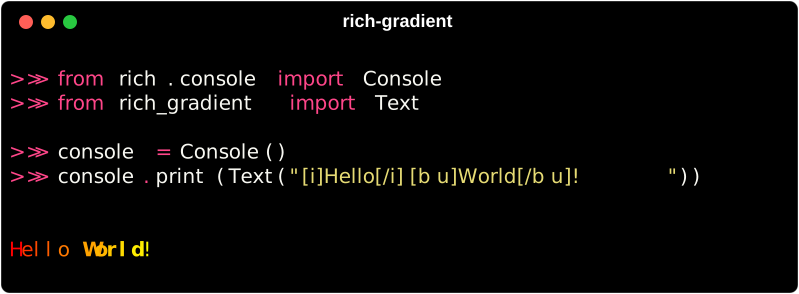
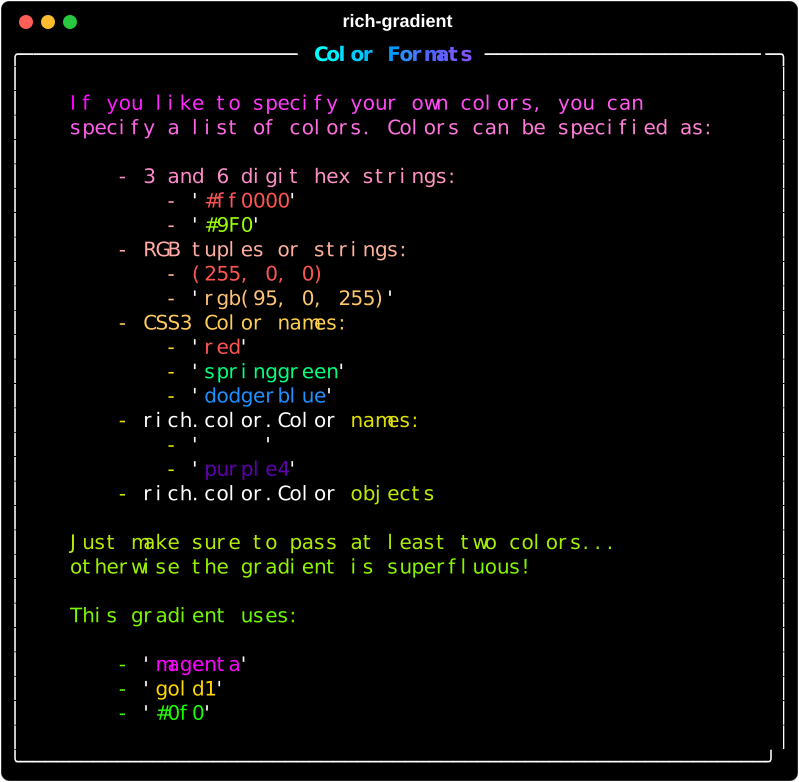
If you want a bit more control of the gradient,
you can specify the colors you want to use in the gradient
by passing them as a list of colors to the colors parameter.
Color can be parsed from a variety of formats including:
console.print(
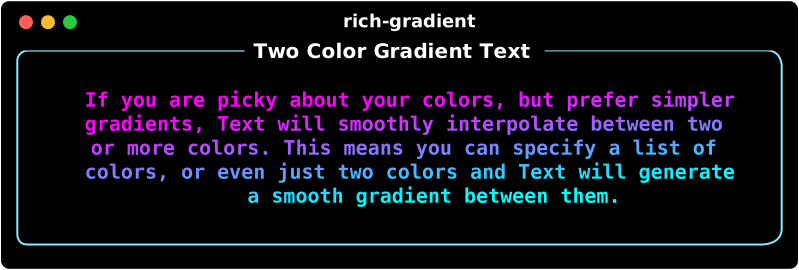
    Text(
        "This a gradient with two colors.",
        colors=["red", "orange"],
    ),
    justify="center"
)
console.print(
    Text(
        "This a gradient uses four specific colors.",
        colors=["red", "#ff9900", "#ff0", "Lime"],
        justify="center",
    ),
)
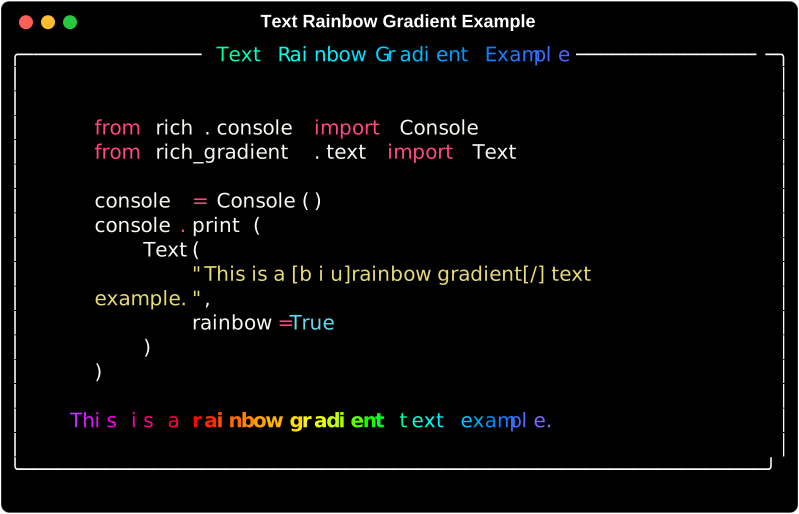
If four colors aren't enough, you can use the 'rainbow' parameter to generate a rainbow gradient that spans the full spectrum palette.
console.print(
    Text(
        "This is a rainbow gradient.",
        rainbow=True,
        justify="center",
    ),
)
Use Spectrum(hues=..., seed=...) when you need reproducible color stops.
Since Text is a subclass of rich.text.Text, you can still use all
the same methods and properties as you would with Text.
console.print(
    Text(
        "This is an underlined rainbow gradient.",
        rainbow=True,
        style="underline",
    ),
    justify="center"
)
console.line()
console.print(
    Text(
        "This is a bold italic gradient.",
        style="bold italic",
    ),
    justify="center"
)
console.line()
Use Gradient when you want to paint across an existing Rich renderable, such
as Markdown, a table, a layout, or a standard Rich panel.
from rich.console import Console
from rich.markdown import Markdown
from rich_gradient import Gradient

console = Console()
console.print(
    Gradient(
        Markdown("## Renderables\n\n- Text\n- Panels\n- Markdown"),
        colors=["#38bdf8", "#a855f7", "#f97316"],
        bg_colors=["#0f172a", "#1f2937"],
        justify="center",
    )
)Pass bg_colors to Text, Gradient, Panel, Rule, or Markdown to apply
background color stops. A single background color is treated as a solid fill;
multiple stops interpolate across the rendered output.
from rich_gradient import Text

Text(
    "Foreground and background gradient",
    colors=["#f8fafc", "#a7f3d0"],
    bg_colors=["#0f172a", "#1e293b"],
)Use Markdown for a Rich Markdown renderable with the same gradient controls
as Gradient.
from rich.console import Console
from rich_gradient import Markdown

console = Console()
console.print(
    Markdown(
        "# Gradient Markdown\n\nSupports **Rich Markdown** content.",
        colors=["cyan", "magenta", "gold1"],
    )
)This package no longer ships a command-line interface. Install
rich-gradient-cli for
terminal commands that build on the renderables provided here.
