🌍 English Documentation | Русская документация





- ✅ Fully Dockerized — Single container, all-inclusive
- 🚀 Quick Start — Deploy with one command
- 🔄 Easy Migration — Copy your config and run
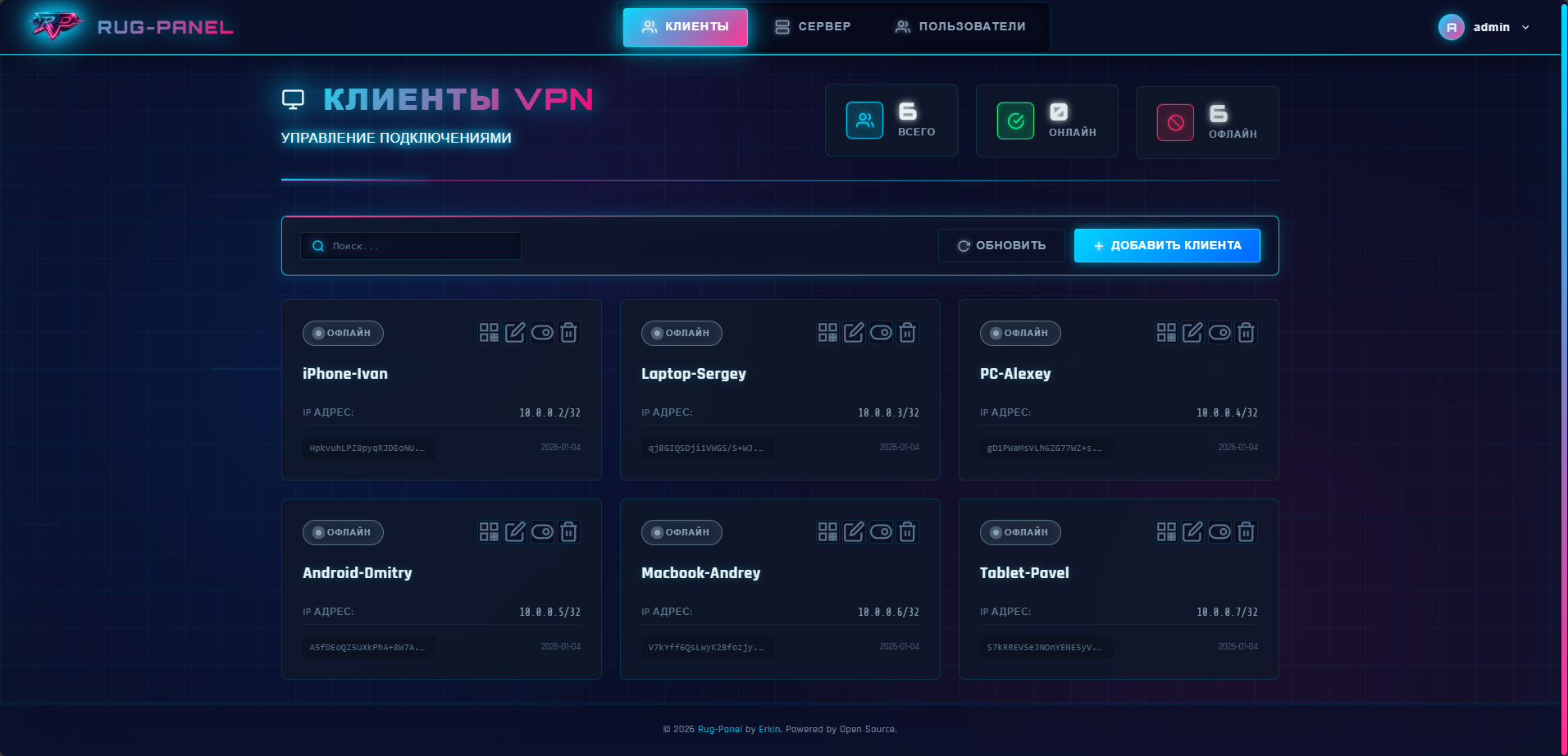
- 📱 HTMX Interface — Fast and responsive UI
- 🌐 QR Codes — For mobile device connections
- 🔒 JWT Authentication — Secure access with httpOnly cookies
- 📊 Monitoring — Real-time client status
- 🌍 Multilingual — Russian and English interface
- ⚡ Optimized — Caching, connection pooling, GZip compression
- Docker and Docker Compose v2+
- Linux with kernel 5.6+ (WireGuard built-in)
💡 On modern Linux distributions (Ubuntu 20.04+, Debian 11+), WireGuard is already integrated into the kernel — no additional installation required.
# 1. Clone the repository
git clone https://github.com/erkin-top/rug-panel.git
cd rug-panel

# 2. Set up environment variables
cp .env.example .env

# 3. Generate SECRET_KEY
python -c "import secrets; print(secrets.token_urlsafe(32))"
# Or: openssl rand -base64 32

# 4. Set SECRET_KEY in .env
nano .env

# 5. Start the container
docker compose up -d
Panel: http://YOUR_SERVER_IP:8000
Login: admin / admin
If you don't want to build the image locally, use the pre-built one:
# docker-compose.yml
services:
  rug-panel:
    image: erkintop/rug-panel:latest  # or :1.0.0
    # ... rest of the configuration as in the example
# Start
docker compose up -ddocker compose ps # Status
docker compose logs -f # Logs
docker compose restart # Restart
docker compose down # Stop
docker compose up -d --build # Rebuild
docker compose exec rug-panel /bin/sh # Shell
docker compose exec rug-panel wg show # WireGuard status- Python 3.11+
- Linux with WireGuard installed
sudoprivileges for WireGuard management
# 1. Install WireGuard
sudo apt install wireguard wireguard-tools   # Ubuntu/Debian
sudo dnf install wireguard-tools             # Fedora/RHEL

# 2. Create virtual environment
python -m venv venv
source venv/bin/activate

# Or with conda:
conda create -n rugEnv python=3.11
conda activate rugEnv

# 3. Install dependencies
pip install -r requirements.txt

# 4. Configure environment variables
cp .env.example .env
nano .env  # Set SECRET_KEY

# 5. Run
python run.py
Panel: http://localhost:8000
⚠️ Windows/macOS: The management panel works, but WireGuard VPN requires Linux. For full functionality, use Docker on a Linux server.
mkdir -p ./data
cp /etc/wireguard/wg0.conf ./data/wg0.conf
docker compose up -d
All clients are automatically imported.
| Variable | Default | Description |
|---|---|---|
SECRET_KEY |
JWT encryption key | |
PANEL_PORT |
8000 | Web panel port |
WG_PORT |
51820 | WireGuard UDP port |
WG_INTERFACE |
wg0 | WireGuard interface name |
WG_SERVER_ENDPOINT |
(auto-detect) | External IP/domain of server (overrides auto-detection) |
DEFAULT_DNS |
77.88.8.8, 8.8.8.8 | DNS servers for clients |
DEFAULT_ALLOWED_IPS |
0.0.0.0/0, ::/0 | Routes for clients |
DEFAULT_PERSISTENT_KEEPALIVE |
25 | Keepalive interval (seconds) |
ACCESS_TOKEN_EXPIRE_MINUTES |
1440 | JWT lifetime (24h) |
DEBUG |
false | Debug mode |
LOG_LEVEL |
INFO | Logging level |
CONFIG_CACHE_TTL |
5 | Config cache TTL (seconds) |
STATUS_CACHE_TTL |
2 | Status cache TTL (seconds) |
QR_CACHE_SIZE |
100 | QR code LRU cache size |
LANGUAGE |
ru | Interface language (ru/en) |
💡 WG_SERVER_ENDPOINT — Use this to fix the server domain/IP. If set, auto-detected IP will NOT override this value when generating client configs.
rug-panel/
├── app/                      # FastAPI application
│   ├── main.py               # Entry point
│   ├── config.py             # Configuration
│   ├── wireguard.py          # WireGuard manager
│   ├── routes/               # API routes
│   └── templates/            # Jinja2 templates
├── docker/
│   ├── Dockerfile            # Container image
│   └── entrypoint.sh         # Startup script
├── static/                   # CSS styles
├── data/                     # wg0.conf, panel.db
├── docker-compose.yml
├── run.py                    # Local startup
└── requirements.txt
- Open the panel → log in
- Click "Add Client"
- Fill in the form → "Create"
- Download config or scan QR code
# Linux
sudo mv client.conf /etc/wireguard/wg-client.conf
sudo wg-quick up wg-client

# Windows/macOS — Import .conf in WireGuard app# Check kernel version (should be 5.6+)
uname -r
# Check WireGuard module
sudo modprobe wireguard
lsmod | grep wireguard
# If kernel < 5.6 — Update system
sudo apt update && sudo apt upgrade# Open WireGuard port
sudo ufw allow 51820/udp
# Check IP forwarding
sysctl net.ipv4.ip_forward # Should be 1
# Check WireGuard status
docker compose exec rug-panel wg show- Passwords hashed with PBKDF2-HMAC-SHA256 (100,000 iterations)
- JWT token in httpOnly cookie (XSS protection)
- SameSite=Lax for CSRF protection
- Automatic configuration backups
Recommendations:
- Change admin password after installation
- Set unique
SECRET_KEY - Use HTTPS via reverse proxy (nginx/Caddy)
- Restrict access through firewall
| Component | Technology |
|---|---|
| Backend | FastAPI + Python 3.11 |
| Frontend | Jinja2 + HTMX |
| Database | SQLite (WAL mode) |
| Auth | JWT + PBKDF2-HMAC-SHA256 |
| Container | Docker + dumb-init |
| VPN | WireGuard (kernel mode) |
This project is licensed under the Apache License 2.0.
Copyright © 2026 Erkin
When using or modifying this project, please:
- Preserve the link to the author (erkin.top)
- Reference the original repository: github.com/erkin-top/rug-panel
- Comply with the Apache 2.0 license terms (see LICENSE and NOTICE)
License details:
Contacts:
- 🌐 Website: erkin.top
- 🐙 GitHub: github.com/erkin-top/rug-panel
- 🐳 Docker Hub: hub.docker.com/r/erkintop/rug-panel
- 🚀 QUICKSTART.md - Quick Start in 5 Minutes
- 🌐 TRANSLATION_GUIDE.md - Translation Guide
- 🇷🇺 Русская документация - Russian Documentation
Developed with ❤️ for simple WireGuard management