Updated with the comments from below on March 18th 2025
Describe the Bug
In some cases classes are being used for the same element that set the same css properties like:
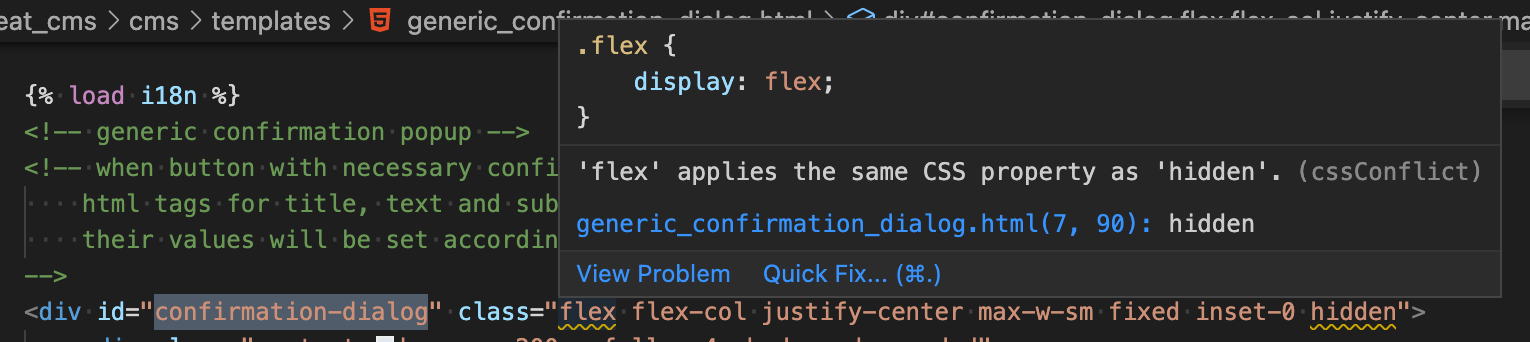
flex and hidden in:
<div id="confirmation-dialog" class="flex flex-col justify-center max-w-sm fixed inset-0 hidden">
This currently seems to work but relies on undocumented behavior of Tailwind. The value that has been declared last is being applied. So if a new Tailwind version would declare flex after hidden the modal would be visible all the time.
To fix this the hidden class should not be toggled but exchanged with the flex class in JS.
Proposed solution
- Find the confirmation-dialog and refactor the toggling of hidden
- Grep the entire codebase to check for more occurrences of lines that include both "flex" and "hidden"
- (optional) find a tool, use your IDE or write your own script that check for these things and check the codebase with this
Steps to Reproduce
It works right now, more like technical debt.
Expected Behavior
Components should not rely on the order in which Tailwind classes are persisted into CSS files.
Actual Behavior
Current behavior would break if Tailwind changed it's output logic.
Additional Information
Updated with the comments from below on March 18th 2025
Describe the Bug
In some cases classes are being used for the same element that set the same css properties like:
flexandhiddenin:This currently seems to work but relies on undocumented behavior of Tailwind. The value that has been declared last is being applied. So if a new Tailwind version would declare
flexafterhiddenthe modal would be visible all the time.To fix this the hidden class should not be toggled but exchanged with the flex class in JS.
Proposed solution
Steps to Reproduce
It works right now, more like technical debt.
Expected Behavior
Components should not rely on the order in which Tailwind classes are persisted into CSS files.
Actual Behavior
Current behavior would break if Tailwind changed it's output logic.
Additional Information