Summary
Outer shadows (shapes and, since #360, pictures) render as a crisp offset duplicate with reduced opacity. PowerPoint blurs the shadow (blurRad) and spreads it around the element, so its soft frame extends on all sides; office2pdf's approximation only shows the offset band on the far side. Typst has no blur primitive, so a faithful version needs layered rects/polygons with graduated alpha or a pre-rendered raster.
Reproduction
Convert a PPTX shape or picture with a:outerShdw blurRad="114300" dist="38100" dir="5400000" and compare the shadow's softness/extent with a PowerPoint PDF export at 150 DPI.
Expected
A soft shadow spreading blurRad around the element, strongest along the offset direction.
Actual
A hard-edged offset duplicate visible only on the offset side.
Related
Related: #360
Visual comparison
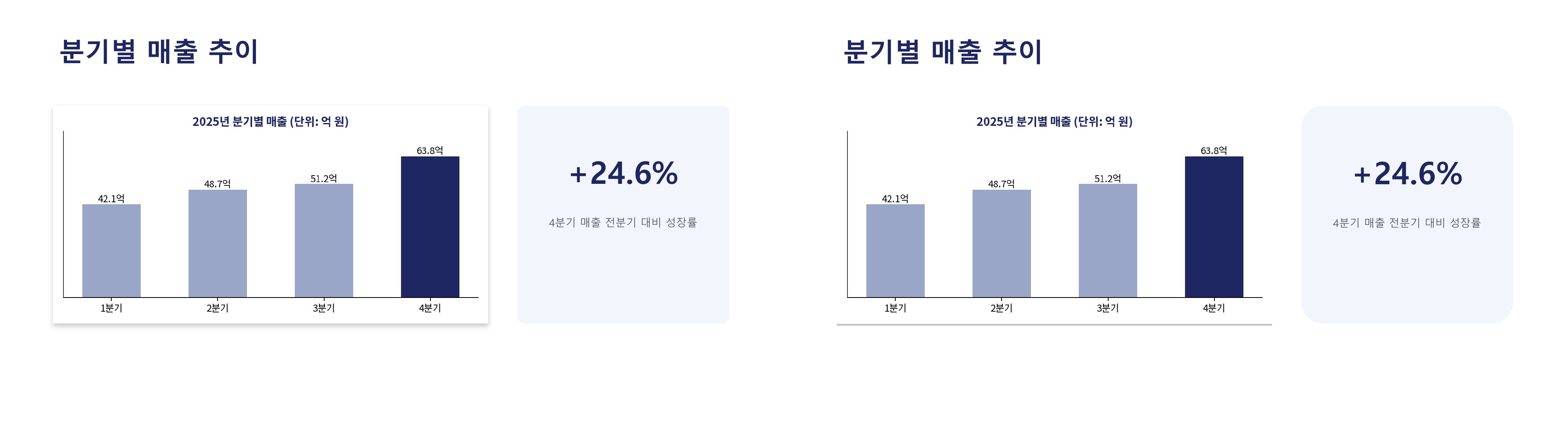
Ground truth is on the left; office2pdf output at filing time (after #360's offset approximation) is on the right, rendered with pdftoppm at 150 DPI.
Summary
Outer shadows (shapes and, since #360, pictures) render as a crisp offset duplicate with reduced opacity. PowerPoint blurs the shadow (
blurRad) and spreads it around the element, so its soft frame extends on all sides; office2pdf's approximation only shows the offset band on the far side. Typst has no blur primitive, so a faithful version needs layered rects/polygons with graduated alpha or a pre-rendered raster.Reproduction
Convert a PPTX shape or picture with
a:outerShdw blurRad="114300" dist="38100" dir="5400000"and compare the shadow's softness/extent with a PowerPoint PDF export at 150 DPI.Expected
A soft shadow spreading
blurRadaround the element, strongest along the offset direction.Actual
A hard-edged offset duplicate visible only on the offset side.
Related
Related: #360
Visual comparison
Ground truth is on the left; office2pdf output at filing time (after #360's offset approximation) is on the right, rendered with
pdftoppmat 150 DPI.