Application plugins are the fundamental building block of JupyterLab functionality. Application plugins interact with JupyterLab and other plugins by requiring services provided by other plugins, and optionally providing their own service to the system.
Application plugins in core JupyterLab include the main menu system, the file browser, and the notebook, console, and file editor components.
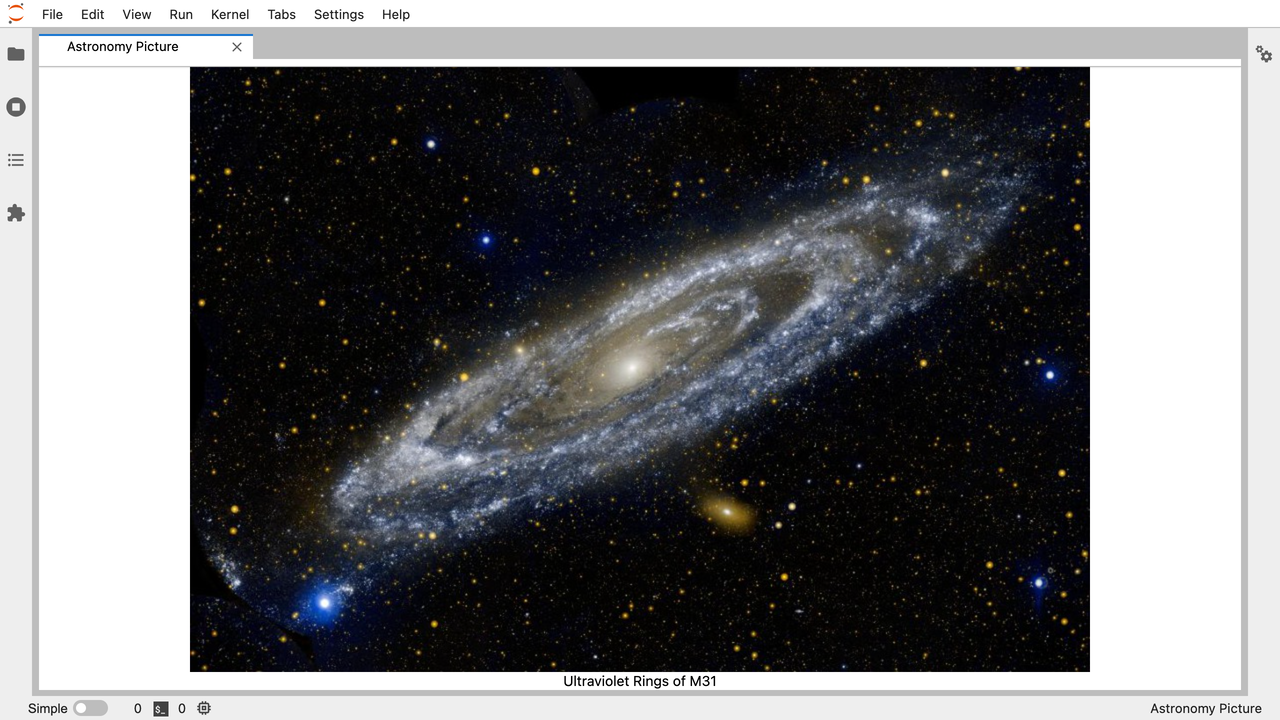
This extension is taken from the jupyterlab_apod example (read more and displays a random image fetched from the public NASA API (https://api.nasa.gov https://api.nasa.gov/planetary/apod.
The image is shown in a main panel.
- TODO Replace a core extension (implementing its
Token).
The Apod Left extension implements the same feature as the Apod Main but is displayed in a left side panel.
TODO Apod Left should reuse code from and depend on Apod Main.
TODO Add a Bokeh Plot example.
The Cell Flash plugin highlights the cell with CSS each time it is executed.
To achieve that effect, the plugin listens to the executed signal NotebookActions.executed.connect((_, args) => {...} and update the CSS of the HTML element cell.editor.host.
The Code Cell Button adds a Run button below each cell. A plugin that provides a new NotebookPanel.IContentFactory is needed and returns a new ContentFactoryWithFooterButton which overrids the createCellFooter method.
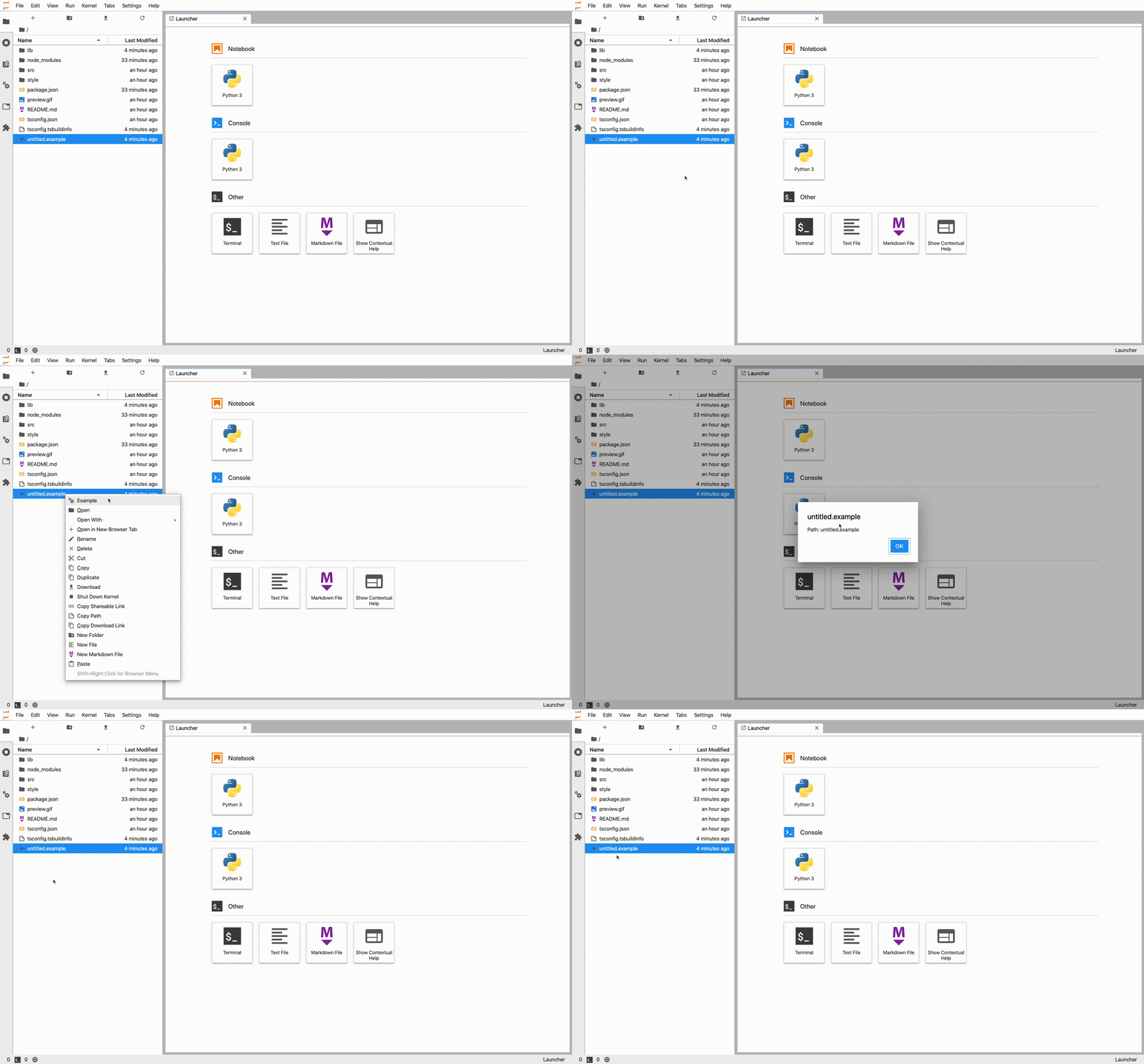
This is a example to show how to add a new entry to an existent context menu in the file browser.
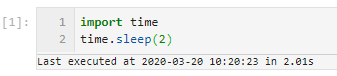
The Exec Time extension displays execution timings under each cell. Before using, activate via Settings > Advanced Settings Editor > Notebook {"recordTiming": true}. The executin time is persisted will be persisted as a notebook metadata setting and not a plugin setting. This plugin just displays that data.
The Ìnternals extension prints in the browser console the registered file types, model factories and widget extensions. This illustrates the explanations found in the documentation (https://jupyterlab.readthedocs.io/en/latest/extension/documents.html and https://jupyterlab.readthedocs.io/en/latest/extension/notebook.html).
File Types Array(19)
lib_extension_js.e2cdfe8216284221c2fe.js:929 Model Factories Array(2)
lib_extension_js.e2cdfe8216284221c2fe.js:943 Widget Extensions Array(0)
The Kernel Memory extension displays an indication of how much resources your current notebook server and its children (kernels, terminals, etc) are using. This is displayed in the main toolbar in the notebook itself, refreshing every 5s.

TODO Enable back the Kernel Memory extension (disabled for now for CI).
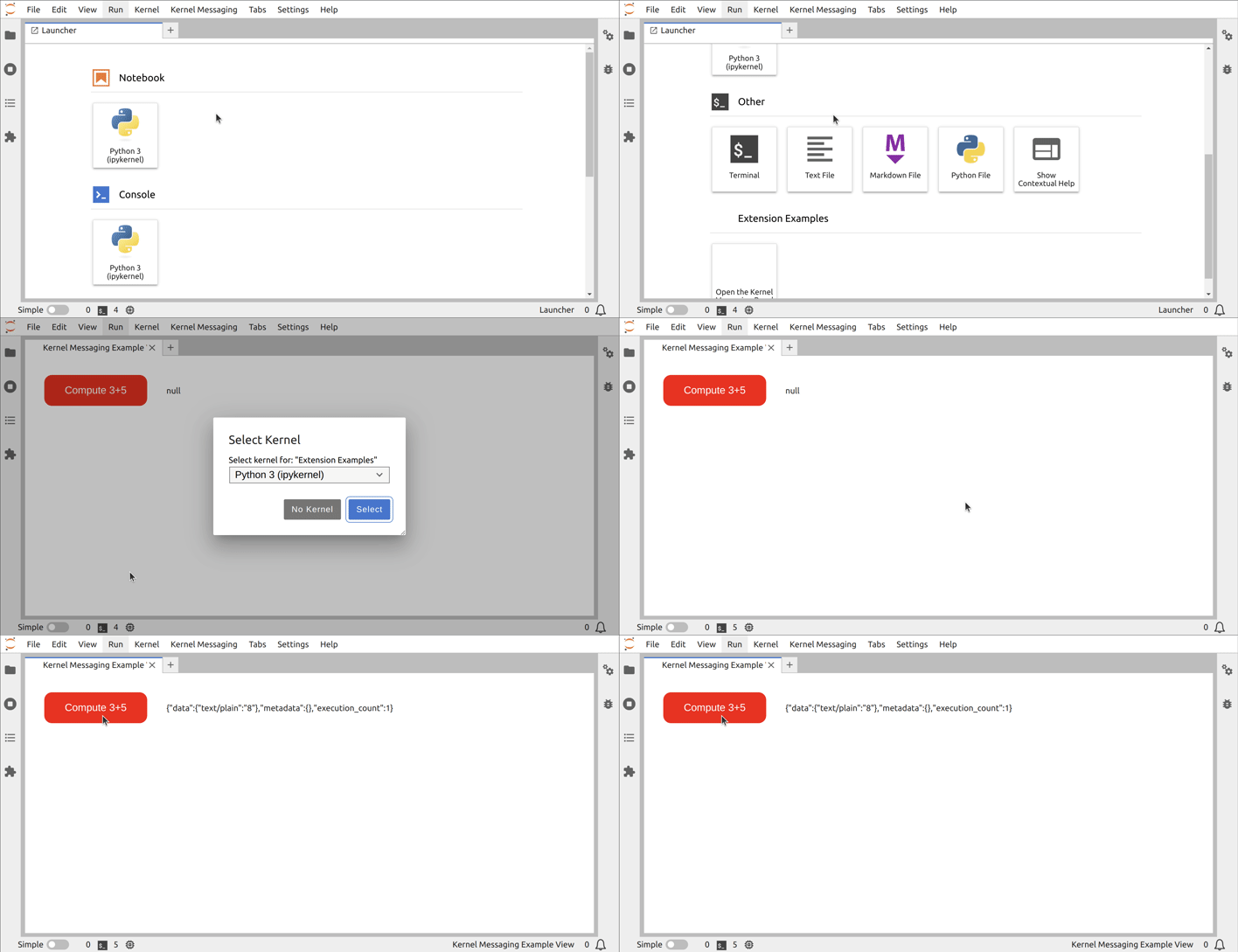
The Kernel Messaging extension allows to start a kernel and send some code to be executed by it.
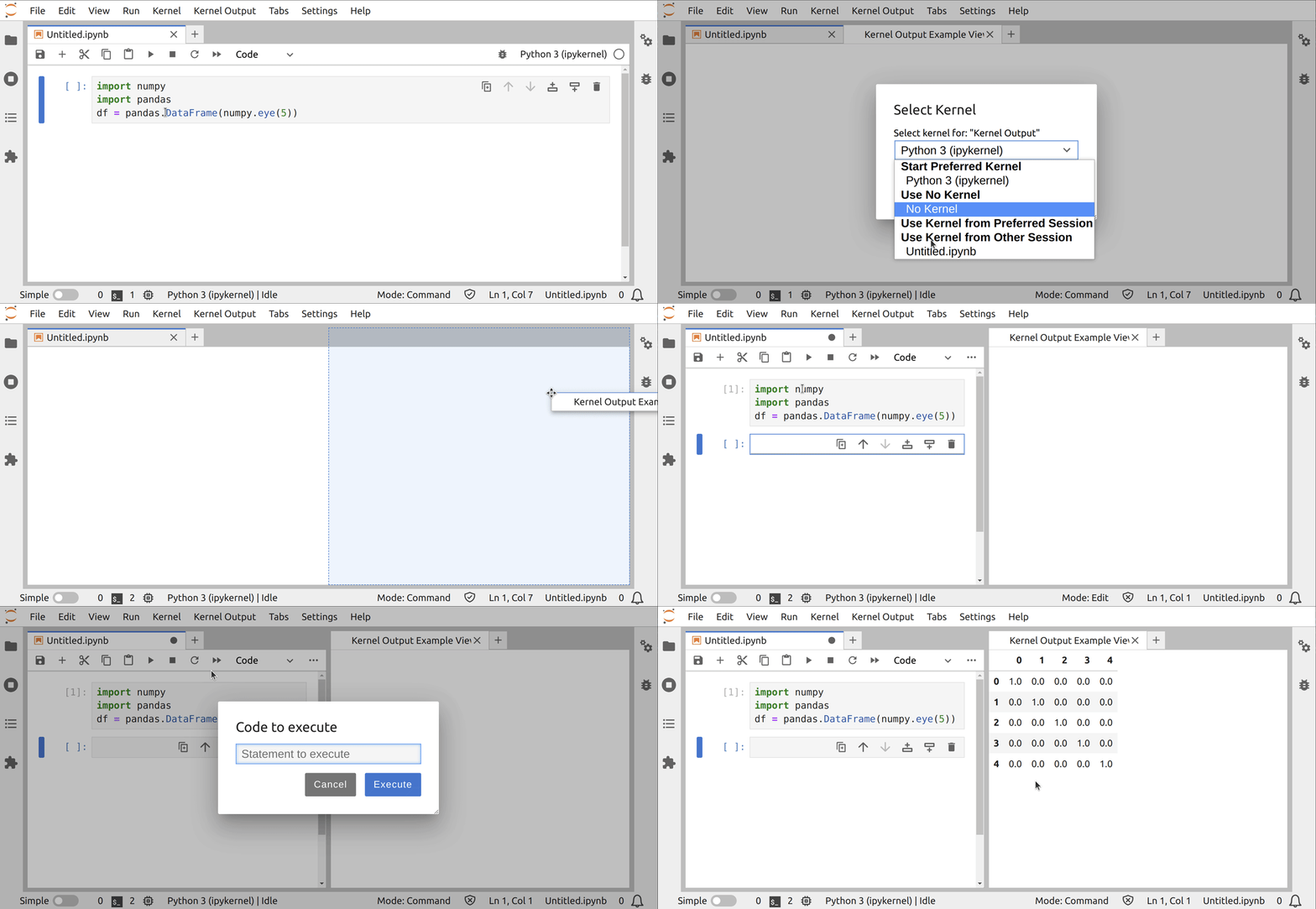
The Kernel Output extension allows to render kernel messages in an OuputArea.
Tbe Logo extension allows shows a new top-right logo for JupyterLab. The definition in package.json ensures the default logo plugin is disabled (see also how to disable an extension).
The Notebook Auto extension creates a new Notebook on JupyterLab startup.
The Notebook Metadata extension show in the right panel the current Notebook metadata.
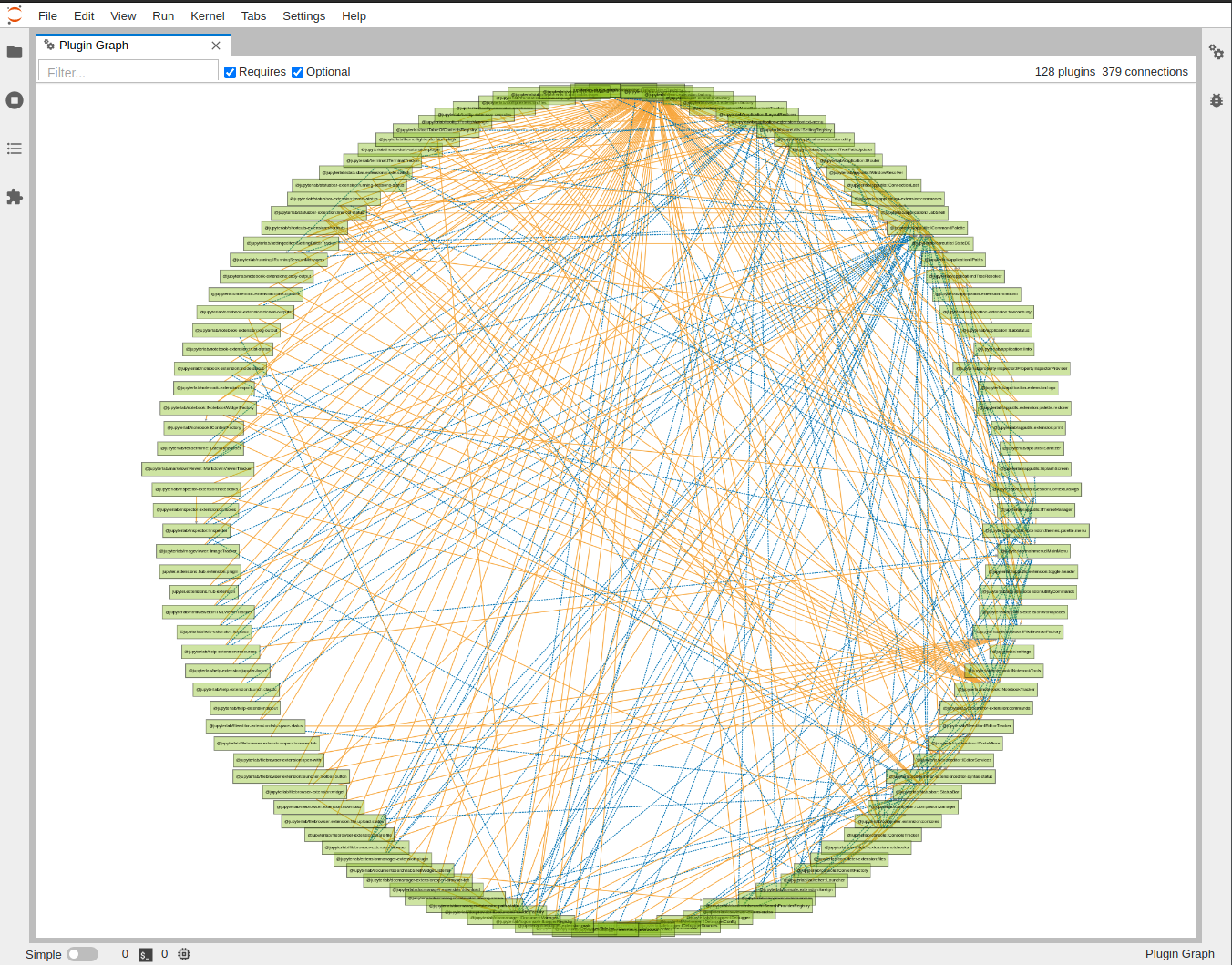
The Plugin Dependency Graph display a graph of the plugins depencies and can be invoked via the command palette.
The Preview extension opens a new tab in the main area aside the current Notebook. That new tab is for new empty.
The Python File extension add a new launcher in the launcher panel to open a Python file.
The React.js extension show a React.js component into a JupyterLab main area tab. For comparison purposes a Lumino implementation is available.
The Recents extension tracks recent used files and folders and adds a menu in File > Recents. You can also clear the recent entries via that menu.
The Run All adds a button to the notebook toolbar that allows to run all cells of the notebook.
The Server extension connects to a server handler on startup and prints a message in the browser console.
The Theme Toggle extension allows the user to switch from the Light to the Dark theme, and vice-versa. It depends on the Top Bar extension to add itself in the main topbar.
TODO Enable back the Theme Toggle extension (disabled for now for CI).
The Top Bar extension transforms the existing JupyterLab topbar into a draggable area where third party plugins can add their widgets.
TODO Enable back the Theme Toggle extension (disabled for now for CI).
This extension removes the duplicate cell icon and add a new restart and run all icon in the notebook cell toolbar. This is achieved by adding the needed definition in the pluing setting
{
  "title": "Cell Toolbar",
  "description": "Settings for the Cell Toolbar extension",
  "type": "object",
  "properties": {},
  "additionalProperties": false,
  "jupyter.lab.toolbars": {
    "Cell": [
      {
        "name": "restart-run-all",
        "command": "notebook:restart-run-all",
        "rank": 10
      },
      {
        "name": "duplicate-cell",
        "command": "notebook:duplicate-cell",
        "disabled": true
      }
    ]
  }
}