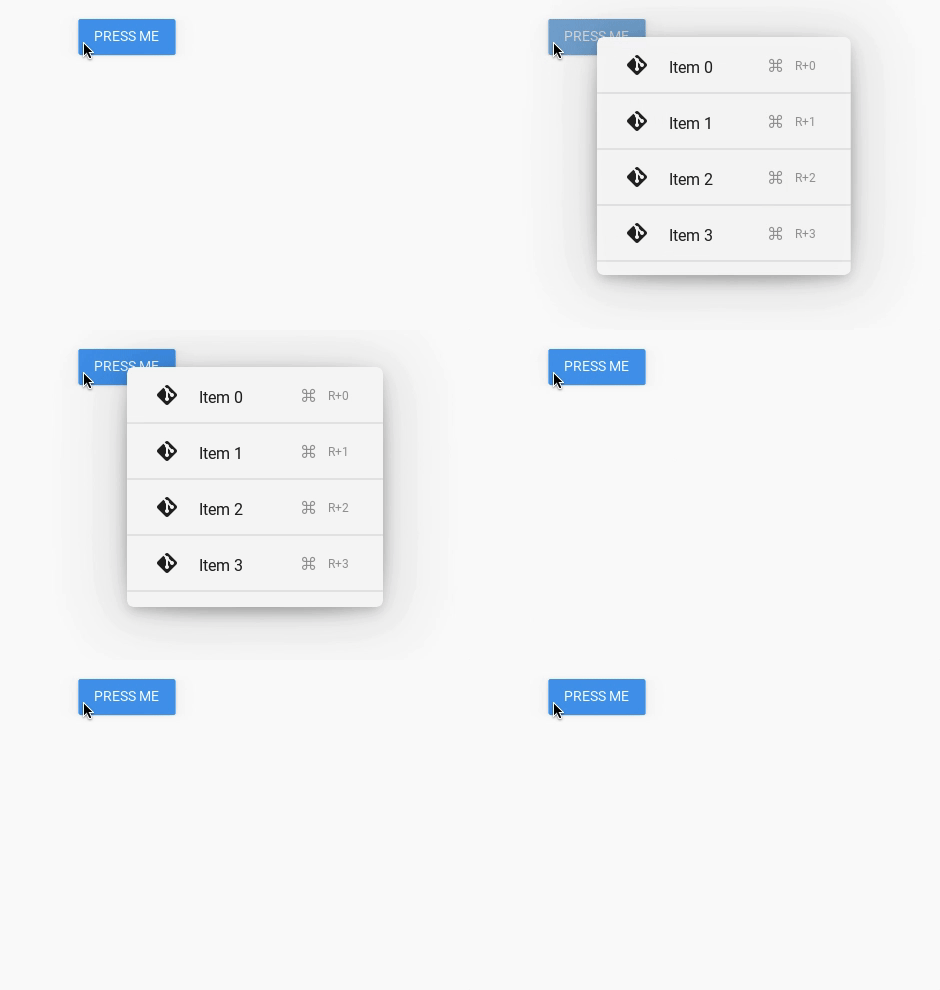
Example of using MDDropdownMenu:
from kivy.lang import Builder
from kivy.metrics import dp
from kivy.properties import StringProperty

from kivymd.app import MDApp
from kivymd.uix.boxlayout import MDBoxLayout
from kivymd.uix.list import IRightBodyTouch, OneLineAvatarIconListItem
from kivymd.uix.menu import MDDropdownMenu

KV = '''
<RightContentCls>
    disabled: True
    adaptive_size: True
    pos_hint: {"center_y": .5}

    MDIconButton:
        icon: root.icon
        user_font_size: "16sp"
        md_bg_color_disabled: 0, 0, 0, 0

    MDLabel:
        text: root.text
        font_style: "Caption"
        adaptive_size: True
        pos_hint: {"center_y": .5}


<Item>

    IconLeftWidget:
        icon: root.left_icon

    RightContentCls:
        id: container
        icon: root.right_icon
        text: root.right_text


MDScreen:

    MDRaisedButton:
        id: button
        text: "PRESS ME"
        pos_hint: {"center_x": .5, "center_y": .5}
        on_release: app.menu.open()
'''


class RightContentCls(IRightBodyTouch, MDBoxLayout):
    icon = StringProperty()
    text = StringProperty()


class Item(OneLineAvatarIconListItem):
    left_icon = StringProperty()
    right_icon = StringProperty()
    right_text = StringProperty()


class Test(MDApp):
    def __init__(self, **kwargs):
        super().__init__(**kwargs)
        self.screen = Builder.load_string(KV)
        menu_items = [
            {
                "text": f"Item {i}",
                "right_text": f"R+{i}",
                "right_icon": "apple-keyboard-command",
                "left_icon": "git",
                "viewclass": "Item",
                "height": dp(54),
                "on_release": lambda x=f"Item {i}": self.menu_callback(x),
            } for i in range(5)
        ]
        self.menu = MDDropdownMenu(
            caller=self.screen.ids.button,
            items=menu_items,
            width_mult=4,
        )

    def menu_callback(self, text_item):
        print(text_item)

    def build(self):
        return self.screen


Test().run()