When attempting to launch Flow Monitor, this warning appears...
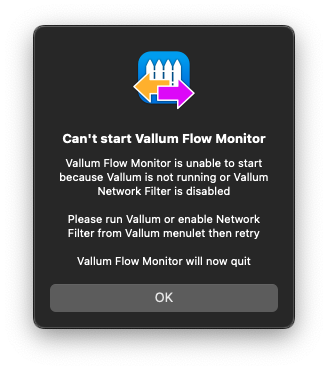
Yet Vallum appears in Activity Monitor, and I never attempted to quit it.
The menu bar icon indicates that filtering is disabled, but the menu below indicates that it is not
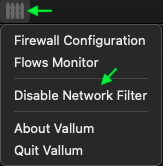
If “disable network filter” is selected, the dialog indicates that filtering is enabled
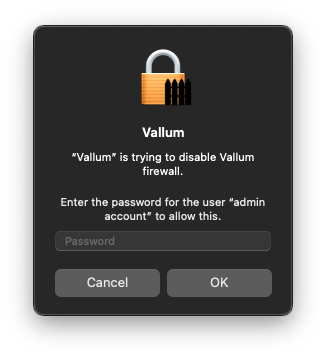
If I enter my password and proceed with attempting to disable/enable the filter, the menu behaves as if this toggle is working, but in any case Flow Monitor still cannot be started unless I quit Vallum and launch it again.
This issue is consistently reproducible but it does not occur when the filter is toggled rapidly -- it only happens when the filter is disabled for some undetermined period of time, perhaps an hour, possibly less.
When attempting to launch Flow Monitor, this warning appears...

Yet Vallum appears in
Activity Monitor, and I never attempted to quit it.The menu bar icon indicates that filtering is disabled, but the menu below indicates that it is not
If “disable network filter” is selected, the dialog indicates that filtering is enabled
If I enter my password and proceed with attempting to disable/enable the filter, the menu behaves as if this toggle is working, but in any case Flow Monitor still cannot be started unless I quit Vallum and launch it again.
This issue is consistently reproducible but it does not occur when the filter is toggled rapidly -- it only happens when the filter is disabled for some undetermined period of time, perhaps an hour, possibly less.