# Used Marketplace

The Used Marketplace lets you buy and sell pre-owned vehicles through an agent network system.
## Buying Used Vehicles
### Starting a Search
1. Go to the **Shop**
2. Select any vehicle type
3. Press **U** or click **Search Used**
4. Choose your agent tier
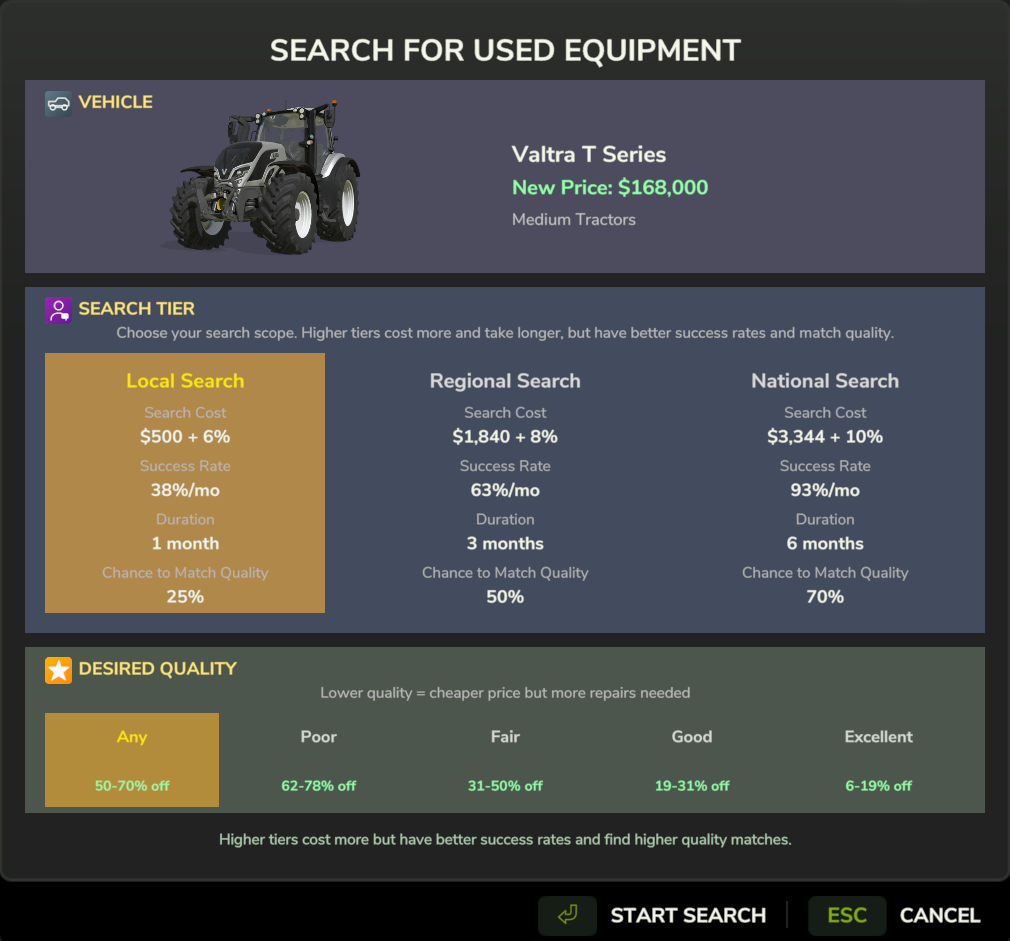
Choose your agent tier and search duration
### Agent Tiers
| Tier | Cost | Discount Range | Selection | Search Time |
|------|------|----------------|-----------|-------------|
| **Local** | $500 | 5-15% | Small | Fast |
| **Regional** | $2,000 | 10-25% | Medium | Medium |
| **National** | $5,000 | 20-35% | Large | Slower |
Higher tiers cost more but find better deals and more options.
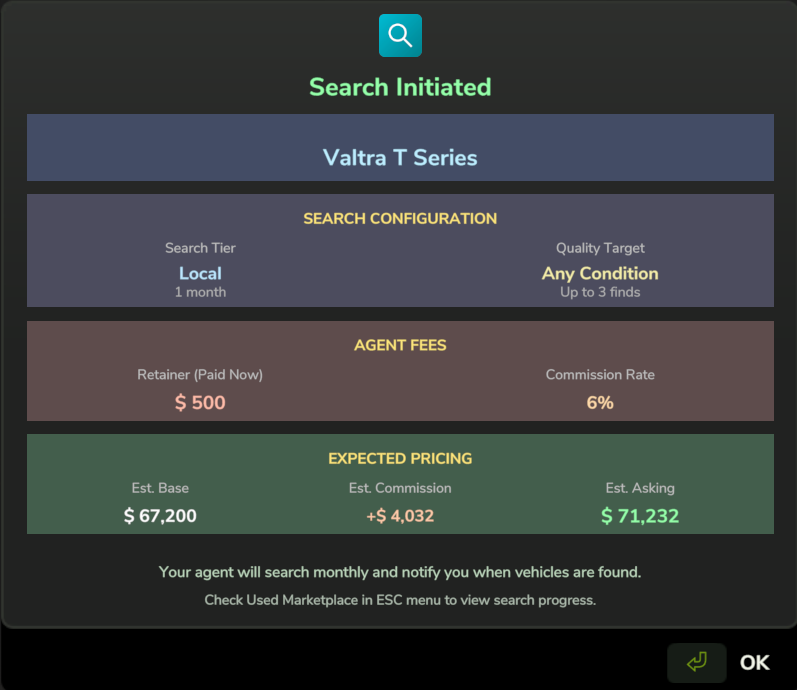
Search initiated - agent begins searching their network
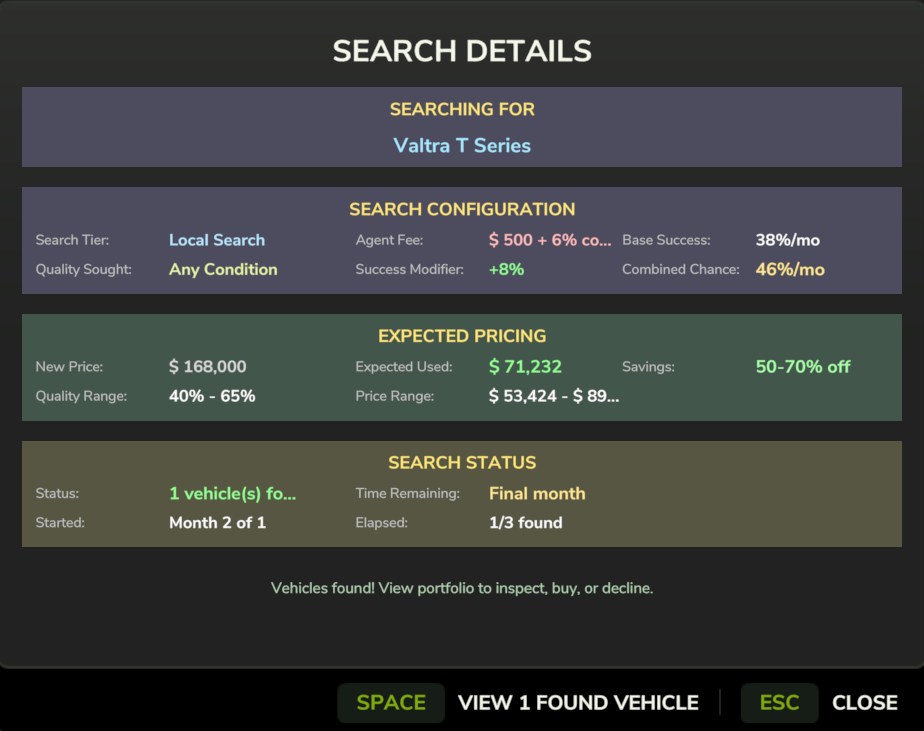
Track your active searches in the Finance Manager
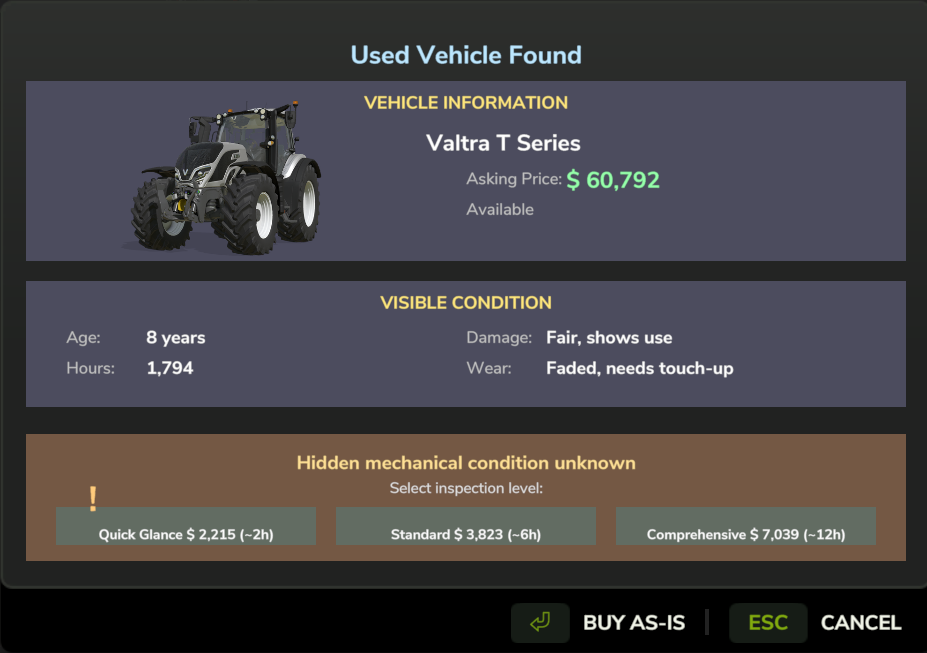
Browse found vehicles with condition and pricing details
### Inspecting Vehicles
Before buying, you should **inspect** the vehicle to learn about its condition:
| Tier | Cost | Time | Information Revealed |
|------|------|------|---------------------|
| **Quick Glance** | $1,000 + 2% | 2 hours | Overall rating only |
| **Standard** | $2,000 + 3% | 6 hours | Full reliability + parts |
| **Comprehensive** | $4,000 + 5% | 12 hours | Everything + DNA hint |
The **Comprehensive** inspection reveals the mechanic's quote about the vehicle's [[DNA|Vehicle DNA]], which tells you if it's a lemon or a workhorse.
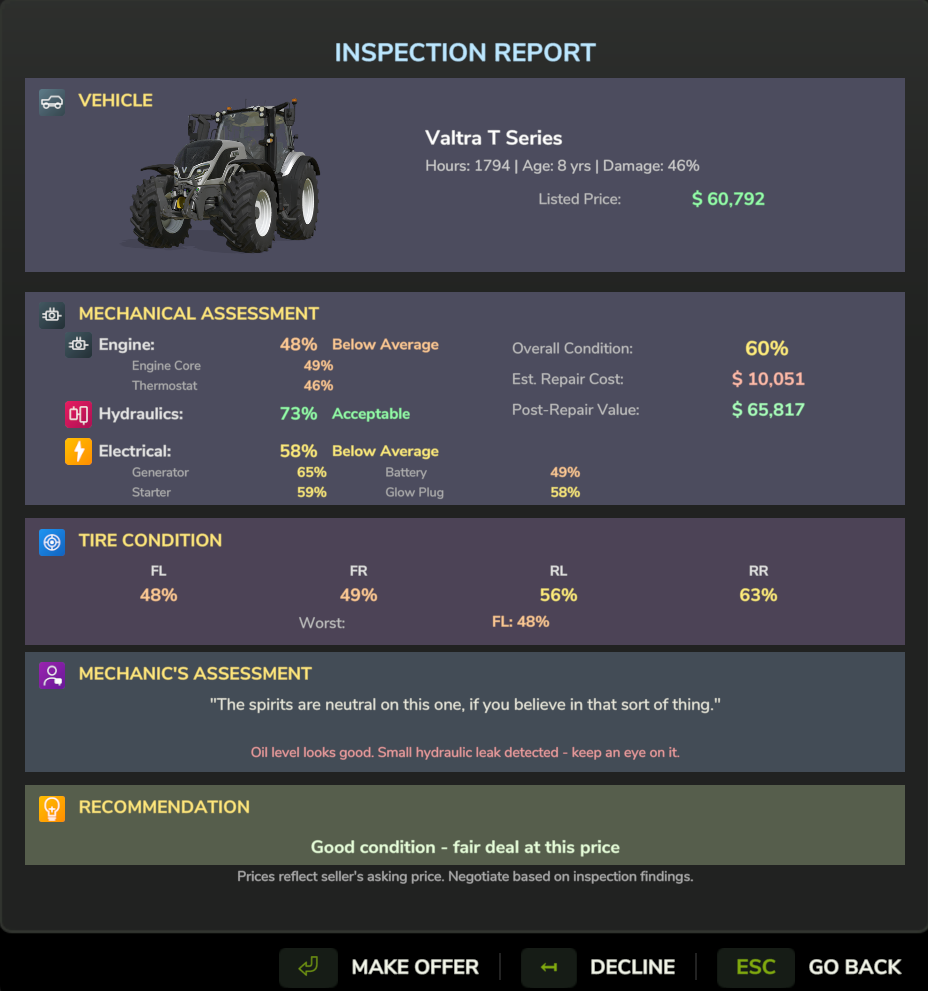
Comprehensive inspection showing reliability, tire wear, paint condition, and mechanic's whisper
### Negotiating Price
After inspection (or before, if you're brave), you can **negotiate**:
1. Click **Make Offer**
2. Set your offer percentage (e.g., 85% of asking)
3. Submit offer
**Seller responses:**
- **Accept** - Deal! Complete the purchase.
- **Counter** - Seller proposes a different price. Accept, counter back, or walk away.
- **Reject** - Offer too low. You can try again (30-minute cooldown).
- **Walk Away** - You insulted them. Listing **permanently removed**.
### Negotiation Tips
**Weather affects outcomes:**
| Weather | Bonus |
|---------|-------|
| Hail | +12% success |
| Storm | +8% success |
| Rain | +5% success |
**Seller personality matters:**
- Desperate sellers accept low offers
- Firm sellers barely budge
- Immovable sellers (workhorses) won't negotiate at all
**The walk-away risk:**
| Offer vs Threshold | Risk |
|-------------------|------|
| 0-5% below | Safe - always counter |
| 5-10% below | Low risk |
| 10-15% below | 50/50 |
| 15-20% below | High risk |
| >20% below | **Always rejected, may walk away** |
### Completing Purchase
Once price is agreed:
1. Choose payment method: **Cash**, **Finance**, or **Lease**
2. Apply **Trade-In** if desired
3. Confirm purchase
---
## Selling Your Vehicles
### Listing a Vehicle
1. Open the **Map**
2. Click on your vehicle
3. Select **Sell Vehicle**
4. Choose agent tier and price tier:
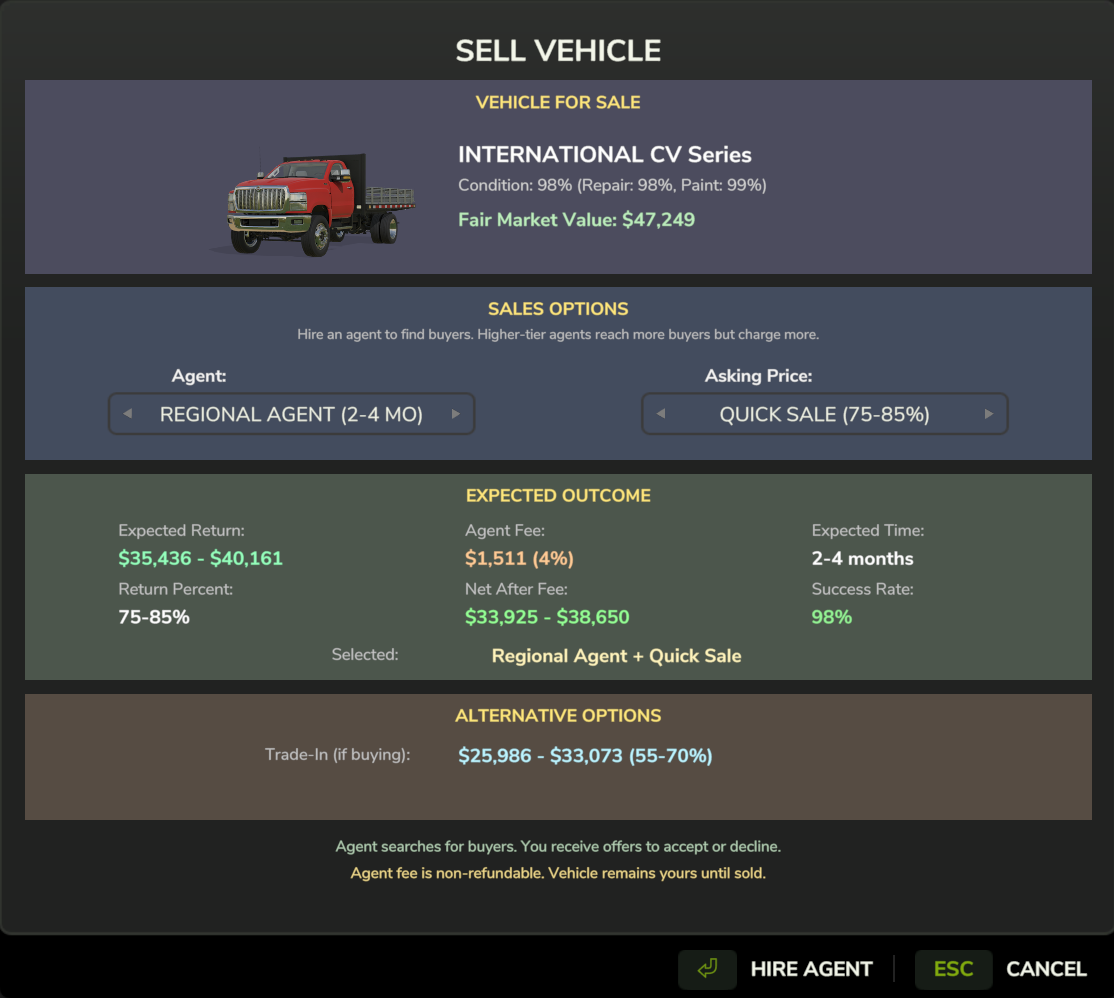
List your vehicle for sale - choose agent reach and pricing strategy
| Price Tier | Time to Sell | Price Range |
|------------|--------------|-------------|
| Quick Sale | Fast | 60-70% value |
| Standard | Medium | 70-85% value |
| Premium | Slow | 85-100% value |
### Receiving Offers
Buyers will make offers over time:
1. Notification appears when offer received
2. Open Finance Manager → Sales tab
3. Review offer details
4. **Accept**, **Decline**, or **Counter**
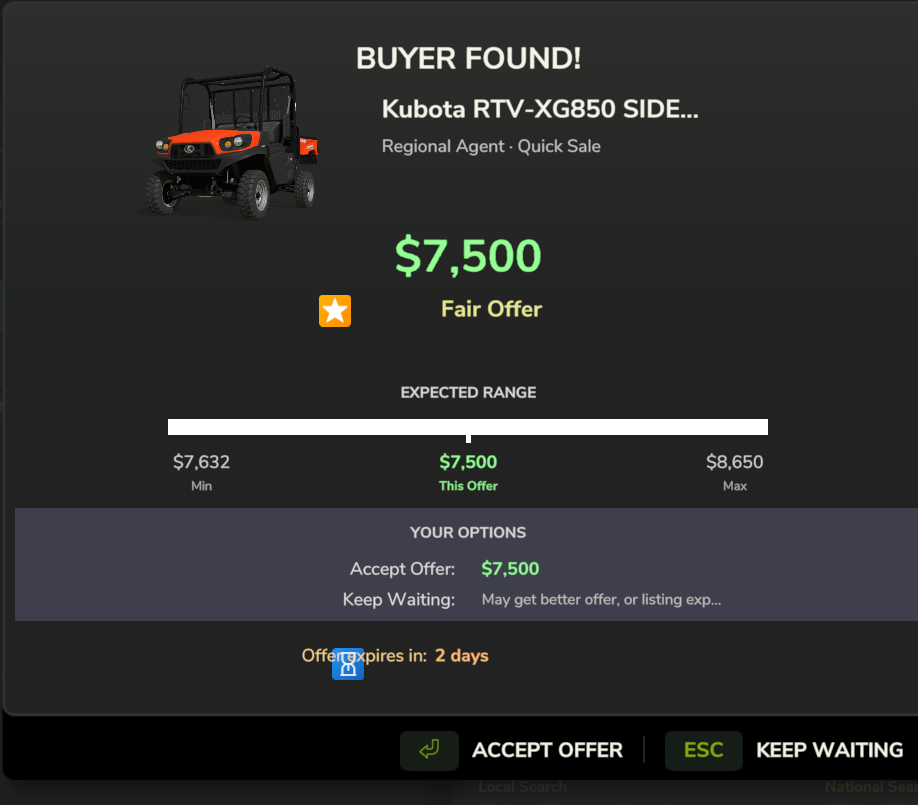
Buyer offer notification - review the offer and choose to accept, decline, or counter
### Trade-In Instead
Instead of selling separately, you can **trade in** at purchase:
- Get 50-65% instant value
- +5% brand loyalty bonus (same manufacturer)
- Apply directly to new purchase
---
## Search Management
### Active Searches
View in Finance Manager → Searches tab:
- Search status and time remaining
- Found listings
- Inspection progress
### Search Expiration
Searches and listings have time limits:
- Search expires if no results in time
- Listings expire if not purchased
- **Inspections hold listings** - won't expire while mechanic is working
---
**Related:**
- [[Vehicle DNA]] - Why inspection matters
- [[Negotiation System]] - Deep dive on negotiations
- [[Trade-In System]]