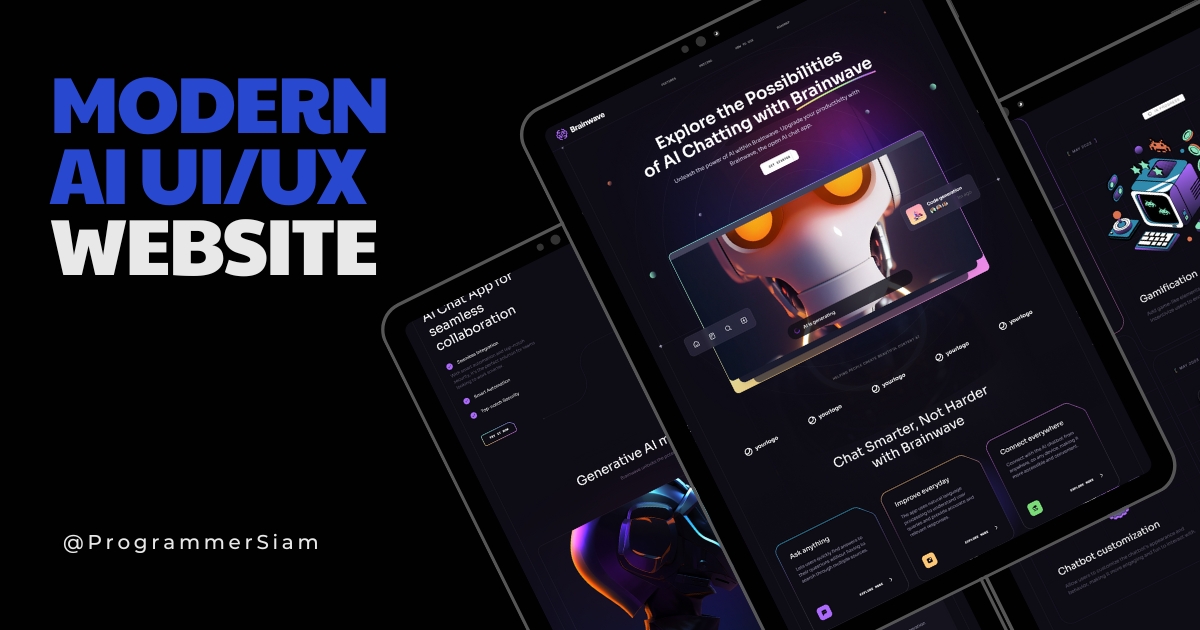



- 🤖 Introduction
- ⚙️ Tech Stack
- 🔋 Features
- 📚 What I learned from this project
- 🚀 Extra features added to this project
Brainwave - Modern UI/UX website, developed using React.js and Tailwind CSS, exemplifies modern UI/UX principles. Its sleek design, seamless animations, and overall user experience set a high standard, serving as a reference or inspiration for future modern applications or websites in general.
- Vite
- React.js
- Tailwind CSS
👉 Beautiful Sections: Includes hero, services, features, how to use, roadmap, pricing, footer, and header.
👉 Parallax Animations: Engaging effects triggered by mouse movement and scrolling
👉 Complex UI Geometry: Utilizes tailwindcss for intricate shapes like circular feature displays, grid lines, and side lines.
👉 Latest UI Trends: Incorporates modern design elements such as bento grids.
👉 Cool Gradients: Enhances visuals with stylish gradients using Tailwind CSS for cards, buttons, etc.
👉 Responsive: Ensures seamless functionality and aesthetics across all devices
and many more, including code architecture and reusability
Header:
- Create an active link for navigation
- Use conditional statements to control the display of elements
- Implement dynamic classes to style elements based on conditions
- Explore new npm packages like scroll-lock
- Build a hamburger menu that toggles visibility of navigation items
- Implement click functionality to navigate to different sections of the website
Hero Section:
- Utilize the react-just-parallax npm package to create a parallax effect
- Explore features like curve and BackgroundCircles for visual enhancements
Benefits Section:
- Create a component to maintain consistency in titles
- Learn design concepts to improve the visual appeal of your project
Collaboration Section:
- Design circular images
- Apply design principles to enhance the layout
Services Section:
- Implement a Bento Box layout for effective content organization
Pricing Section:
- Design a visually appealing pricing table with a left/right orientation
Roadmap Section:
- Utilize advanced grid layouts for a structured design
Footer Section:
- Design a simple footer layout
Route[/sign up]:
- loading..
- loading..
Route[/sign in]:
- loading..
- loading..






This project is free to use and does not contains any license.