

My experiment on a lightweight and high-performance file/object storage service...
Highlights:
- User storage limit and multi-level access control.
- Pagination and sorted file listing for vast number of files.
- Support range requests, so you can stream large files / resume download.
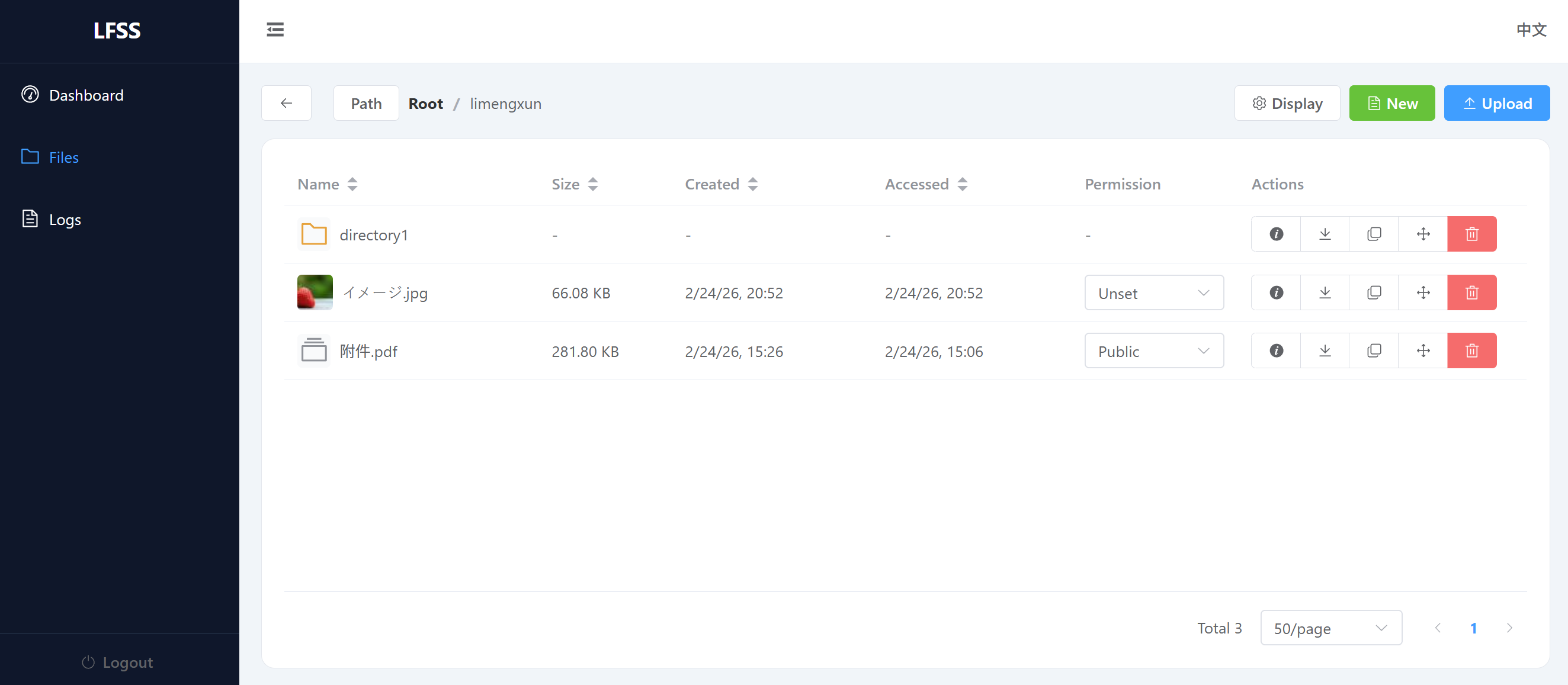
- User-friendly web panel for management.
- WebDAV compatible (NOTE).
It stores small files and metadata in sqlite, large files in the filesystem.
Tested on 2 million files, and it is still fast.
Usage:
pip install "lfss[all]"
lfss-user add <username> <password>
lfss-serve
By default, the data will be stored in .storage_data.
You can change storage directory using the LFSS_DATA environment variable.
There is a simple frontend at http://localhost:8000/.panel/.
The API usage is simple, just GET, PUT, DELETE to the /<username>/file/url path.
The authentication can be acheived through one of the following methods:
Authorizationheader with the valueBearer sha256(<username>:<password>).tokenquery parameter with the valuesha256(<username>:<password>).- HTTP Basic Authentication with the username and password (If WebDAV is enabled).
You can refer to frontend as an application example, lfss/api/connector.py for more APIs.
More information can be found in the documentation.