A dark, steampunk, gaming-focused Linux distribution that turns the AMD BC-250 compute board into a daily-drivable desktop and games console — tuned and ready out of the box.
skillfishos.com · Based on Debian · KDE Plasma · GPL-3.0
Release 26.06 "Aetherium" — three editions: BC-250, Generic x86-64 (PCs & VMs) and Slim (BC-250, ultra-lean) · boots in English, language chosen at install
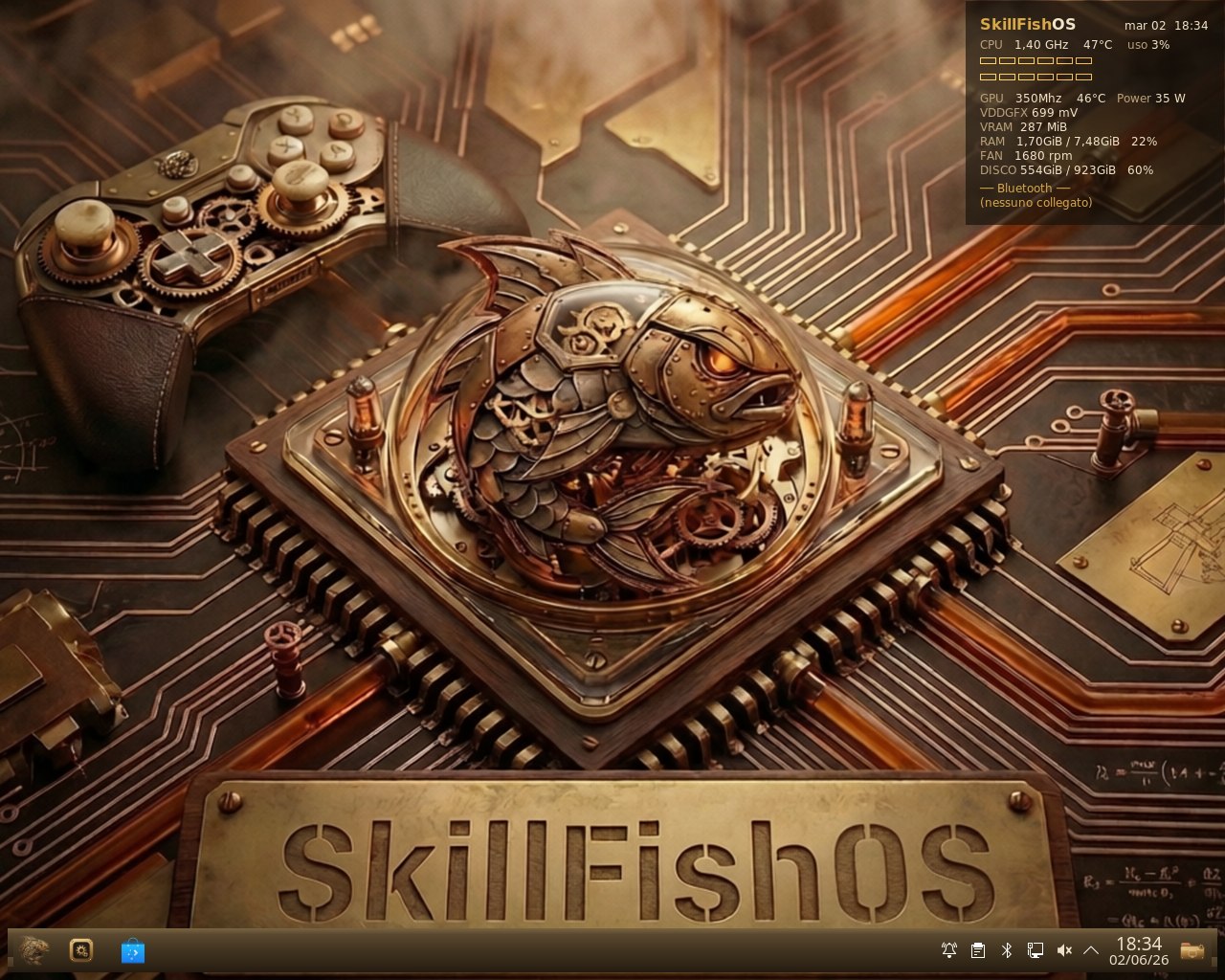
SkillFishOS takes the cheap, abundant AMD BC-250 compute board — a semi-custom APU from the AMD Zen 2 + RDNA 2 family (CPU codename Oberon, GPU Cyan Skillfish / GFX1013, 16 GB GDDR6) — and makes it a proper Linux machine: a steampunk KDE Plasma desktop on one side, a Steam Big-Picture / EmuDeck games console on the other, with all of the board's awkward hardware tamed and tuned for you.
It began as a way to get kids to use and learn Linux while they game — gaming is the carrot, Btrfs snapshots are the safety net that lets them tinker without fear.
The whole point: a ready-to-use system, no tinkering required. Every governor, kernel patch, overclock profile, thermal guard and driver workaround is already configured and tested — you turn it on and it runs at full speed. Everything is documented here so the community can understand it, reproduce it, and make it better.
🤝 This is a community open-source project and we want it to grow. Contributions of every kind are welcome — see CONTRIBUTING.md.
| Board | AMD BC-250 (Cyan Skillfish, GFX1013) |
| CPU | AMD Zen 2 (Oberon), 6 cores active — OC to 3.9 GHz (Turbo), 4.0 GHz validated |
| GPU | RDNA 2, 24 CUs default → 40 CUs unlockable |
| Memory | 16 GB GDDR6 (shared / UMA) |
| Base distro | Debian sid |
The BC-250 is fantastic value but a difficult target: non-standard clock control through the SMU, a broken display IRQ/HPD path, an unreliable RDSEED, locked-down compute units, no IOMMU and BIOS ACPI gaps. SkillFishOS papers over all of it. See docs/OPTIMIZATIONS.md for the full list and how each problem is solved.
- 🐧 Custom
linux-tkgkernel7.0.11-skillfishos— BORE scheduler, GCC-O3, 1000 Hz, NTsync + fsync, with BC-250 patches: GPU clock range unlocked 350–2230 MHz, 40-CU unlock (opt-in), and the cosmetic "RDSEED is not reliable…" boot spam silenced. Built in three flavours: main (-march=znver2, BC-250), generic (-march=x86-64, PCs/VMs) and slim (BC-250-only, lean module set). Prebuilt.debin Releases orapt install skillfishos-kernel— see docs/BUILD.md. - ⚡ Real clock control — the
cyan-skillfish-governordrives the GPU to its safe-point and idles it at 350 MHz; an SMU CPU overclock & undervolt reaches 4.0 GHz (validated) under an 85 °C thermal guard. ~11,330 GFLOPS fp32 with the 40-CU unlock (≈1.8× a stock build). The ISO ships the safe Stock profile; users opt into more from the Tuner. - 🎛️ SkillFishOS Tuner — a native PyQt6 app to overclock & undervolt CPU and GPU, control the fan, resize the UMA VRAM split, and manage Compute Units live — a grid of CU squares (green = on, red = off, 24/32/40 presets, no reboot) with a CU health test for the silicon lottery. Four ready presets (Stock · Performance · Turbo · Crazy), benchmark-and-rollback testing, and a pop-up live monitor (temperature / frequency / voltage / fan charts) during any test. Bilingual IT/EN. No terminal needed.
- ⚙️ Live Compute Units — boots at the 24-CU driver baseline and routes up to 40 CUs at runtime (via
umr, no kernel param), restored at boot by a systemd service. Toggle/test from the Tuner orskillfish-cu. - 📊 Live system HUD — a translucent overlay with per-core CPU load, clocks, temps, power draw, VRAM/RAM, active CUs, fan RPM and Bluetooth controller battery, all from real sensors.
- 📸 Btrfs + Snapper + grub-btrfs — automatic pre/post-apt snapshots and bootable rollbacks straight from the GRUB menu, with
@homekept separate so a rollback never touches user data. - 🎮 Gaming, ready — Steam, Heroic, Proton, gamescope (+ FSR 1), GameMode, MangoHud, plus EmuDeck and the ES-DE frontend to install and configure emulators in a few clicks. (SkillFishOS ships the tools, not the games — you bring your own games and ROMs.)
- 🧠 On-device AI — an Ollama + OpenWebUI stack accelerated in Vulkan on the integrated GPU, with a one-click panel that frees the GPU when you want to play.
- 🧩 Native PyQt6 app suite — grouped under a dedicated "SkillFishOS" menu: Tuner, AI Panel, Monitor (live sensor charts), Kernel Manager (pick the boot kernel and uninstall old ones), ISO Mount, and Hub — a Discover-style software centre: browse by category, search, read app pages with screenshots, and install/remove/update across APT (incl. the signed
aetheriumrepo), Flatpak and Snap, plus add/remove software sources. Every app ships as an updatable.deb. - 🎨 End-to-end steampunk theme — GRUB, Plymouth, SDDM, the KDE Plasma desktop, icons, cursors, Kvantum and wallpaper. The theme lives in
theme/. - 🖨️ Driverless printing (CUPS + IPP Everywhere + Avahi), Bluetooth controllers, broken-HPD display hot-swap, and a fully localized desktop.
| About this system | SkillFishOS Tuner |
|---|---|
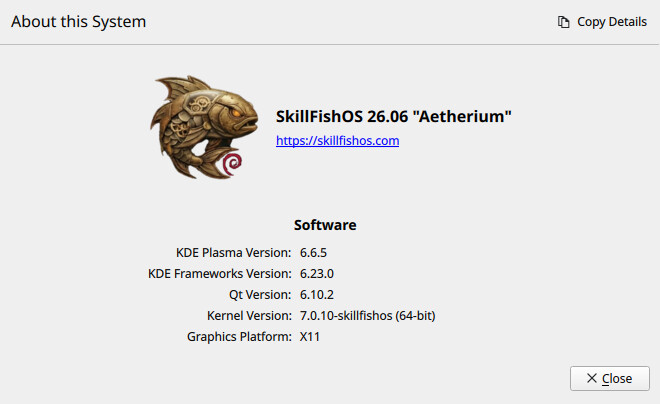 |
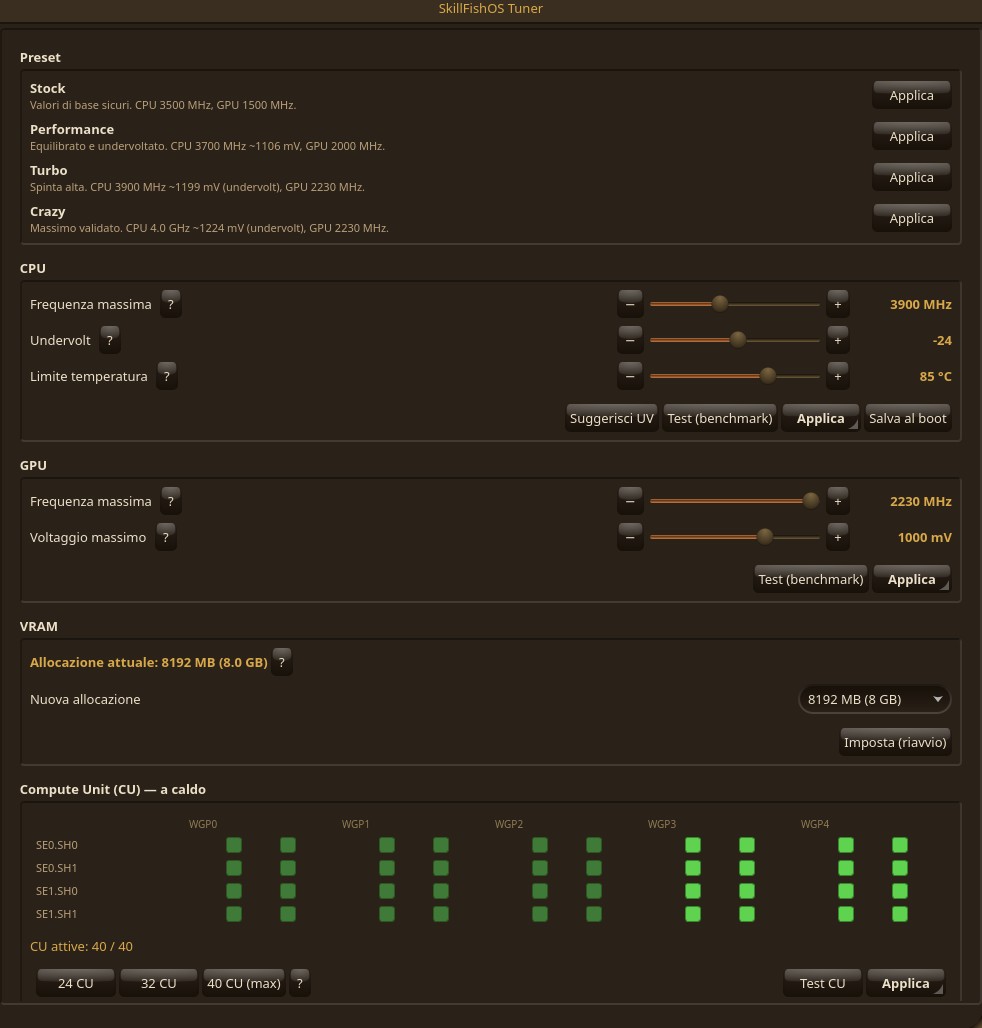 |
| Local AI panel | EmuDeck — easy emulation |
|---|---|
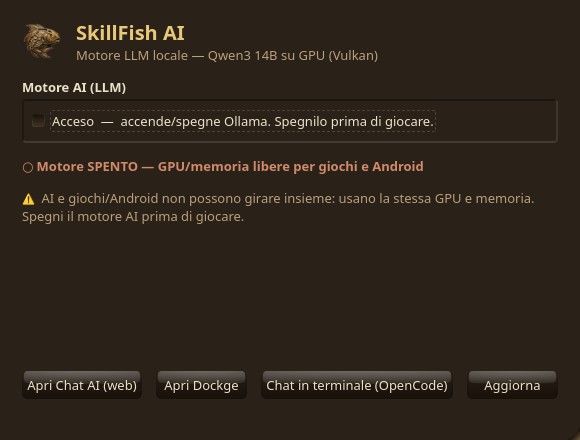 |
 |
All measured on our own BC-250 with SkillFishOS at 1080p (40 CUs unlocked, kernel 7.0.11-skillfishos, Mesa 26.0.8). Full per-benchmark detail — every setting, clock, voltage, temperature and power reading — is on the Performance & benchmarks page →
| Benchmark | Settings | Result |
|---|---|---|
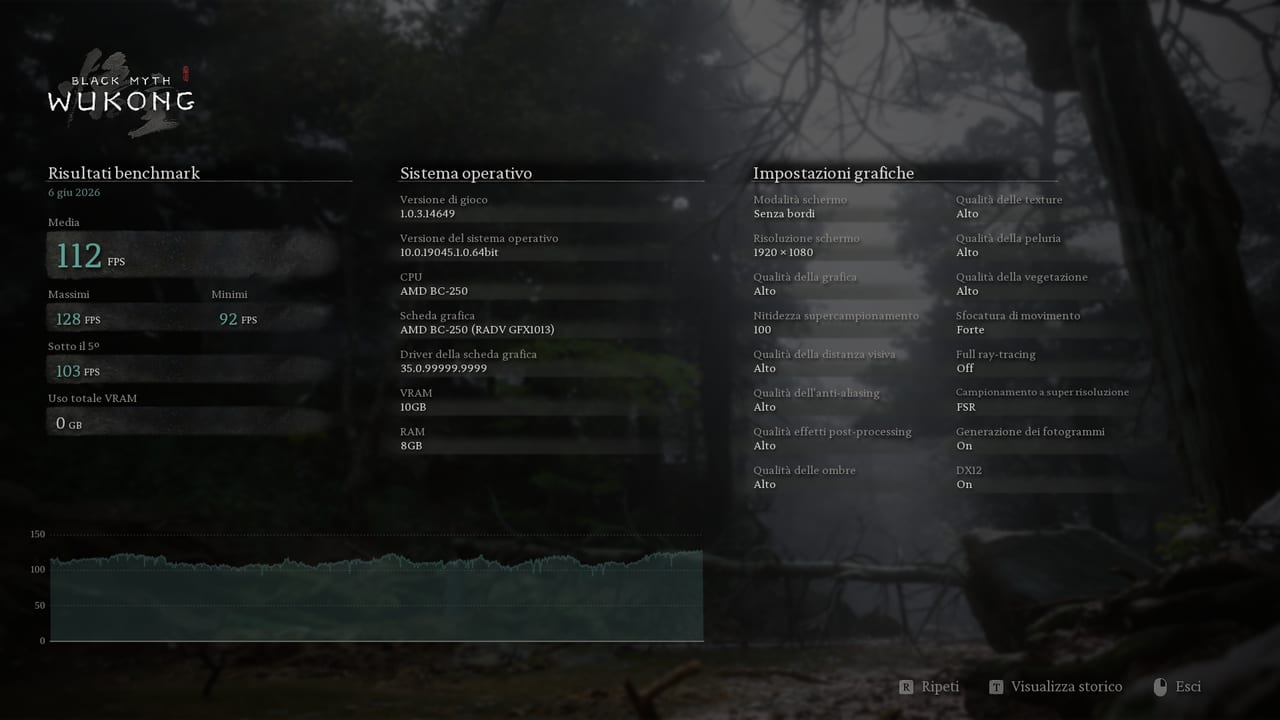
| Black Myth: Wukong | 1080p, uncapped (CPU/draw-call bound) | 112 FPS avg · 128 max · 101 (1% low) |
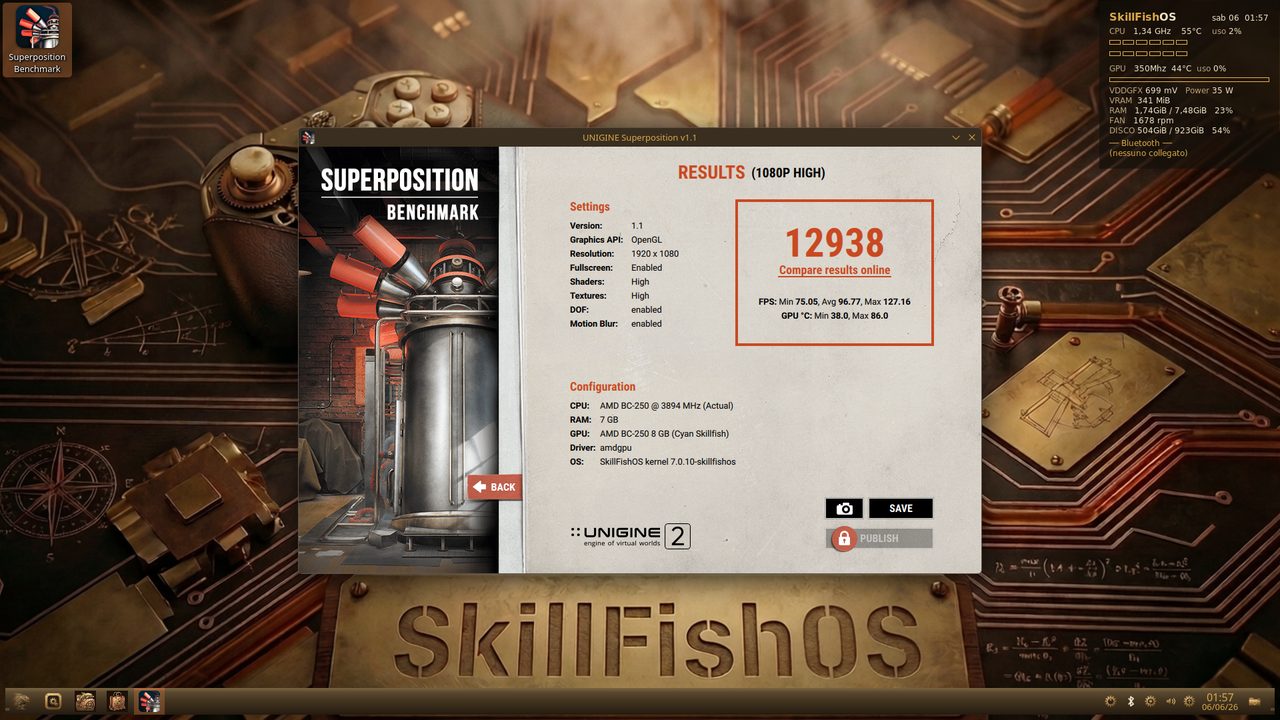
| Unigine Superposition | 1080p High, OpenGL | 12 938 · 96.8 FPS avg |
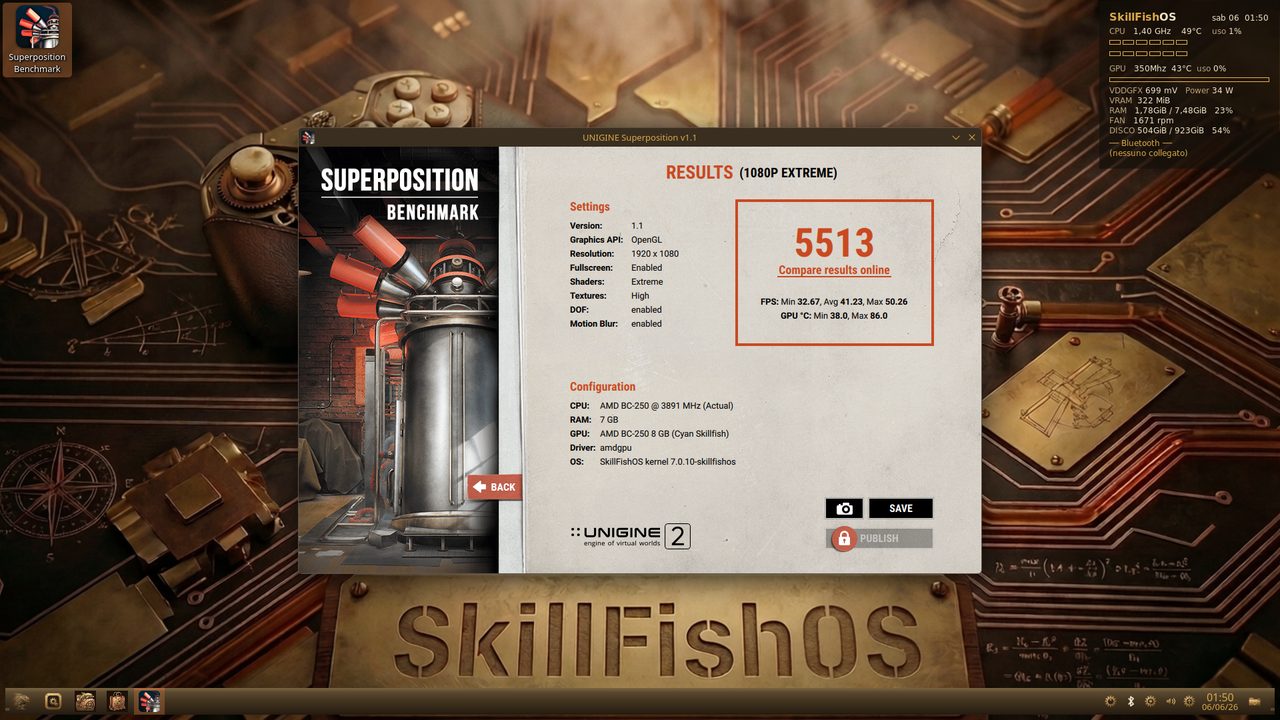
| Unigine Superposition | 1080p Extreme, OpenGL | 5 513 · 41.3 FPS avg |
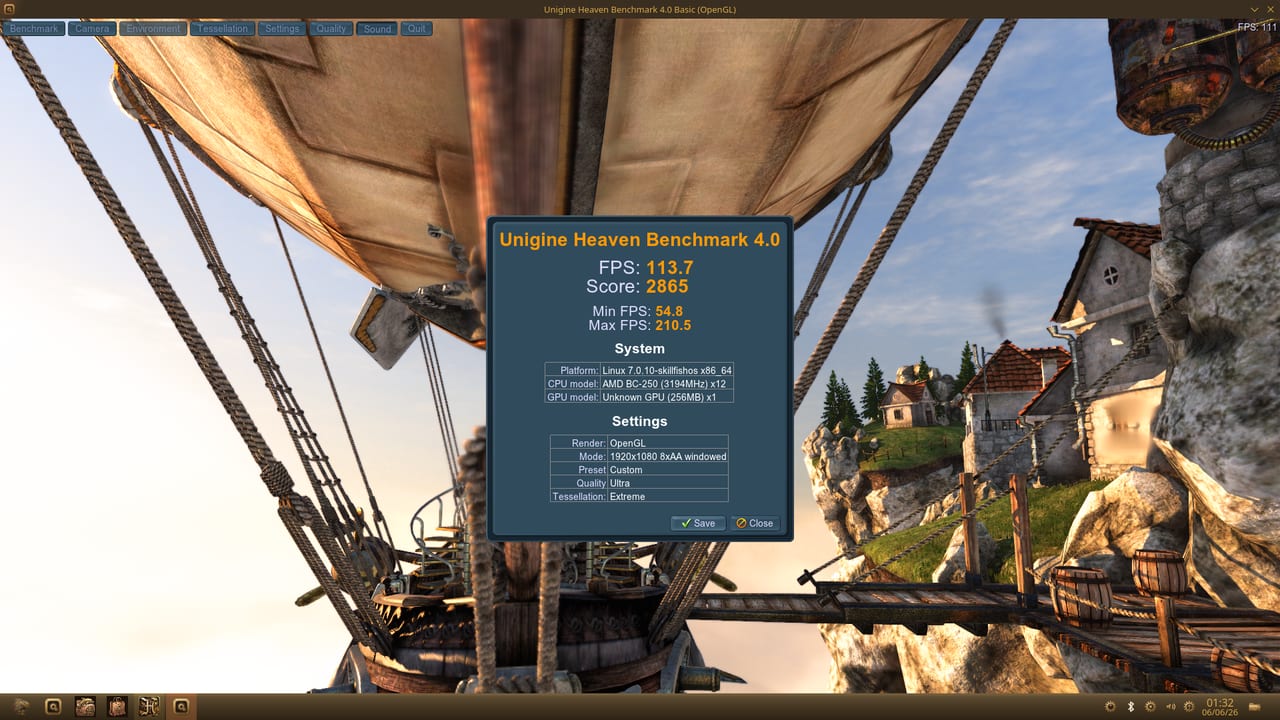
| Unigine Heaven 4.0 | 1080p Ultra, 8× AA, Extreme tess. | 113.7 FPS · score 2865 |
| Black Myth: Wukong — 112 FPS | Unigine Superposition — 12938 (High) |
|---|---|
 |
 |
| Unigine Superposition — 5513 (Extreme) | Unigine Heaven 4.0 — 113.7 FPS / 2865 |
|---|---|
 |
 |
| Configuration | GFLOPS | Notes |
|---|---|---|
| Stock ~2000 MHz, 24 CU | 6141 | baseline |
| tkg + governor, 24 CU | 6868 | +12 % |
| tkg + governor + 40-CU unlock | 11329 | ≈1.84× baseline (≈11.3 TFLOPS) |
Also: FP16 vec4 22 685, int8 dot-product 45 495 GIOPS, memory bandwidth ~350–367 GB/s (clpeak).
Same hardware, +34 % just by changing OS — Superposition 1080p Extreme: SkillFishOS 5513 vs another distro at stock clocks 4102. In gaming the BC-250 lands in Radeon RX 6600/6600 XT territory.
CPU OC validated up to 4.0 GHz (~1224 mV, 120 s stress, 83 °C peak) on the reference board; under combined CPU+GPU load the APU shares its power budget gracefully, easing CPU clocks to stay within the 85 °C limit. Full methodology and benchmarks: skillfishos.com/docs/prestazioni · docs/OPTIMIZATIONS.md.
Prebuilt kernel .debs (three flavours) are published under Releases:
# main BC-250 kernel (znver2)
sudo dpkg -i linux-image-7.0.11-skillfishos_7.0.11-1_amd64.deb
# …or generic (PCs/VMs): linux-image-7.0.11-skillfishos-generic_7.0.11-1_amd64.deb
# …or slim (lean, BC-250): linux-image-7.0.11-skillfishos-slim_7.0.11-2_amd64.deb
Or, from the signed APT repo, simply sudo apt install skillfishos-kernel (a thin wrapper that fetches the full kernel .deb from the GitHub Release). To build it yourself, see docs/BUILD.md and kernel-build/.
Each live ISO (~6.2 GB) is captured from the real system with penguins-eggs: KDE Plasma steampunk desktop, Btrfs + Snapper + grub-btrfs, the native PyQt6 app suite, the signed aetherium APT repo, and the Calamares installer. They boot in English and let you pick your language and keyboard at install; the bilingual apps and HUD follow the chosen locale.
| Edition | Kernel | For |
|---|---|---|
| BC-250 | 7.0.11-skillfishos (znver2) |
the AMD BC-250 board |
| Generic | 7.0.11-skillfishos-generic |
any x86-64 PC / VM |
| Slim | 7.0.11-skillfishos-slim |
BC-250, ultra-lean |
Downloads are hosted on SourceForge: sourceforge.net/projects/skillfishos/files/26.06-Aetherium (the project also hosts the code mirror, blog, forum and wiki). The publishing flow (SourceForge Files, the aetherium APT update repository, and the DistroWatch submission) is documented under distribution/.
The signed APT repo is live at https://mtsistemi.github.io/SkillFishOS/. After install, the Hub app (or
apt) keeps the kernel and every native app up to date from it.
README.md          this file
LICENSE            GPL-3.0
CONTRIBUTING.md    how to get involved
docs/              full documentation
  OPTIMIZATIONS.md   kernel patches, governor, OC/UV, 40-CU, VRAM/GTT, audio/display, controllers
  DESKTOP.md         KDE Plasma, steampunk theme, HUD, Tuner, AI panel
  GAMING.md          Steam, EmuDeck, ES-DE, emulators (bring your own games)
  AI.md              the local Ollama + OpenWebUI Vulkan stack
  BUILD.md           building the kernel and the ISO
kernel-build/      linux-tkg recipe (customization.cfg + BC-250 userpatches)
apps/              native PyQt6 apps: tuner, ai-panel, iso-mount, kernel-switch, monitor, hub (+ menu)
system/            mirror of the live box config (/usr/local/bin, systemd units, /etc, KDE skel, branding)
theme/             the "SkillFish Steampunk" theme (icons, cursors, Kvantum, wallpapers, palettes)
distribution/      release & publishing: APT repo (suite aetherium), SourceForge, DistroWatch
iso/               live-build configuration for the installable ISO
scripts/           helper scripts (e.g. publish-kernel.sh)
screenshots/       images used in this README
legacy/            superseded early setup scripts, kept for reference
Everything that makes the BC-250 sing is documented:
- docs/OPTIMIZATIONS.md — the heart of the project: the kernel patches, SMU governor, CPU/GPU overclock & undervolt, 40-CU unlock, VRAM/GTT tuning, broken-HPD display fix, audio, Wi-Fi/Bluetooth and controllers.
- docs/DESKTOP.md — KDE Plasma, the steampunk theme, the live HUD, the Tuner and the AI panel.
- docs/GAMING.md — the gaming stack and how EmuDeck / ES-DE are set up.
- docs/AI.md — running LLMs locally on the integrated GPU via Vulkan.
- docs/BUILD.md — build the kernel and the ISO from source.
We genuinely want this project to take off, and that needs people. Whether you can write kernel patches, package software, improve the theme, test on real hardware, fix typos in the docs, or just file good bug reports — you're welcome here. Start with CONTRIBUTING.md, open an issue, or say hi in a discussion.
Work in progress, dogfooded daily on real BC-250 hardware. An independent community project — not affiliated with AMD or any other vendor.
Built on the shoulders of:
- Frogging-Family/linux-tkg — the kernel build system
- Magnap/cyan-skillfish-governor — GPU SMU clock control
- bc250-collective/bc250_smu_oc · fanoush/bc250_memcfg · duggasco/bc250-40cu-unlock
- EmuDeck · ES-DE · Ollama
- BC-250 community docs: bc250.info · elektricm.github.io/amd-bc250-docs · mothenjoyer69/bc250-documentation
GPL-3.0. The bundled artwork/theme is provided for use with SkillFishOS.