Search, triage, preview, and dump exposed services and code leaks using Shodan and ZoomEye with a provider aware UI and database. Find data leaks, threat intelligence and other useful data exposed and accessible on the internet without authentication or exploitation.
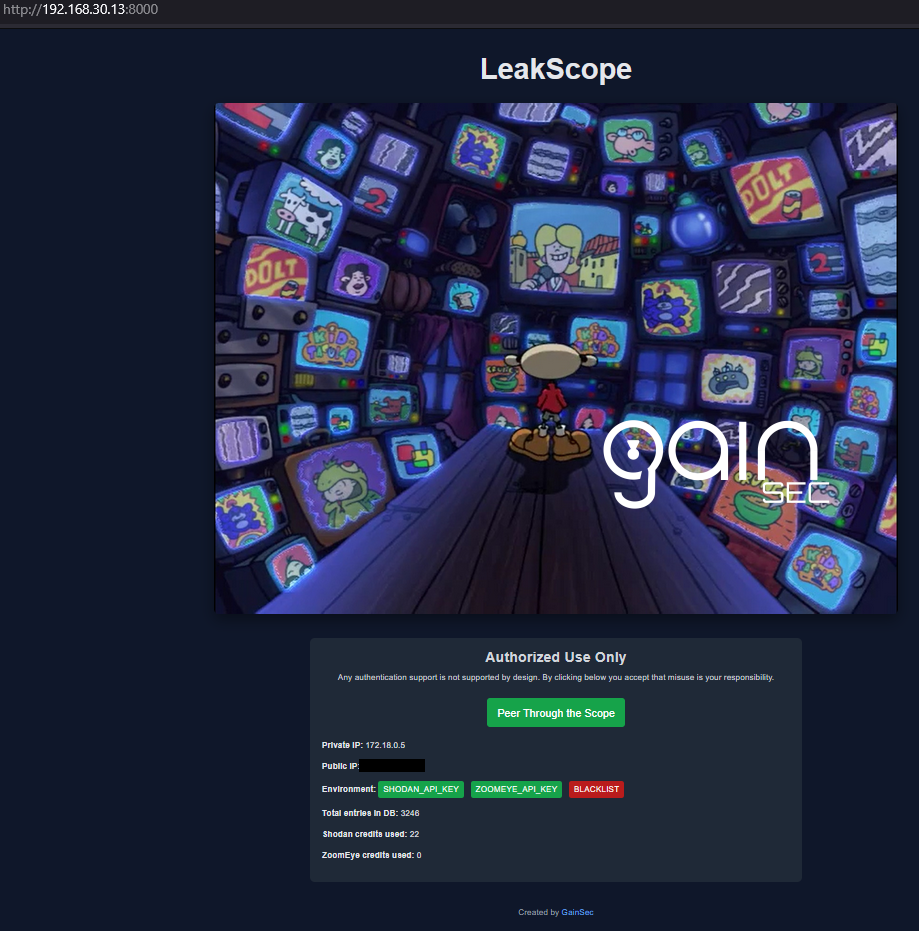
- Dual-provider discovery (Shodan + ZoomEye) with provider-specific dorks/templates and per-search provider selection.
- Coverage: GitLab, Elasticsearch/OpenSearch, Kibana, Jenkins, Mongo/Mongo Express, Rsync, FTP, Cassandra, CouchDB, RethinkDB, S3 buckets (open + brute force), Angular apps, JS secrets, Grafana, Prometheus, MinIO, Swagger/OpenAPI, Nexus, Artifactory, Docker Registry/Harbor (auth-free), key patterns, etc.
- Landing page shows env sanity (SHODAN/ZOOMEYE keys, blacklist), WAN/LAN IPs, DB entry count, and credits used per provider.
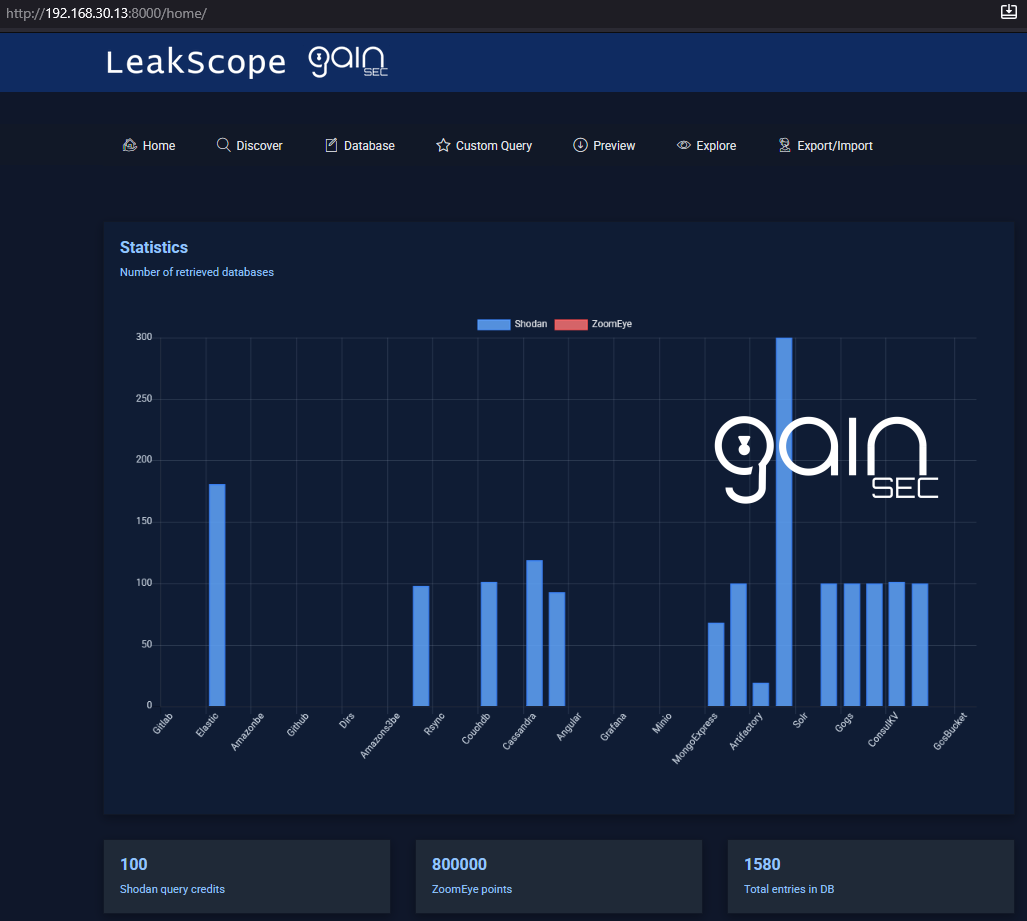
- Home/Dashboard: stacked bar chart of per-type counts split by provider, Shodan credit display, ZoomEye points, and total DB entries.
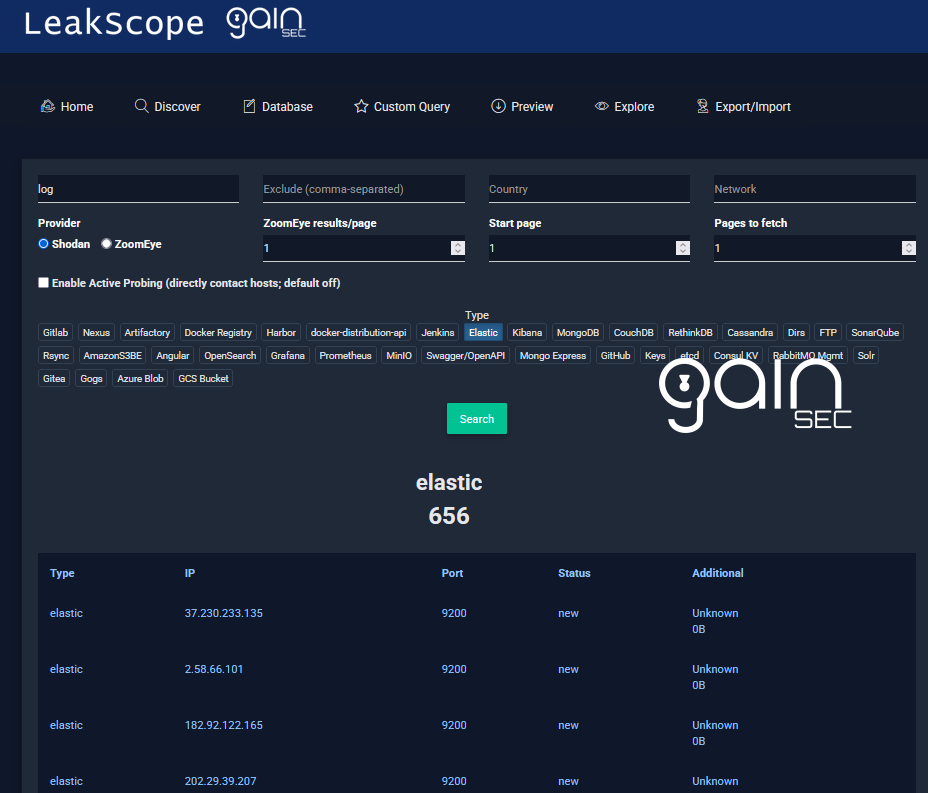
- Search (keyword): provider toggle, start page + page count, ZoomEye per-page results, active probing toggle, and inline credit/points estimate.
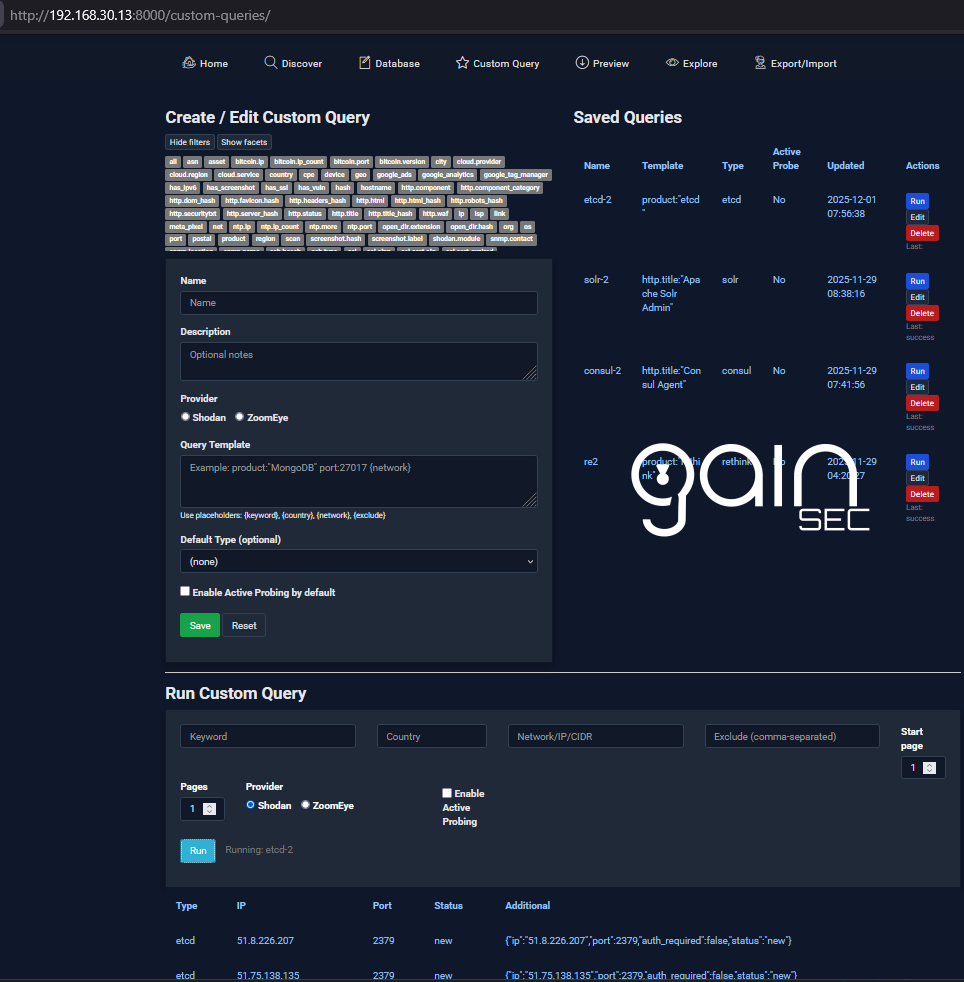
- Custom Queries: save templated queries with placeholders, provider selector, ZoomEye presets/helpers, and run via Celery with progress polling.
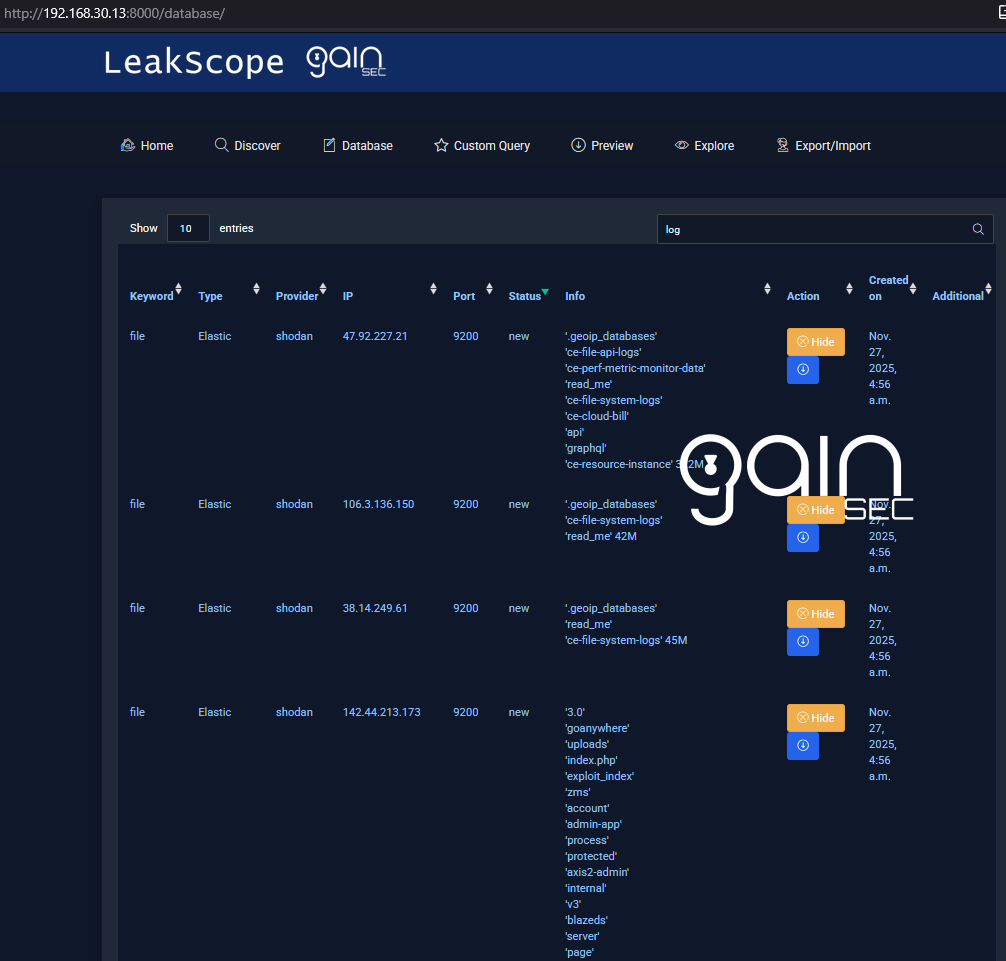
- Database: provider column on every row, hide/unhide, quick Preview links.
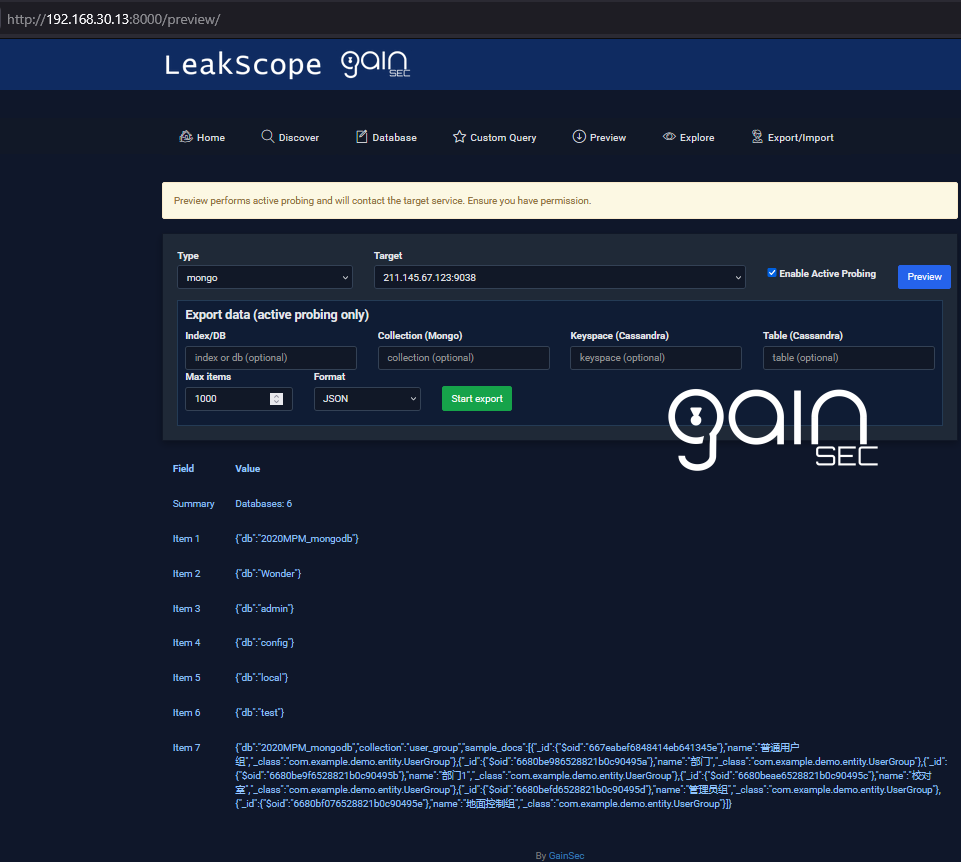
- Preview/Explore: active probes for supported types (no auth attempts; returns “requires auth” when applicable), Cassandra no-auth summarizer, and export slices.
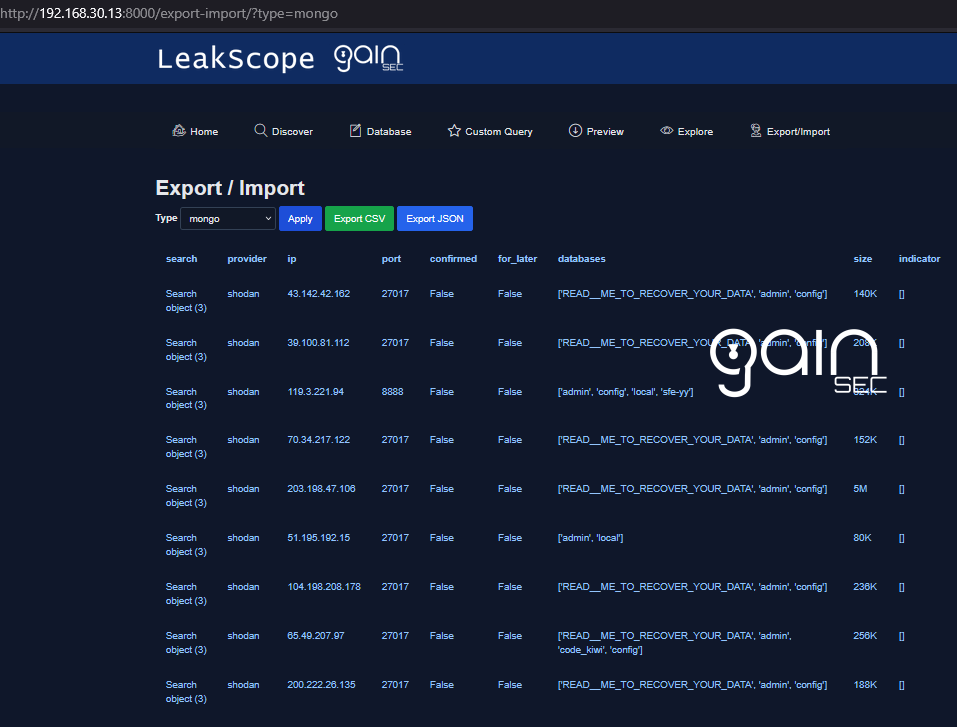
- Export/Import: view records by type, export CSV/JSON, and import blacklist entries..
- Docker with Compose (recommended) or Python 3.9+, Redis.
- Shodan API key (paid/membership with query credits). # Optional if you use ZoomEye only
- ZoomEye API key (membership with query credits). #Optional if you use Shodan only
| Name | Purpose | Required |
|---|---|---|
SHODAN_API_KEY |
Shodan API key used for all searches | Yes |
ZOOMEYE_API_KEY |
ZoomEye API key (API-KEY header) | Yes (if using ZoomEye) |
ZOOMEYE_TIMEOUT |
ZoomEye request timeout seconds (default 30) | Optional |
ZOOMEYE_SUBTYPE |
ZoomEye sub_type (v4, v6, web, all; default all) |
Optional |
ZOOMEYE_PAGESIZE |
Default ZoomEye results per page (default 1 to conserve credits) |
Optional |
BLACKLIST |
Comma-separated IPs/hosts/buckets to ignore on import | Optional |
DJANGO_ALLOWED_HOSTS |
Comma-separated hostnames/IPs (default ['*'] listens on all) |
Optional |
You can also supply the same values via config.json under the config key; env vars win on conflicts.
- Set env vars (e.g. in
.env):
SHODAN_API_KEY=your_key_here         # optional if you only use ZoomEye
ZOOMEYE_API_KEY=your_zoomeye_key     # optional if you only use Shodan
BLACKLIST=1.2.3.4,example-bucket     # optional
- Build and run:
docker compose build
docker compose up -d
- Apply migrations (first run):
docker compose exec web python manage.py migrate
- Open the app at http://localhost:8000 (or your host IP:8000 on the LAN).
python -m venv .venv && source .venv/bin/activate
pip install -r requirements.txt
export SHODAN_API_KEY=your_key_here # and/or ZOOMEYE_API_KEY
python manage.py migrate
redis-server &
celery -A leakscope worker --loglevel=info --concurrency=1 --pool=solo &
celery -A leakscope beat --loglevel=info &
python manage.py runserver 0.0.0.0:8000
- Shodan: page-based; you can request a start page and how many pages to fetch for the same query.
- ZoomEye: result-based; default pagesize is
1to conserve credits. Credits are only burned when results are returned. Pagesize and sub_type are user-configurable. - Both providers persist results with their provider tag; charts and exports are provider-aware. Both will tell you how many API credits/tokens will be consumed if there are any results.
- Runtime blacklist =
BLACKLISTenv values + entries stored in theBlacklistEntrytable. - Deleting a finding in the UI adds its IP/bucket to
BlacklistEntry; future imports skip it.
- Checkbox on search and custom queries; preview and explore use active probes by design.
- Default off: passive (provider metadata only). Some enrichments short-circuit until enabled.
- On: probes hosts/services directly (Elastic/OpenSearch, dirs, Jenkins, FTP, CouchDB, Mongo/Mongo Express, Rsync, S3, Nexus, Artifactory, Docker Registry/Harbor, Cassandra, etc.). If auth is needed, responses indicate “requires auth”.
- Default DB is
db.sqlite3(mounted in Docker). Delete to reset; it will regenerate after migrations. - Static assets/templates:
leakscope_app/static,leakscope_app/templates. - Background work runs through Celery worker + beat; Redis is the broker/backend.
- Uses Django dev server in Docker
- Keep queries scoped to control provider credits/points.
- This tool is for defensive/offensive security use.
-
Landing: shows IP info, env var presence (SHODAN/ZOOMEYE/BLACKLIST), total DB entries, credits used per provider, CTA to Home.
-
Home: stacked per-type bar chart (Shodan vs ZoomEye), Shodan credits, ZoomEye points, total entries.
-
Search (Discover): keyword/country/network/exclude, type chips, provider toggle, ZoomEye results/page input, start page + page count, active probing toggle, and credit/points banner.
-
Database: all findings with provider column and status; hide/unhide; Preview link per row.
-
Custom Queries: create/edit/save queries with placeholders
{keyword},{country},{network},{exclude}; provider selector; ZoomEye presets; Shodan helper filters/facets; run saved queries with paging and active-probe default. -
Preview: active preview with progress polling; Cassandra summarizer (no-auth), Elastic/OpenSearch, dirs, Jenkins, FTP, CouchDB, Mongo/Mongo Express, Rsync, S3, Nexus/Artifactory/Registry/Harbor, etc.
-
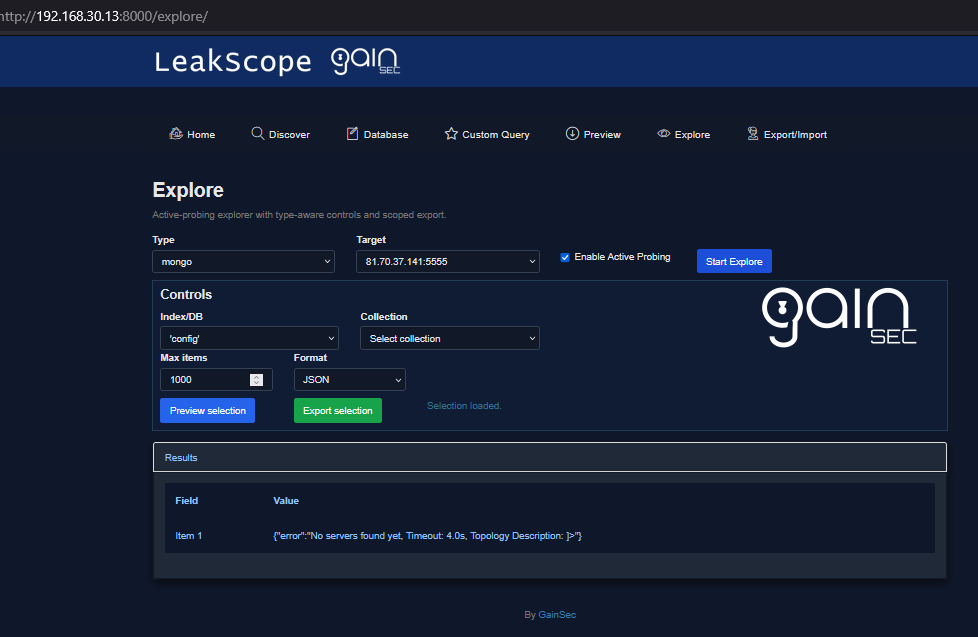
Explore: navigate stored findings (indices/dbs/repos/buckets/etc.) and export focused slices.
-
Export/Import: browse by type (up to 500 rows), export CSV/JSON, import blacklist entries.
- Koa's s3 Bucket Name List - https://github.com/koaj/aws-s3-bucket-wordlist/blob/master/list.txt
- Wojciech's LeakLooker-X - https://github.com/woj-ciech/LeakLooker-X