Source, full documentation and issues: github.com/EECSB/GraphDBViewer
A browser-based viewer and editor for graph databases. Paste a query, get a picture, poke at the data, and move on. Six engines: Gremlin (Apache TinkerPop, Azure Cosmos DB), Cypher (Neo4j, Memgraph), AQL (ArangoDB), DQL (Dgraph), GUN and SPARQL/RDF.
docker run --rm -p 8080:8080 eecsb/graphdbviewer-server
Then open http://localhost:8080. Multi-architecture: linux/amd64 and linux/arm64.
The viewer normally talks to a database straight from the browser and needs no server at all — the GitHub releases ship a zip of static files for exactly that. This image is the same app plus a host, and the host exists for the databases a browser cannot reach on its own:
- an endpoint that sends no CORS headers
- a plain
httpendpoint on anhttpspage - a database only the server can route to
- Neo4j and Memgraph over Bolt, which needs a raw TCP socket the browser cannot open
Each connection carries a Make requests from toggle — Browser or Server — so the proxy is used per
connection, only where it is needed. The app asks the host for api/graph/capabilities at startup, so one
build works either way: served as static files it gets a 404, hides the toggle, and stays browser-direct.
| 🔌 Six engines | Gremlin (TinkerPop, Cosmos DB), Cypher (Neo4j, Memgraph), AQL (ArangoDB), DQL (Dgraph), GUN and SPARQL/RDF. |
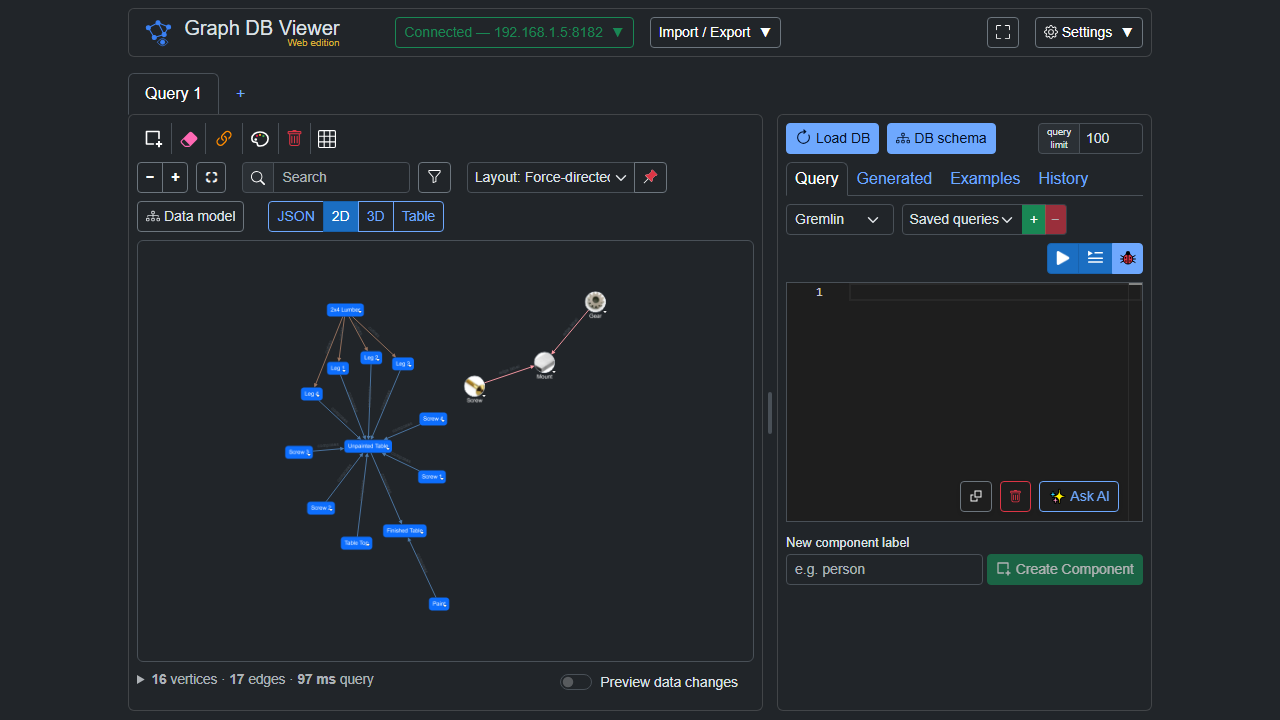
| 🎨 Four view modes | The same result as an interactive 2D graph, a 3D graph, a sortable Table, or raw JSON. |
| 🧭 Multiple layouts | 6 layouts in 2D (force, tree, concentric, circle, grid, random) and 6 in 3D (force plus five DAG modes). |
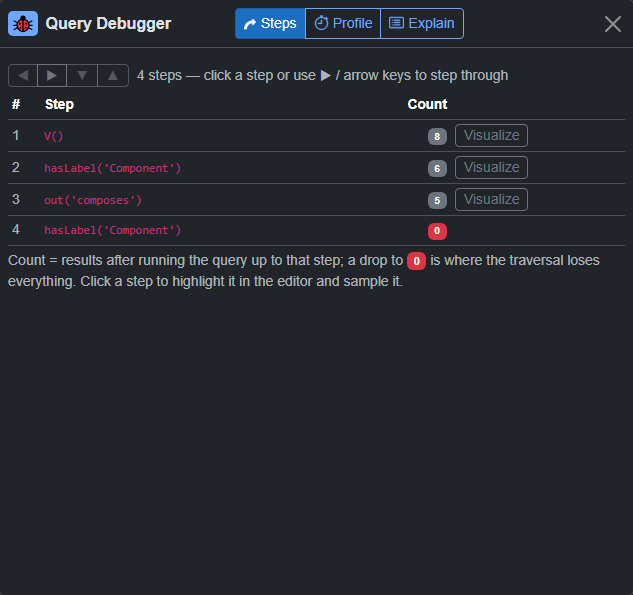
| 🐞 Query debugger | Step through a traversal and watch the traverser count after every step — see exactly where results vanish. |
| ✏️ Full editing | Add, edit and delete vertices, edges and properties. Changes are staged and committed explicitly. |
| 🧠 Schema-aware autocomplete | Monaco editor with real vertex labels, edge labels and property keys pulled from your live database. |
| ✨ Ask in English | Describe what you want and a model writes the query against your live schema — bring your own key (Anthropic, OpenAI, Gemini, or any OpenAI-compatible endpoint). |
| ✨ Text to knowledge graph | Paste text, a document or a Wikipedia article and get a graph out, previewed and merged before anything is committed. |
| 📥 Import | Paste GraphSON, Graphviz DOT or Mermaid and visualize it offline — or turn it into addV/addE. |
| 📤 Export | Table → CSV or colored Excel; graph → PNG, JPEG, SVG; 3D scene → OBJ, PLY, STL, glTF. |
| 🌙 Dark mode | Persisted dark theme and keyboard shortcuts throughout. |
| Database | Query language | Protocol | Route |
|---|---|---|---|
| Apache TinkerPop / TinkerGraph | Gremlin | WebSocket or HTTP | Browser or server |
| Azure Cosmos DB (Gremlin API) | Gremlin | WebSocket / HTTP + HMAC-SHA256 | Browser or server |
| Neo4j / Memgraph | Cypher | Bolt | Browser (vendored JS driver) or server (.NET driver) |
| ArangoDB | AQL | HTTP cursor API | Browser or server |
| Dgraph | DQL | HTTP | Browser or server |
| GUN | — (form-based) | peer-to-peer | Browser only — the page is a peer |
| Fuseki, Blazegraph, GraphDB, Virtuoso | SPARQL 1.1 | HTTP | Browser or server |
| Public SPARQL (Wikidata, DBpedia) | SPARQL | HTTPS | Browser or server |
Not every engine can do everything, and where one cannot it is a reason rather than an unfinished job: GUN cannot enumerate itself, so it has no browse; SPARQL has no query builder, so every compose-a-query-for-you feature is off for it.
Amazon Neptune stays out of scope: it needs VPC access plus SigV4 request signing, which is more than a proxy.
Reachability. On the Browser route the endpoint must be reachable from your machine and either allow CORS (HTTP/SPARQL) or accept a WebSocket from your origin; the app warns you when it might not. This image is what lifts that — it dials from the host instead, which is the whole reason it exists.
3D — the graph in space, with six layouts including five DAG modes:
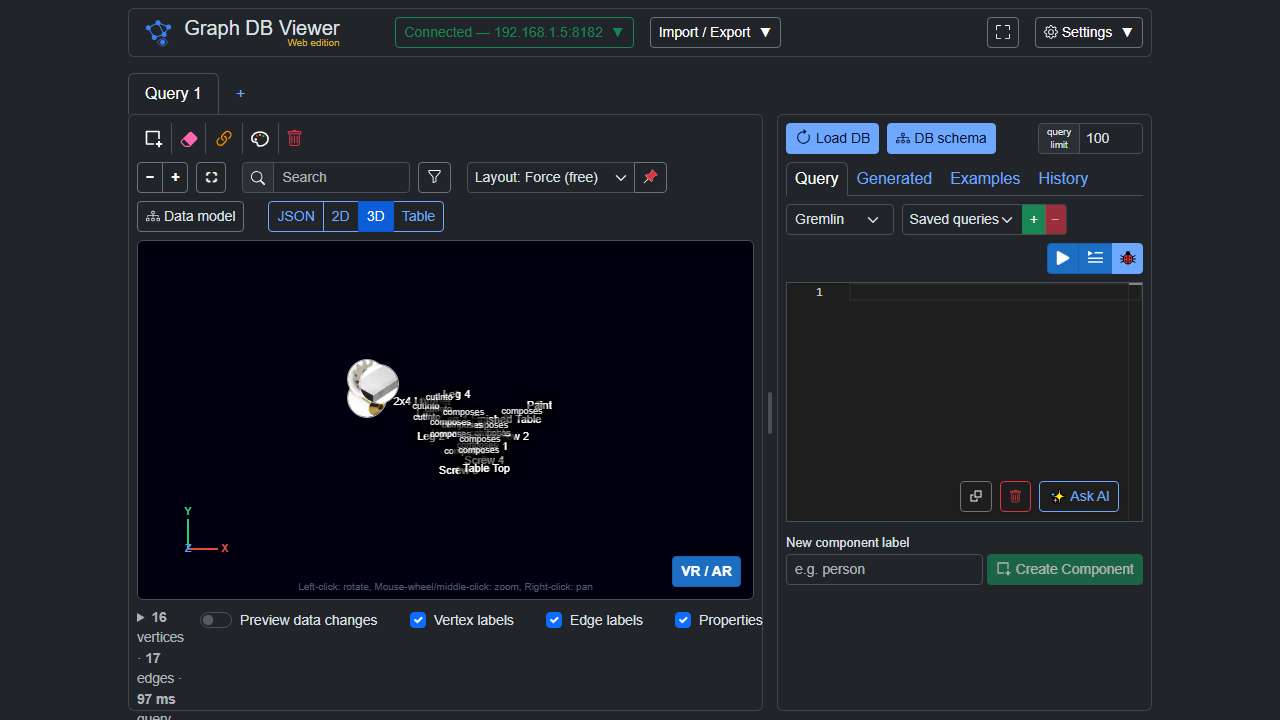
Table — sortable, and exportable to CSV or a colored Excel sheet:
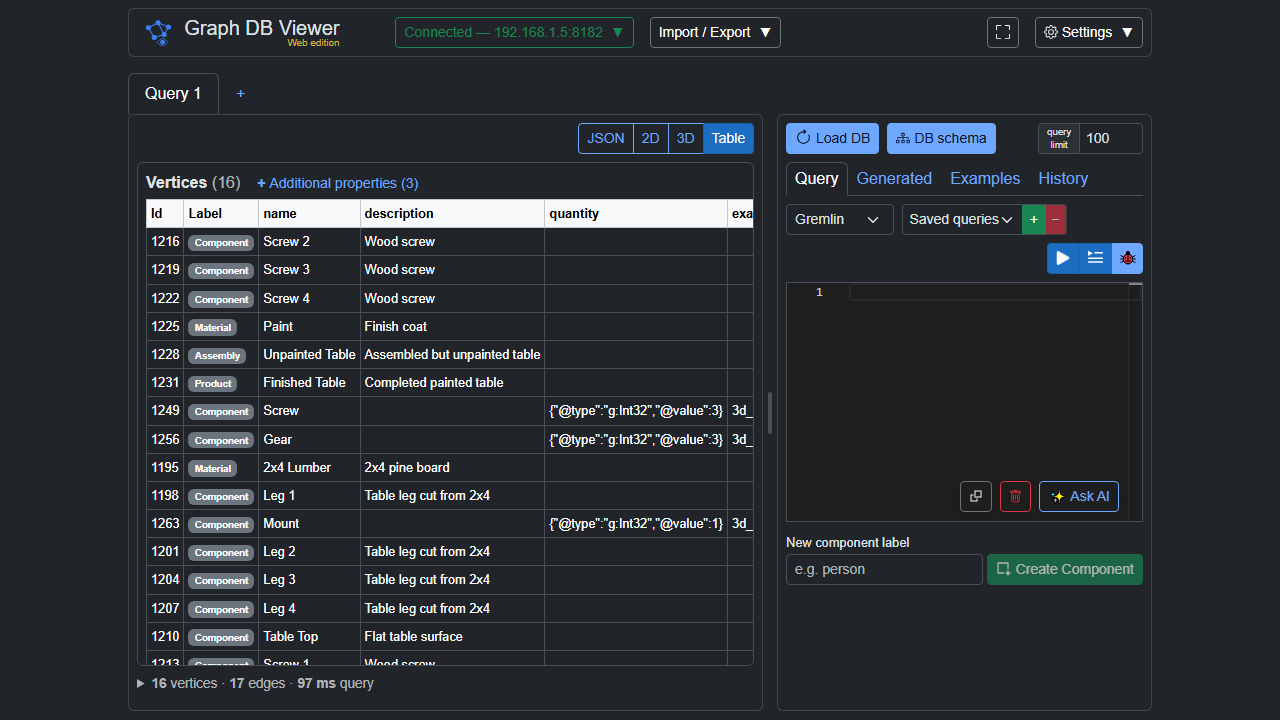
JSON — the raw result, exactly as the database answered:
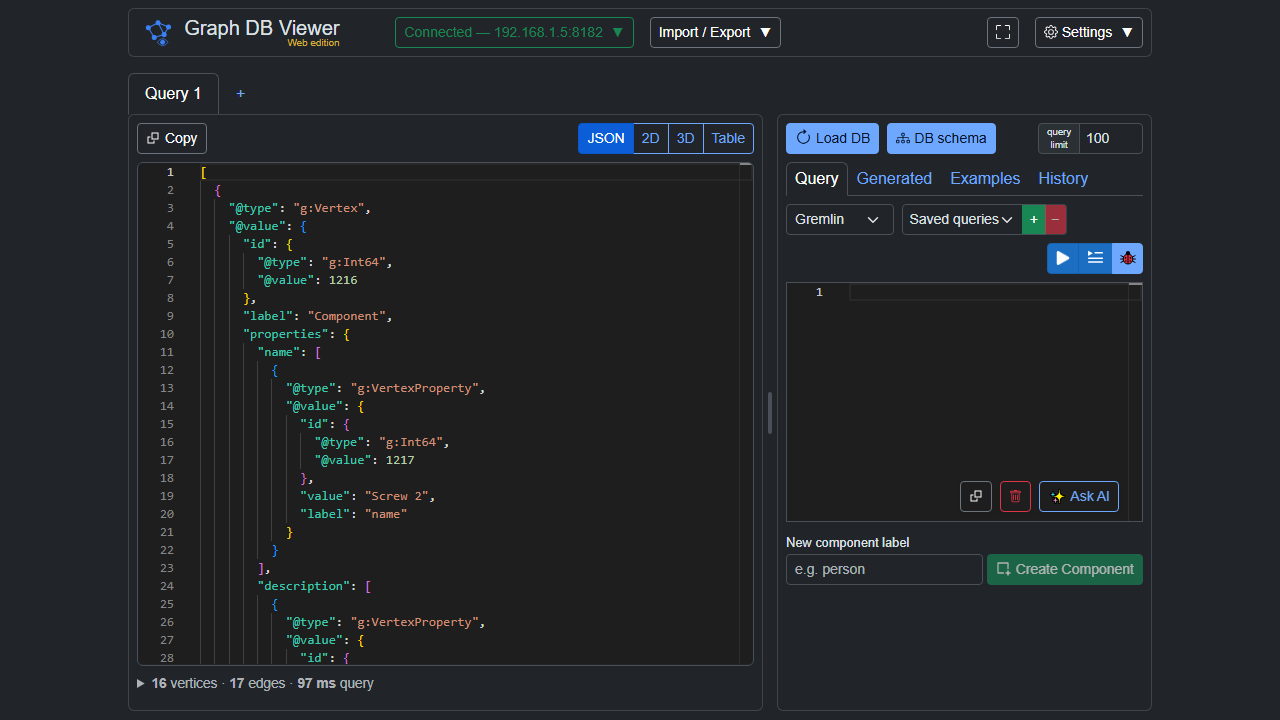
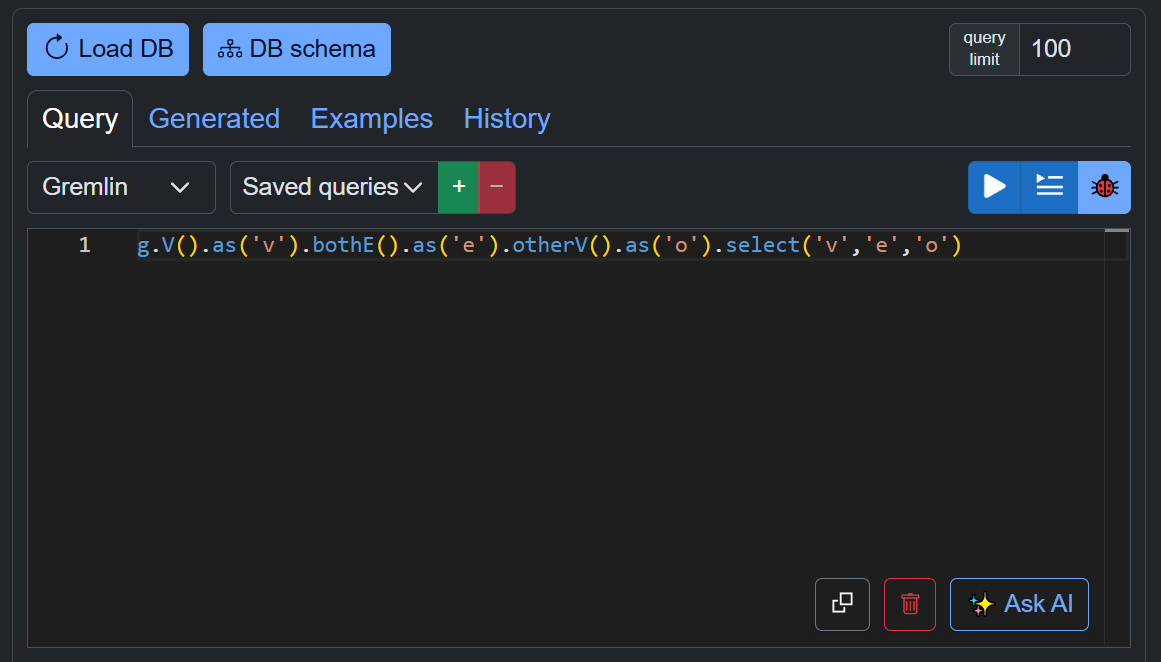
Monaco, self-hosted, with syntax highlighting for Gremlin, openCypher and SPARQL, and autocomplete drawn from your live schema — real labels and property keys, not a generic word list:
Step through a traversal and watch the traverser count after each step. The step where the count drops to zero is the step that ate your results:
Nothing to connect to yet? Run one beside this container:
docker run -d -p 8182:8182 tinkerpop/gremlin-server
That serves an in-memory TinkerGraph at ws://localhost:8182/gremlin — no SSL, and the data is lost
when the container restarts. Connect in the app with: type Apache TinkerPop, transport WebSocket,
SSL off, host localhost, port 8182.
It starts empty, so load something into it: the Examples tab has one-click sample graphs — a table assembly tree, a social network, flight routes, and 3D objects — that add themselves to whatever is already there.
No Docker to spare? Pick the SPARQL / RDF database type and the public Wikidata endpoint
https://query.wikidata.org/sparql — zero setup — and try:
SELECT * WHERE { ?s ?p ?o } LIMIT 10
The proxy endpoint is unauthenticated and dials whatever it is asked to. That is the feature — it is a developer tool, and pointing it at an arbitrary endpoint is the point — but it means anything that can reach this container can make it open connections on its behalf, including to addresses only it can route to. Do not put this on the open internet.
Credentials travel to the host. On the Server route a connection's key is sent here rather than staying in the browser. TLS is expected to terminate at a reverse proxy in front of the container; the app serves plain HTTP on 8080.
There are no accounts, no database and no server-side storage. Your workspace stays in the browser's IndexedDB exactly as it does without a host, so the container holds nothing and can be replaced freely.
A full-stack platform with accounts and saved workspaces that follow a user between machines is a separate product (Treeality).
latest— the newest release1,1.1,1.1.0— semantic version tagssha-<commit>— a specific build
Source-available under the PolyForm Noncommercial License 1.0.0. Noncommercial use — personal and hobby projects, research, education, nonprofits — is free. Commercial use requires a paid license; see COMMERCIAL-LICENSE.md.
Source and documentation: https://github.com/EECSB/GraphDBViewer